23
Using the menus
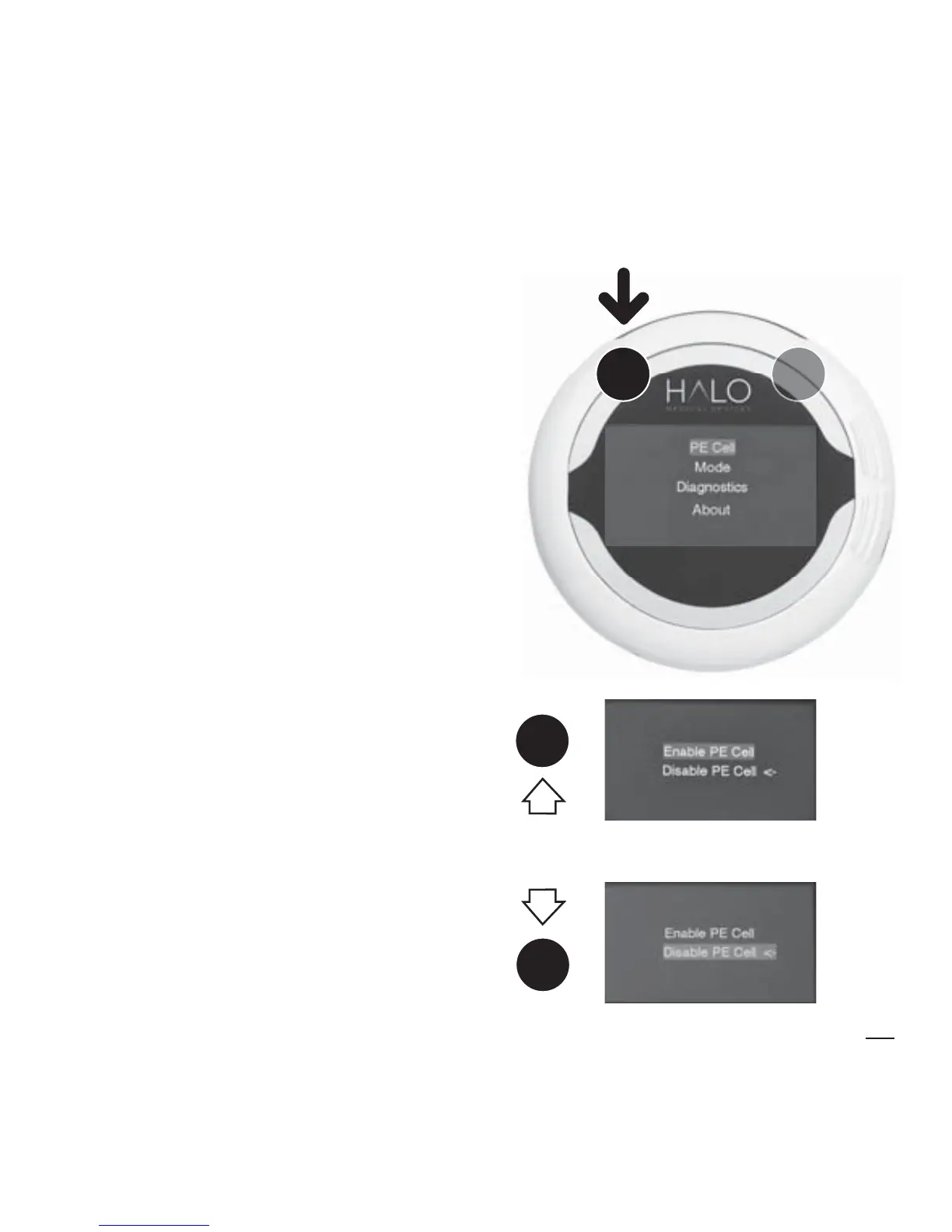
There are 4 menu items.
Enter the menu
To display the menu, hold down
Button 1 for four seconds. The
menu list appears.
Exit the menu
To exit from the menu, hold down
Button 1 for four seconds. This
returns you to MEASURE MODE.
Scrolling
Scroll down with Button 2, up
with Button 1. An arrow shows
the currently active option. A blue
highlight shows your selection.
2
2
1
1
4 SECS
MENU
SCROLL


 To Next Page