ADMINISTRATOR MANUAL
15
PAGE
CLICK
HERE
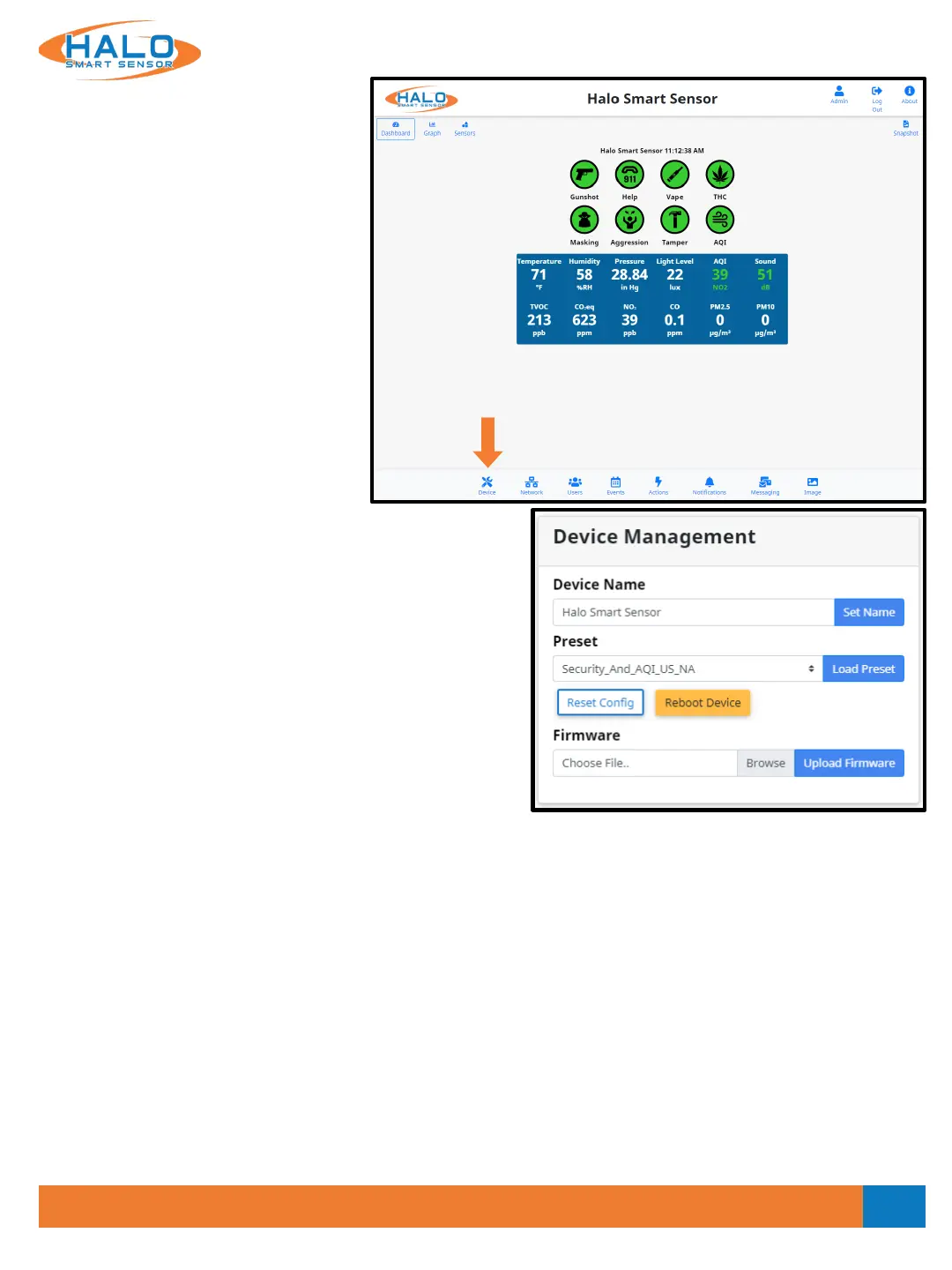
Device
The “Device” page provides access
and adjustment to Date and Time,
Device Name, Presets, Reset Config,
Reboot Device, Firmware Upload,
Config Upload and Download,
Temperature Offset, Cloud
Connection, and Log Download.
Preset
Preset includes the current default events and live view.
Load after a firmware update for current signatures
updates.*
Reset Config
Resets the HALO back to the current firmware default
settings.
Reboot Device
Reboots the HALO Device
Device Name
The Device Name is going to appear in
every notification and is used to
identify the location of the HALO.
Choosing a name that makes this
identification easy is important.
Ex.: High School Boys West Bathroom
V2.2 - 9/09/2020
Firmware
Prior to updating firmware, it is best practice to document any changes made to thresholds and advanced
conditions.* These changes can be re-programmed into HALO once the update is complete. Choose the
current firmware file and select “Upload Firmware,” this firmware can be downloaded from:
https://ipvideocorp.com/halo-downloads/
**DO NOT REMOVE POWER WHILE HALO IS REBOOTING**
After upgrade, click the dropdown menu next to the “Load Preset” button and select
“Standard_Events_And_Live_View” then click the “Load Preset” button.
Firmware can be updated to multiple HALOs at once using the HALO Device Manager, see separate HDM guide.
*Loading a preset will erase any custom Live View, Events and Actions made prior.


 To Next Page