ADMINISTRATOR MANUAL
11
PAGE
Image Settings
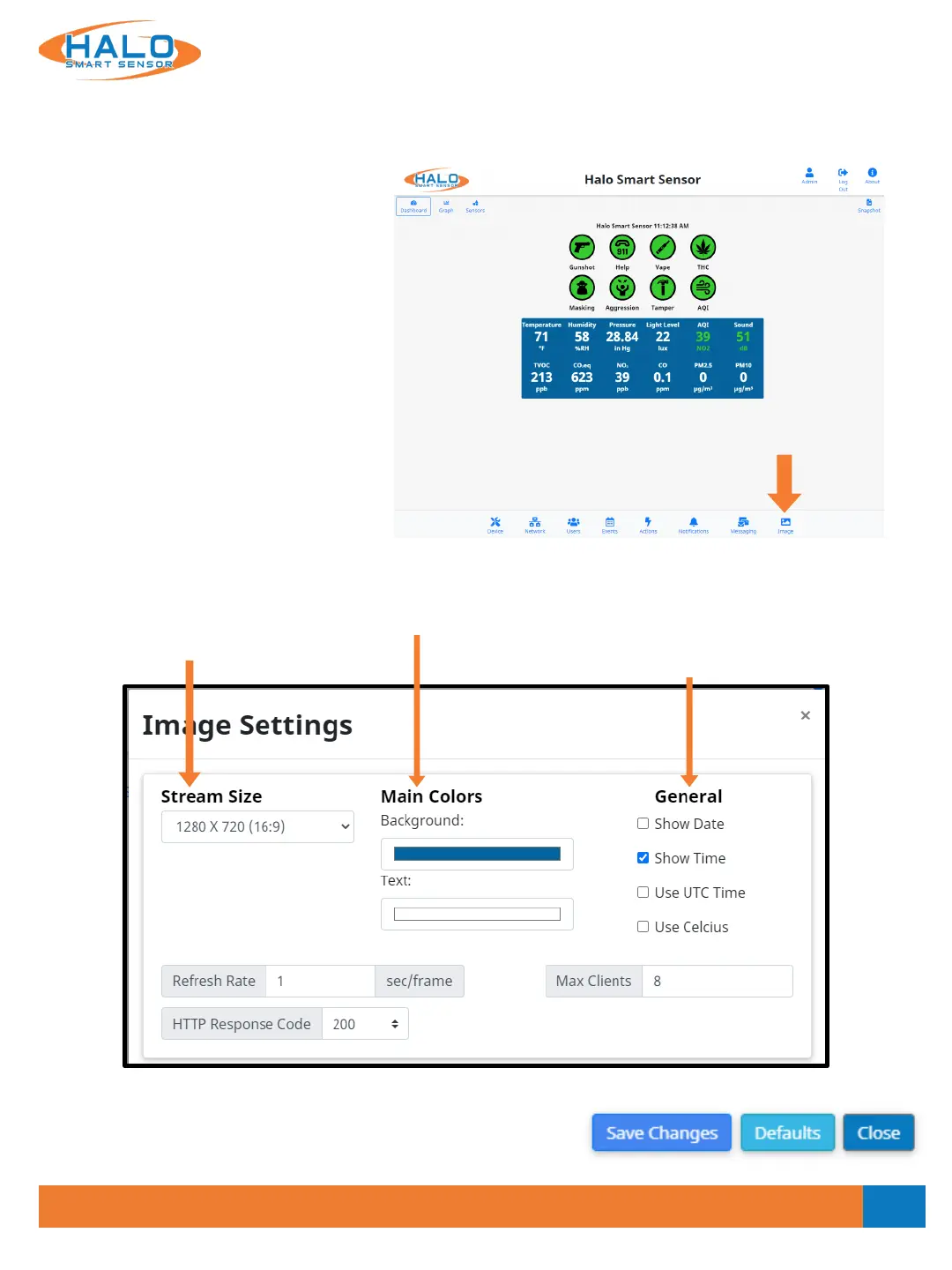
Navigate to the image page, from here the Live View page can be altered. Some of the alterations available
include:
• Choose Stream Resolution
• Color Options
• Show / Hide Info
• Stream Paths (3rd Party Streams)
• Signatures
o Show / Hide
o Graph Scale
o Color
o Order
CLICK
HERE
Stream Resolution
Select from the drop down
to change the displayed
resolution of the Live View
stream.
Color Options
Colors for both background
and text can be selected.
Show / Hide Info
Information can be added or removed
from the Live View stream including
Date, Time, UTC Time, and a choice of
showing temperature in Celsius.
Saving Setting Changes
All setting changes performed in this section are committed by
clicking the "Save Changes" button. Settings can be restored to
their default values by clicking the "Defaults" button.
V2.2 - 9/09/2020


 To Next Page