ADMINISTRATOR MANUAL
17
PAGE
Network
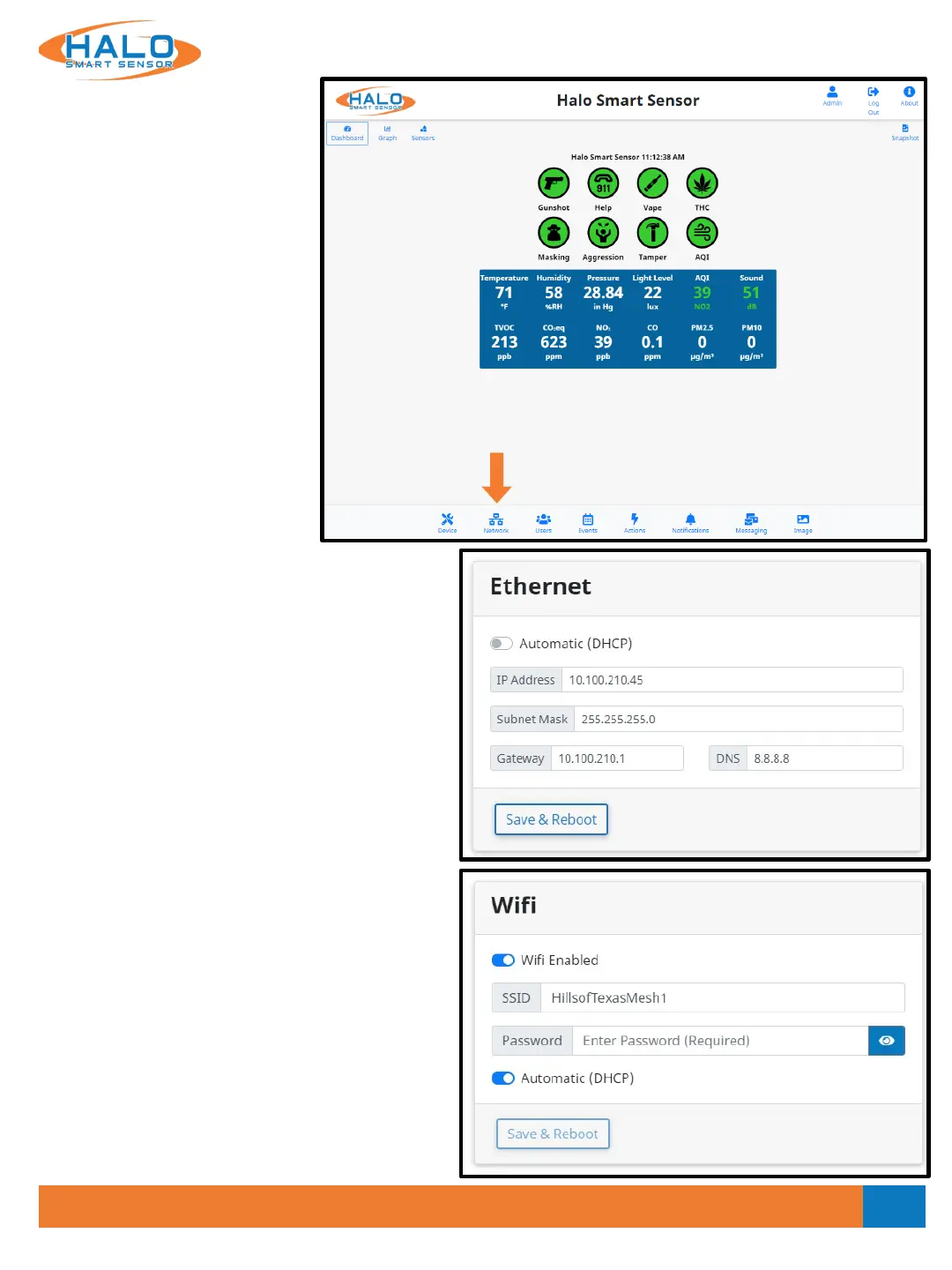
The “Network” page provides
access and adjustment to
Ethernet, WiFi, HTTP / HTTPS,
BACnet, and Cloud settings.
CLICK
HERE
Ethernet
If the facility network requires the use of Static IP
Addresses, obtain the IP address, Sub-net Mask,
Gateway, and DNS to be used for this specific
Device, and follow these steps.
Set the Automatic (DHCP) to Off to enable use of a
Static Address
Enter the desired IP Address, Netmask (Sub-net
Mask), & Router (Gateway) in the format shown.
Enter the DNS Server IP Address or Domain in the
format shown.
Click "Save & Reboot" to commit these settings.
WiFi
WiFi is turned off by default and can be enabled,
this can be set up as Automatic (DHCP) or Static.
SSID must be typed in exactly and is case sensitive,
as is the password.
Click "Save & Reboot" to commit these settings.
If successful connection to a WiFi network is
completed, the “About” Page will show an
assigned IP address for WiFi.
V2.2 - 9/09/2020



 To Next Page