ADMINISTRATOR MANUAL
29
PAGE
CLICK
HERE
Messaging
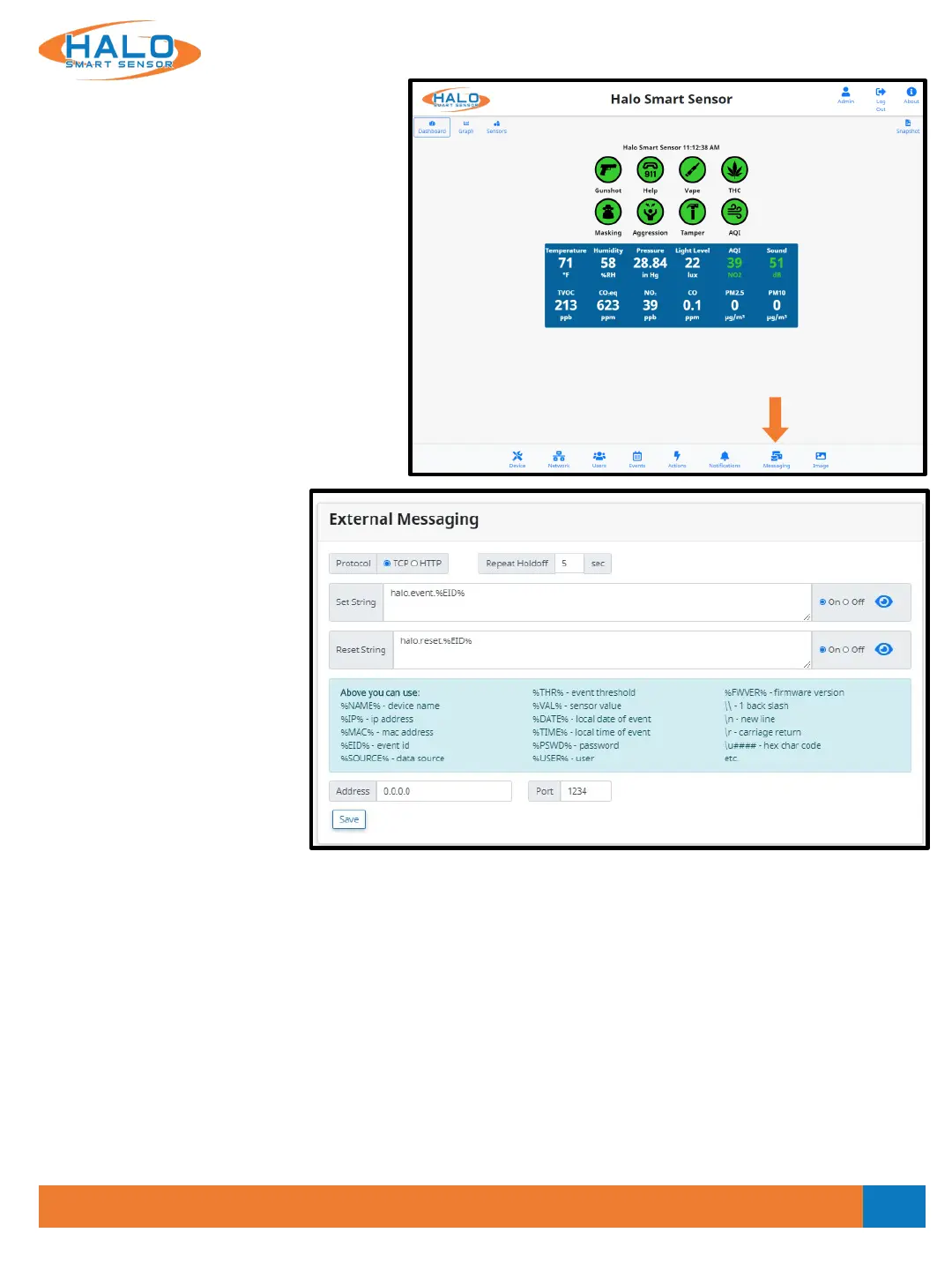
The “Messaging” page is where HALO makes
connections to 3
rd
party products.
HALO has an open API and works with many
3rd party products including Surveillance,
Access Control, Cloud, Building Management
Systems, LED Lighting, Network Switching
and many others.
External Messaging works with the
connections to 3rd party products and sends
specified information upon an event.
Individual product guides are available on
the "Partner Integration Guides" section of
the website.
HALO Smart Sensor can send
ASCII Messages via TCP/IP
Socket or HTTP to supported 3
rd
party platforms, as a method of
triggering defined “Events,” and
associating HALO Smart Sensor
“Events” with other products
such as cameras.
Enter a Set String and click the
On or Off radio button to
enable or disable this
notification. The Set String
should identically match one
that is defined in the 3
rd
party product. This will send a notification to the 3
rd
party product that an “Event”
has been triggered.
Enter a Reset String and click the On or Off radio button to enable or disable this notification. The Reset
String should identically match one that is defined in the 3
rd
party product. This will send a notification to the
3
rd
party product that a sensor(s) defined in an Event has been reset.
Enter the IP Address of the 3
rd
party product in the Address field.
Enter the Port that is set to listen to events on the 3
rd
party product.
Specify the Protocol used to transmit the event notification by clicking the TCP or HTTP radio buttons.
Repeat Holdoff can be selected, default value is 5 seconds.
V2.2 - 9/09/2020


 To Next Page