ADMINISTRATOR MANUAL
18
PAGE
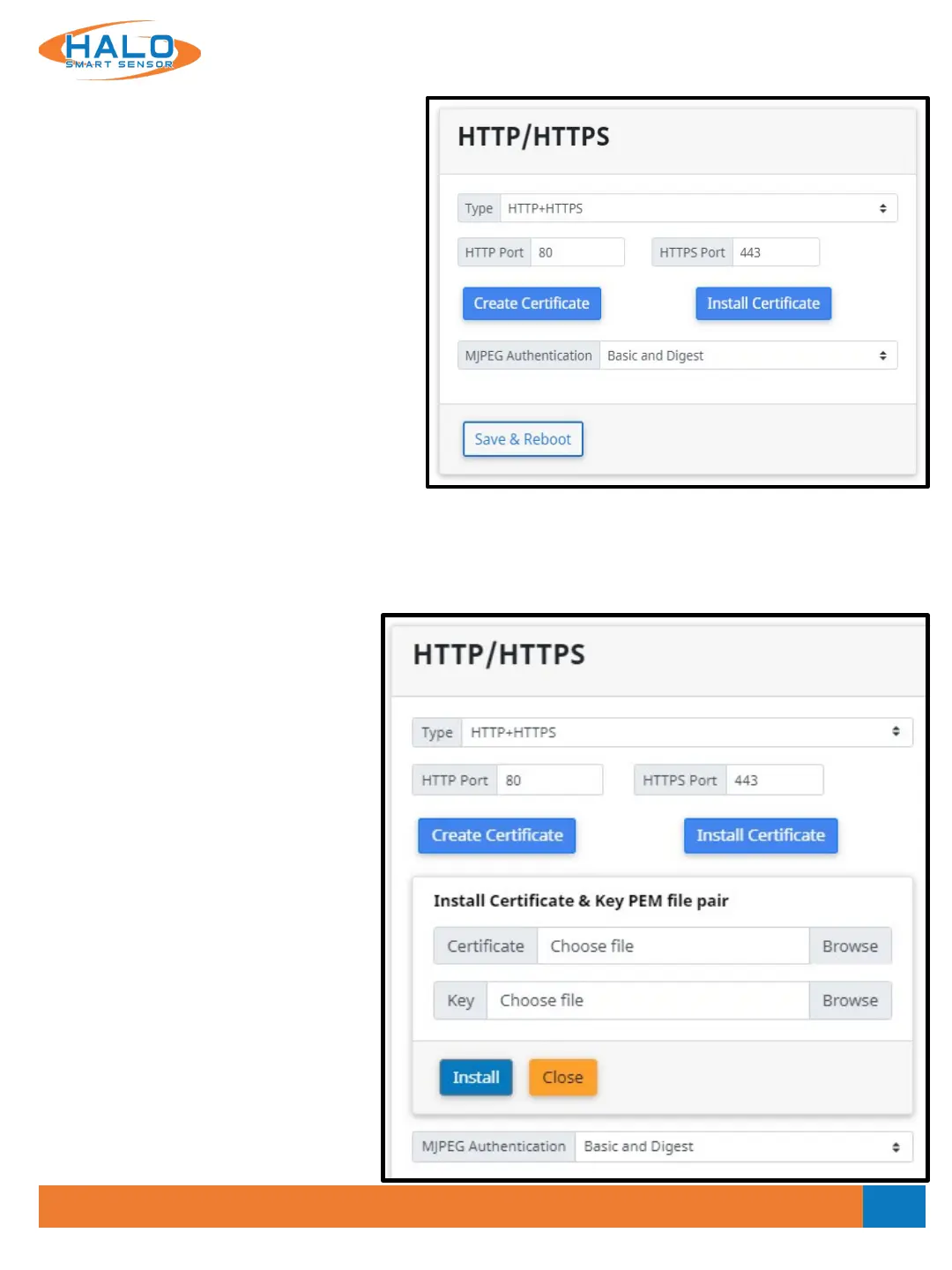
HTTP / HTTPS
HTTP / HTTPS settings specify the
communication port for the devices webpages
and the Authentication protocol used to secure
the connection. All browser connections and API
calls will have to adhere to these definitions.
HTTP Port 80 is defined by default and HTTPS
Port 443 is defined by default; however, these
settings can be edited to define the preferred
Port.
The options for Authentication are:
• None (Unsafe)
• Basic
• Digest
• Basic and Digest
Digest Authentication communicates credentials in an encrypted form by applying a hash function to the
Username, the Password, a server “supplied once” value, the HTTP method, and the requested URI. Basic
Authentication should generally only be used where transport layer security is provided such as HTTPS.
Click the “Save & Reboot” button to retain any settings changes.
Selecting the HTTPS or HTTP+HTTPS
Type reveals the Create Certificate
and Install Certificate buttons.
Create Certificate
Create Certificate will create a self-
signed certificate.
Install Certificate
Install Certificate allows user to upload a
certificate and key PEM file pair.
V2.2 - 9/09/2020



 To Next Page