22 | Use of the scooter
Trophy 20 UM 15
Trophy 20 UM 14
0
1
A
R. Active throttle indicator (if applicable)
Indicates, when more than one throttle is installed, which throttle is active. In case just
one throttle system is installed or foot throttle is active, indicators will be activated.
S. Display
Display shows user info like speed, trip distance in a resolution of 0.1 km or M and
overall distance in a resolution of 1 km or M. It also indicates the units (km/h or
Mph) and if the cruise control is activated by showing CC. Flashing values means
that the reverse direction is active for foot throttle. The brightness of the display will
automatically change to its environment
Switching on
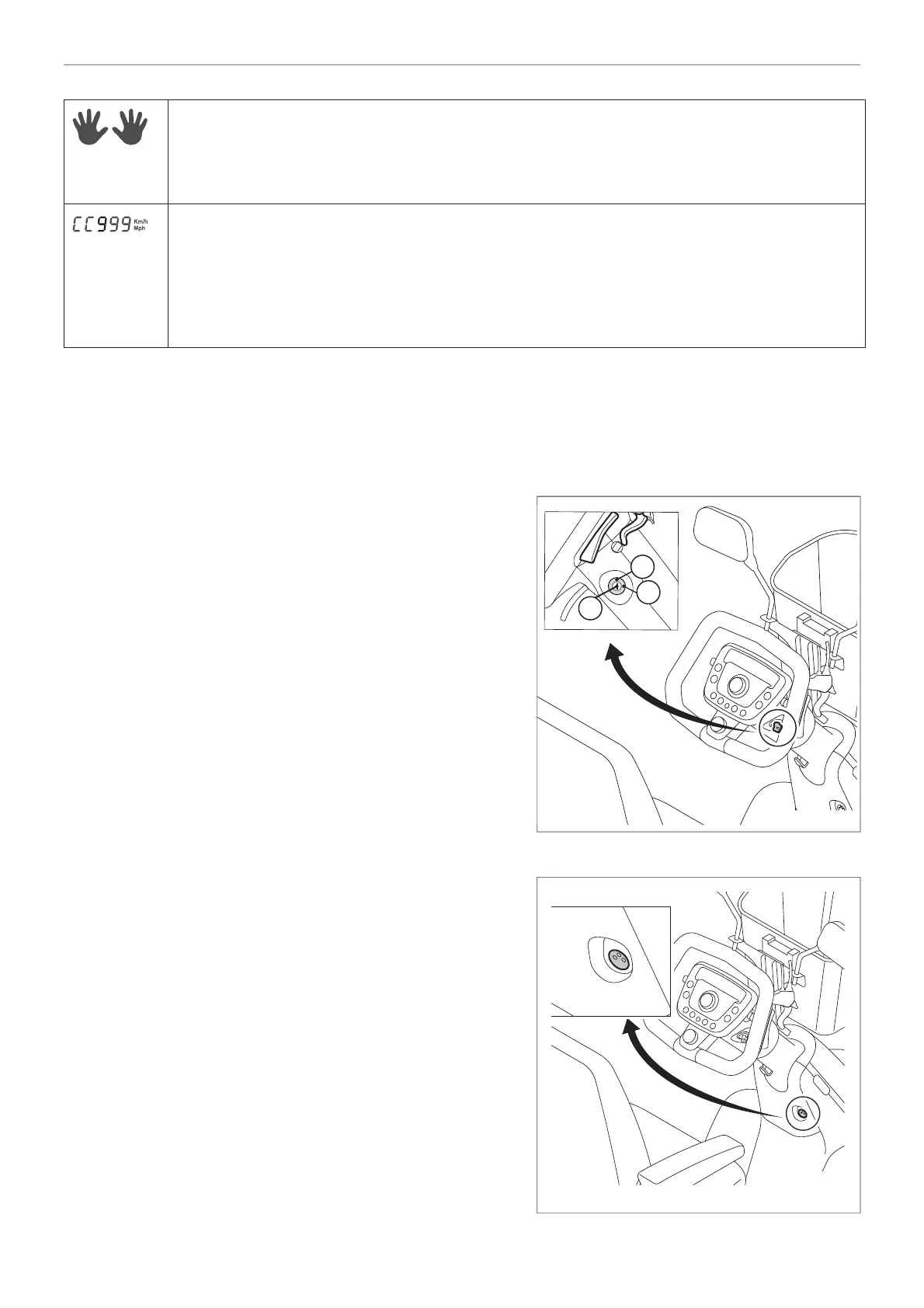
The scooter is switched ON as follows (fi gure 10):
• Insert the ignition key as far as possible in the lock
(A) and turn it clock-wise towards the 1 indicating the
switched ON position.
The scooter is switched OFF as follows (fi gure 10):
• Turn the ignition key as far as possible counter
clock-wise towards the 0 indicating the switched
OFF position. Remove the key from the lock (A).
Charging point
• The charging point (A) is located on the steering
column, under the control panel (fi gure 11). This is
the point to which the battery charger cable can be
connected.
All electronics must be switched off while the batteries
are charging. Remove the ignition key before charging
the batteries.
Figure 10
Figure 11


 To Next Page