Use of the scooter | 21
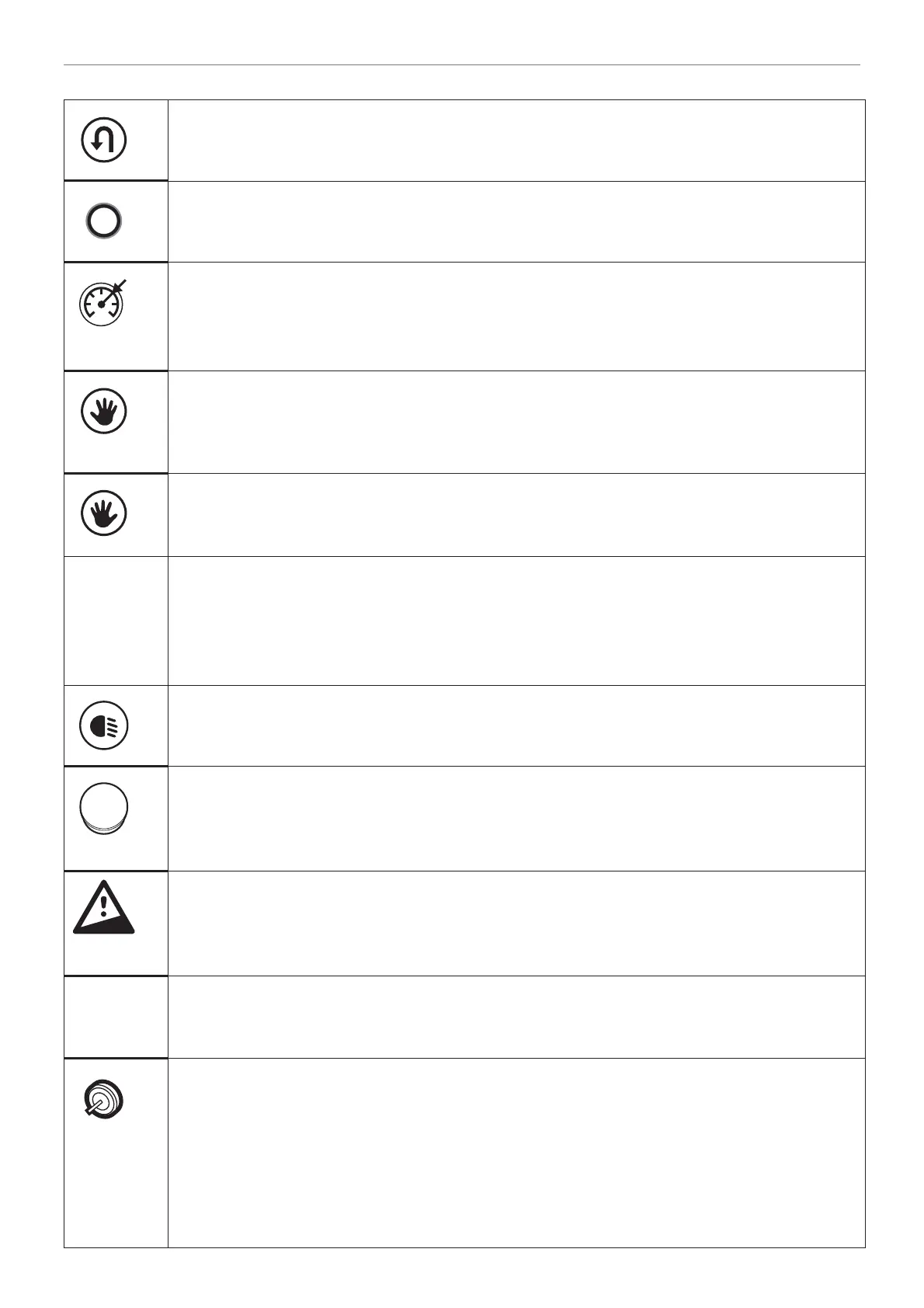
H. Reverse switch for foot throttle (if applicable)
Key to change direction when foot throttle is installed. After switching off the scooter by
key, emergency stop, the standard direction is always forward.
I. Display menu selection switch
Key to switch between display menu showing speed, trip distance and overall distance.
When holding this key for more than 2 seconds in trip/mode, this value will be reset.
J. Cruise control switch (if applicable)
Key to activate cruise control and set speed on current forward driving speed. Display
will indicate CC when cruise control is set. It deactivates automatically when brake,
emergency stop button, throttle, throttle selection switch, switch or CC-switch is used.
K. Right throttle selection switch (if applicable)
Key to select / activate manually the right throttle, when also other throttles are
installed. This will also indicated on display. This is always active after switching on the
scooter.
L. Left throttle selection switch (if applicable)
Key to select / activate manually the left throttle, when also other throttles are installed.
This will also indicated on display.
ITS Intelligent Trottle Switch (if applicable)
After switching on the scooter, the fi rst throttle that is used, becomes active. To switch
to the other throttle, simply the other throttle should be operated and the currently
active throttle should be released within 2 seconds. ITS is only possible in forward
direction
M. Light switch
By pressing this key once, the front and rear lights are turned on. On pressing once
more, the lights are turned off again.
N. Emergency stop button (if applicable)
Push to enable the emergency stop button. The scooter stops driving immediatly and
the hazard lights will turn on. To disable this function, the button needs to be turned
counter clockwise and switch the scooter off and on again.
O. Safe slope alarm indicator
This indicator lights up when a slope is too steep and exceeds the safe slope
specifi cation. Advice is stop driving further on this slope due to safety and drive back
very carefully as mentioned in section 5.6.
P. Light sensor
This sensor controls the brightness of the display automatically. Daylight → bright.
Darkness → dimmed.
Q. Ignition key
The ignition key needs to be inserted in the ignition lock and turned in order to switch
on the scooter. All of the Trophy 20 functions can be operated only when the ignition
key has been inserted in the ignition lock, with the exception of the lights and the
hazard lights. The hazard lights and lights can always be operated, even when the
ignition key has not been inserted in the lock. If the ignition key is inserted in the lock
and the scooter is not used for a period of time, a beeping sound is emitted after 20
minutes.


 To Next Page