19
HandyTrac Touch
User Guide
Pulling a Key
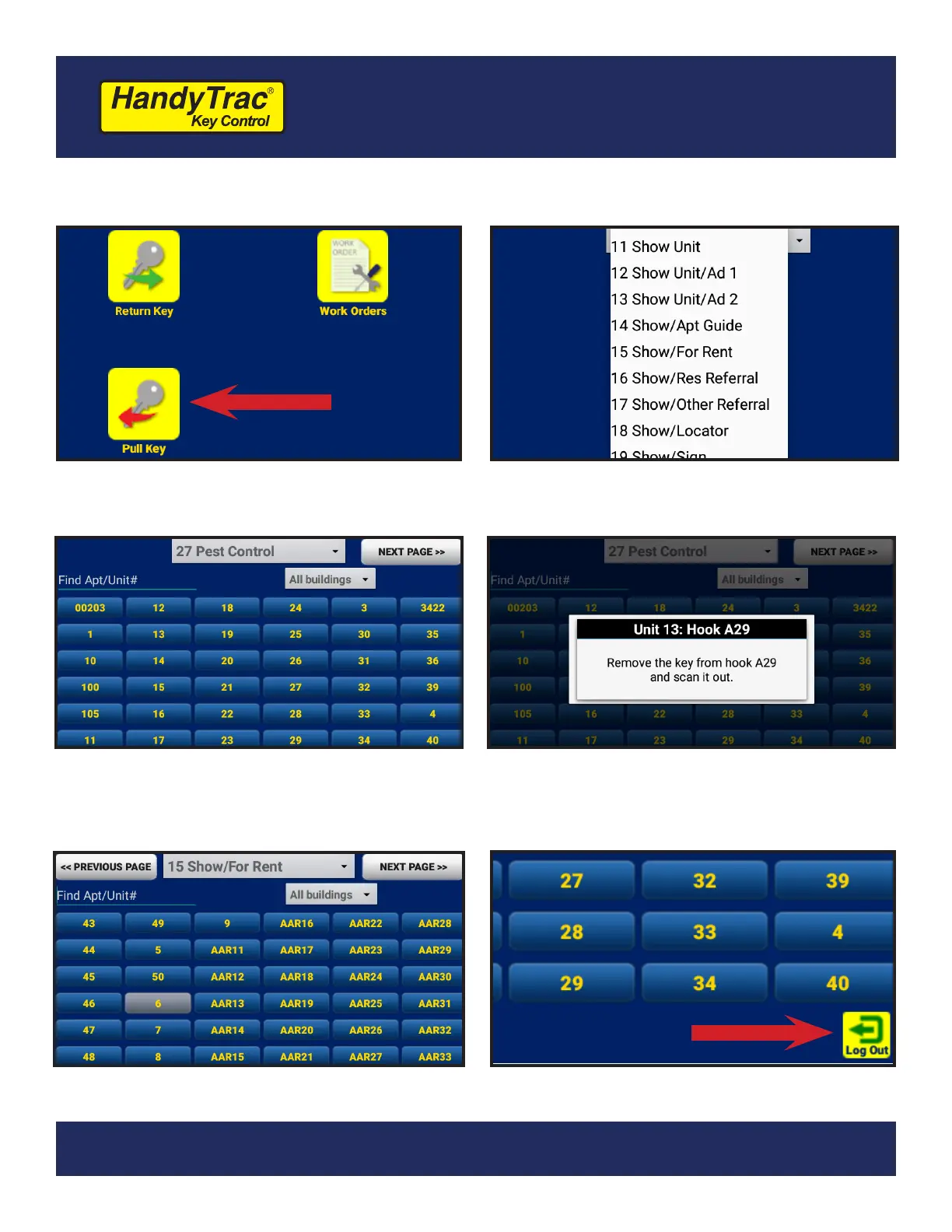
1. Tap the “Pull Key” icon
2. Select an Activity from the drop-down
list. Choosing an accurate Activity makes
your audit trail more accurate.
3. Tap your unit from the list. You can use
the Find Apt/Unit# box to search. If you
have buildings programmed, you can
lter with the “All buildings” drop-down.
4. The system will electronically pop open
the door and tell you where to nd the
unit key you requested. Scan the key out
to verify it is the correct tag.
5. If you need multiple keys, continue to
select units from the list.
6. Once you are nished pulling keys, close
the cabinet door and tap Log Out.


 To Next Page