26
HandyTrac Touch
User Guide
Editing Key Tags
(Master access is required)
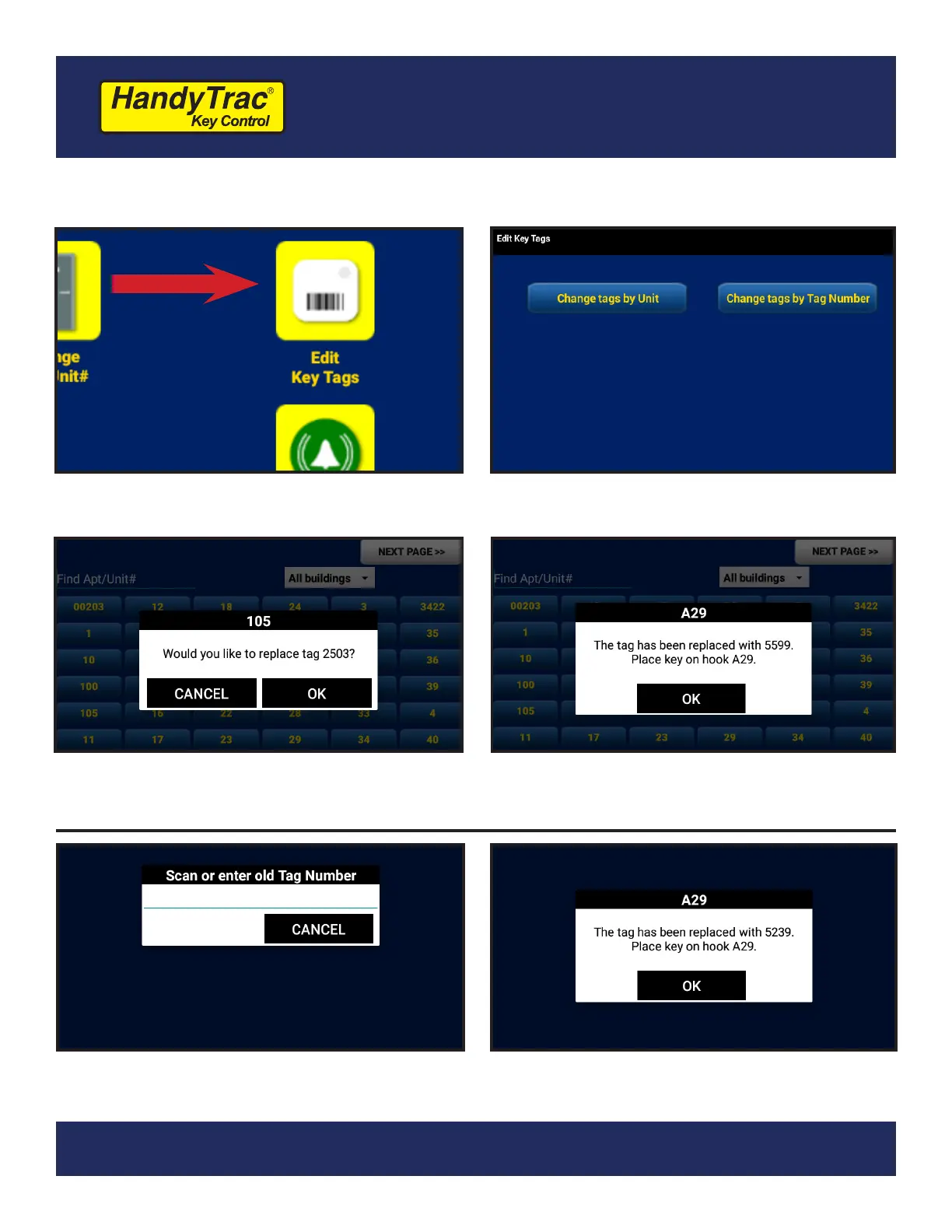
1. Under the Administration Menu, tap on
“Edit Key Tags.”
2. You have the option to change a tag
based on the Unit OR Tag Number.
3. To edit based on UNIT, select the unit
from your list of units and conrm you
wish to replace the existing key tag.
4. Scan your new tag. The system will open
the door and assign the new tag to a
hook.
3. To edit based on TAG NUMBER, scan or
type the old tag number.
4. Scan your new tag. The system will open
the door and assign the new tag to a
hook.


 To Next Page