16
HandyTrac Touch
User Guide
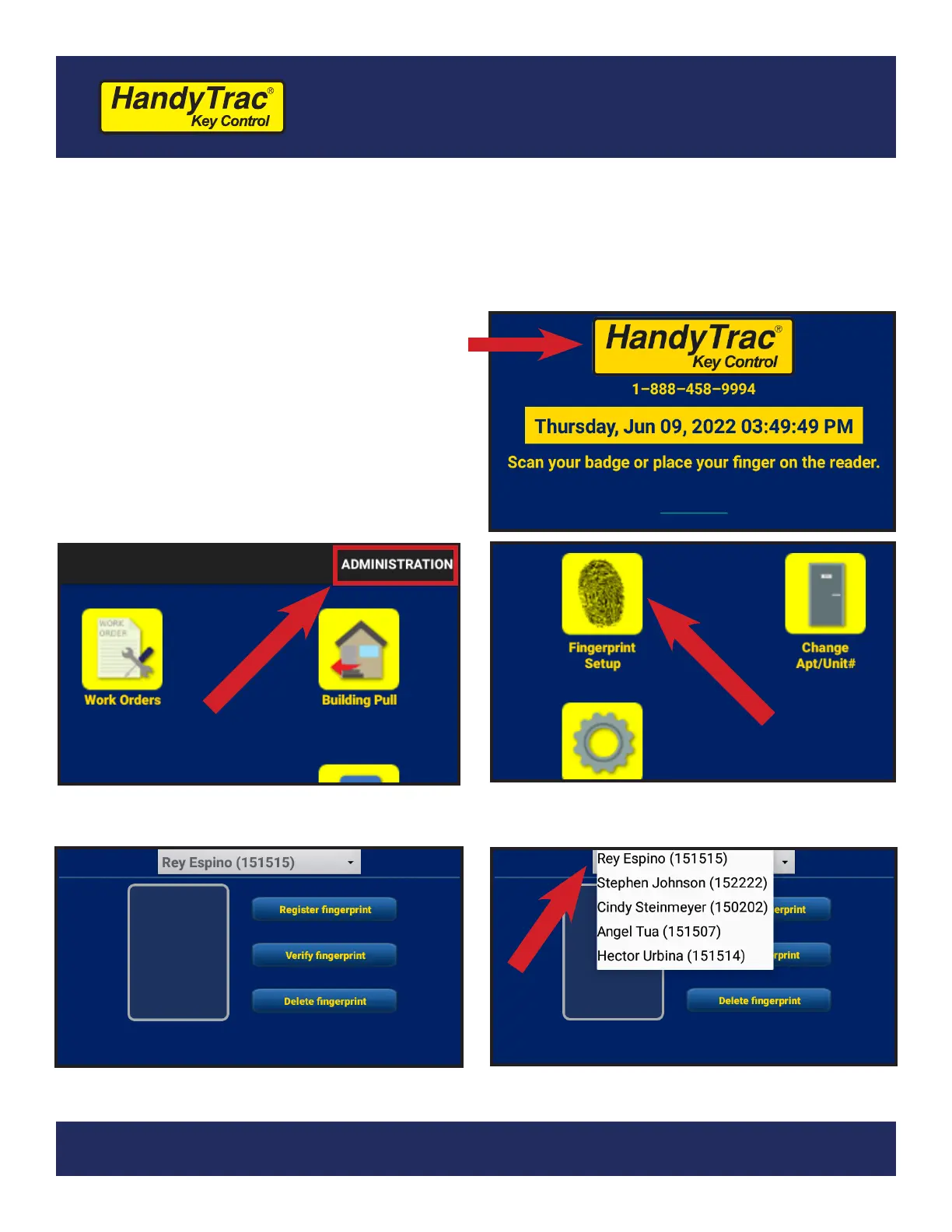
1. Make sure the employee is in the Active
Employees list on the website.
2. Before logging in to the HandyTrac
system, tap on the HandyTrac Logo on
the screen one time. This will force a
communication and update the system
with all current employees.
3. You should receive a notication that
says “EOP was Successful.”
Adding Fingerprints for Employees
(Touch Premium System only. Master Access is required)
Employees must be added to the Active Employee list on the website rst. Once
they are added on the website, you can add their ngerprint to their prole.
4. Tap on the word “Administration” in the
top right corner of the screen.
5. Tap “Fingerprint Setup” from the
Administration menu.
6. The Fingerprint Setup menu will give you
options to manage all ngerprints.
7. Tap the drop-down menu at the top to
view all active employees in the system.



 To Next Page