27
HandyTrac Touch
User Guide
Changing Apt/Unit#
(Master access is required)
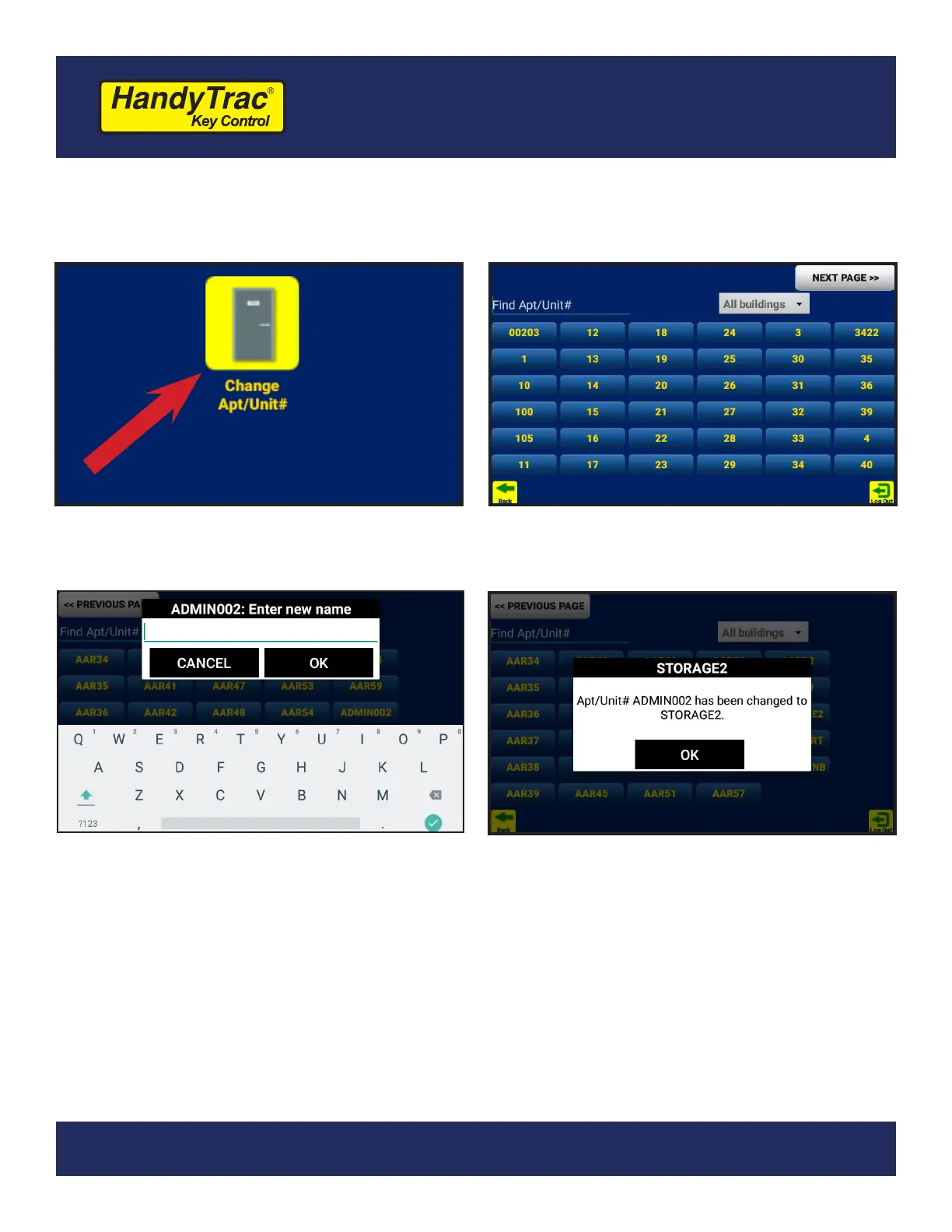
1. Under the Administration Menu, tap on
Change Apt/Unit#.
2. You will be see the full list of units and
any extra locations if available.
3. Tap on the unit and type in a new name
using the on-screen keyboard.
4. The system will conrm the new name
has been entered.
Adding New Unit
New keys are added by replacing extra locations in the system. In general, extra locations are named ADMIN.
1. Rename an extra location as detailed above.
2. Replace the keytag as detailed on the previous page if required.
If you need to add keys beyond what is currently in your system, it is possible to add additional hooks to the
system by purchasing a System Expansion. Contact HandyTrac Service if you require a System Expansion.


 To Next Page