6
HandyTrac Touch
User Guide
Installation of Second Cabinet (if applicable)
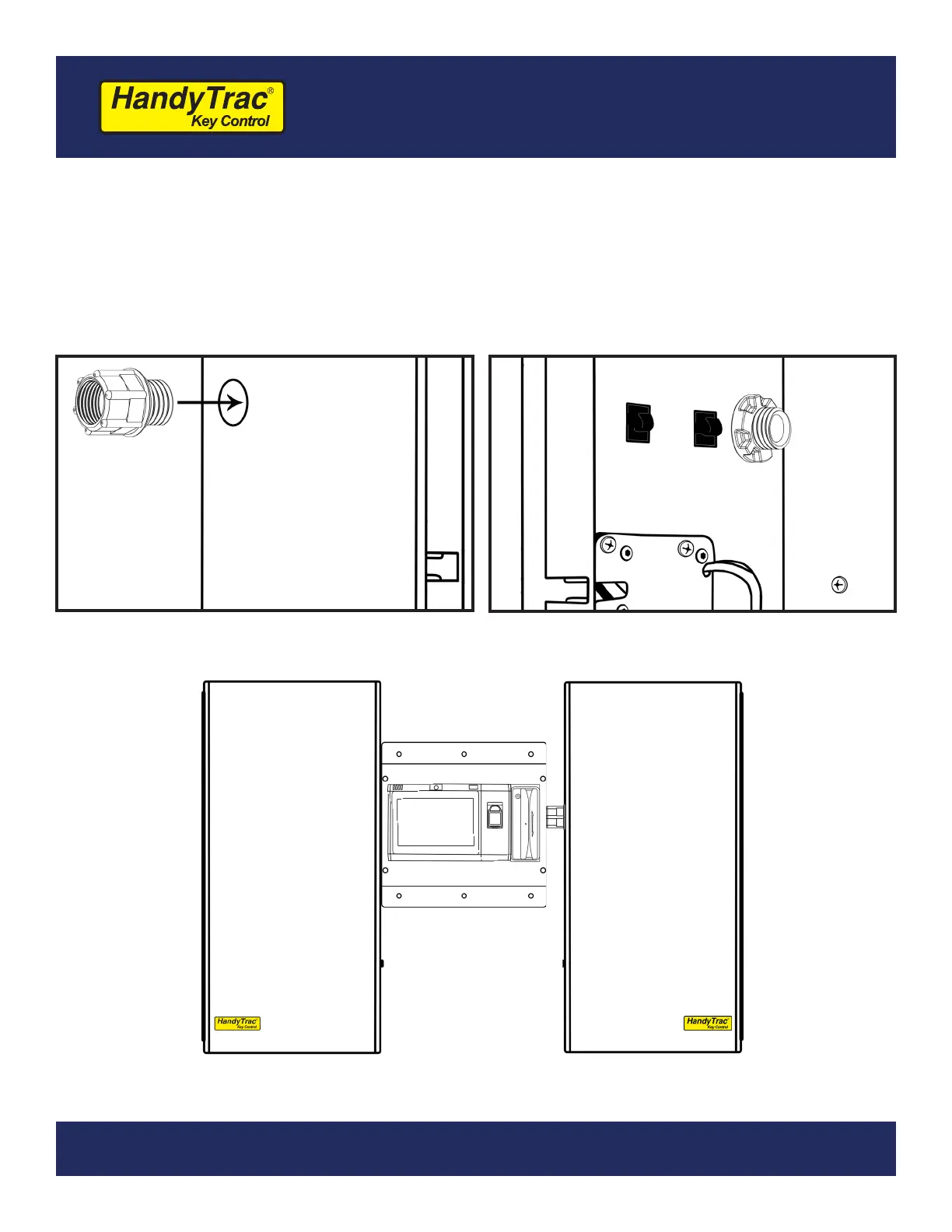
Install the included spacer on the outside of the Right-Hand cabinet (marked RH).
This will allow enough space for employees to comfortably scan keytags and also provide
protection for the electronic lock and light wiring.
Mount the second cabinet the same as the rst and feed the cables from the control box
through the spacer. Connect the wiring the same as the rst cabinet and clip down wires.
Insert the spacer through outside wiring hole.
Thread on the included nut to secure in
place.
Opens to Left
(LH)
Opens to Right
(RH)


 To Next Page