11
www.ihanil.com
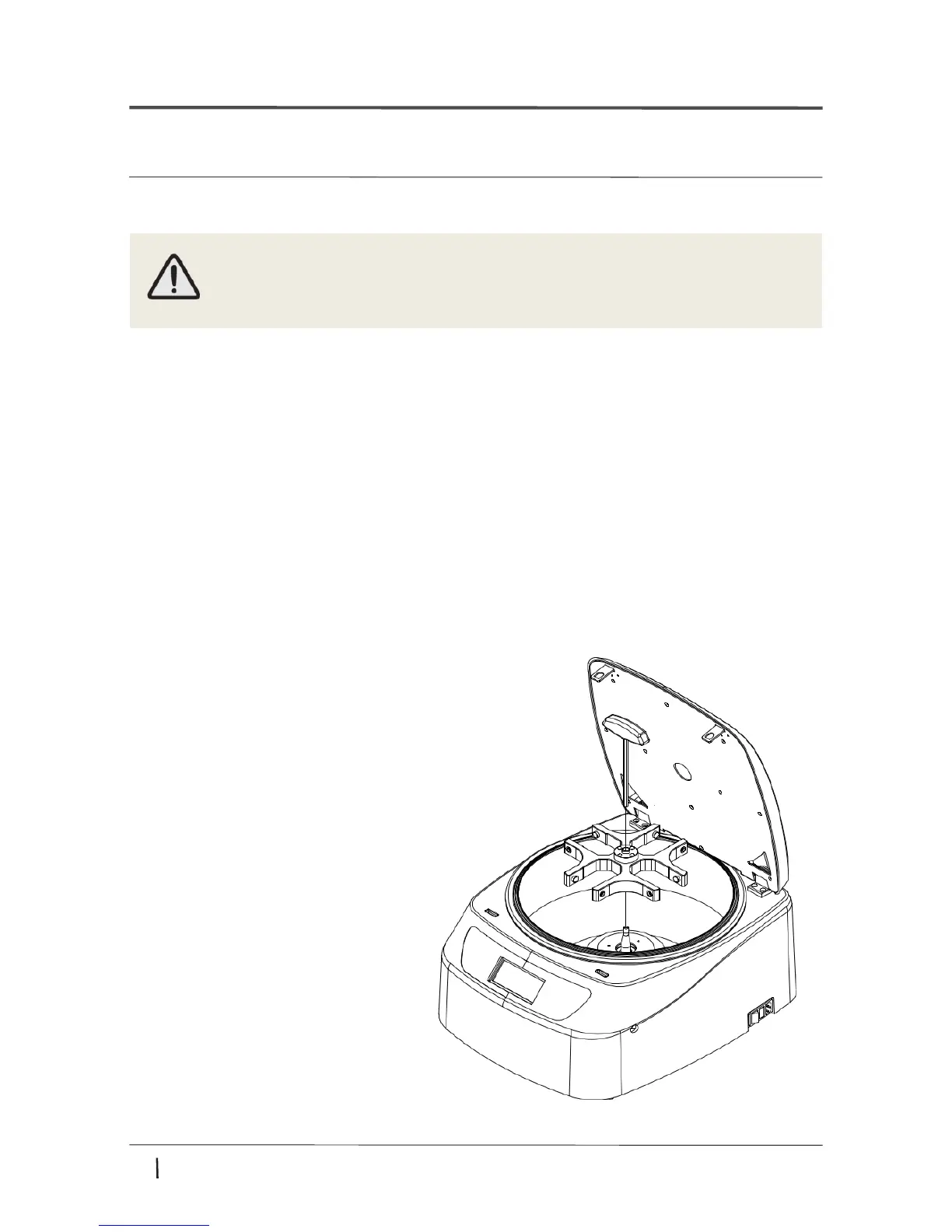
Loading
① Clean the motor shaft and the chamber.
- When loading the rotor, the temperature should be 10 to 30 degrees.
② Load the rotor vertically onto the motor shaft.
③ Insert the wrench into the center hole of the rotor
and turn it clockwise to fasten the rotor bolt.
④ Check the rotor to make sure it loaded firmly.
Unloading
① To remove the rotor insert the wrench into the center hole of the rotor and turn it
counterclockwise to loosen rotor bolt.
•Only use rotors, parts, and accessories provided by Hanil Scientific Inc.
•Do not use scatched or cracked rotor in use.
4. Operation
4.3 Loading/Unloading a rotor


 To Next Page