17
English
2.2 Connecting External Devices
Connect external devices such as VCRs, STBs, DVD players, video game consoles,
earphones, or a PC to the TV using the appropriate ports on the rear of the TV.
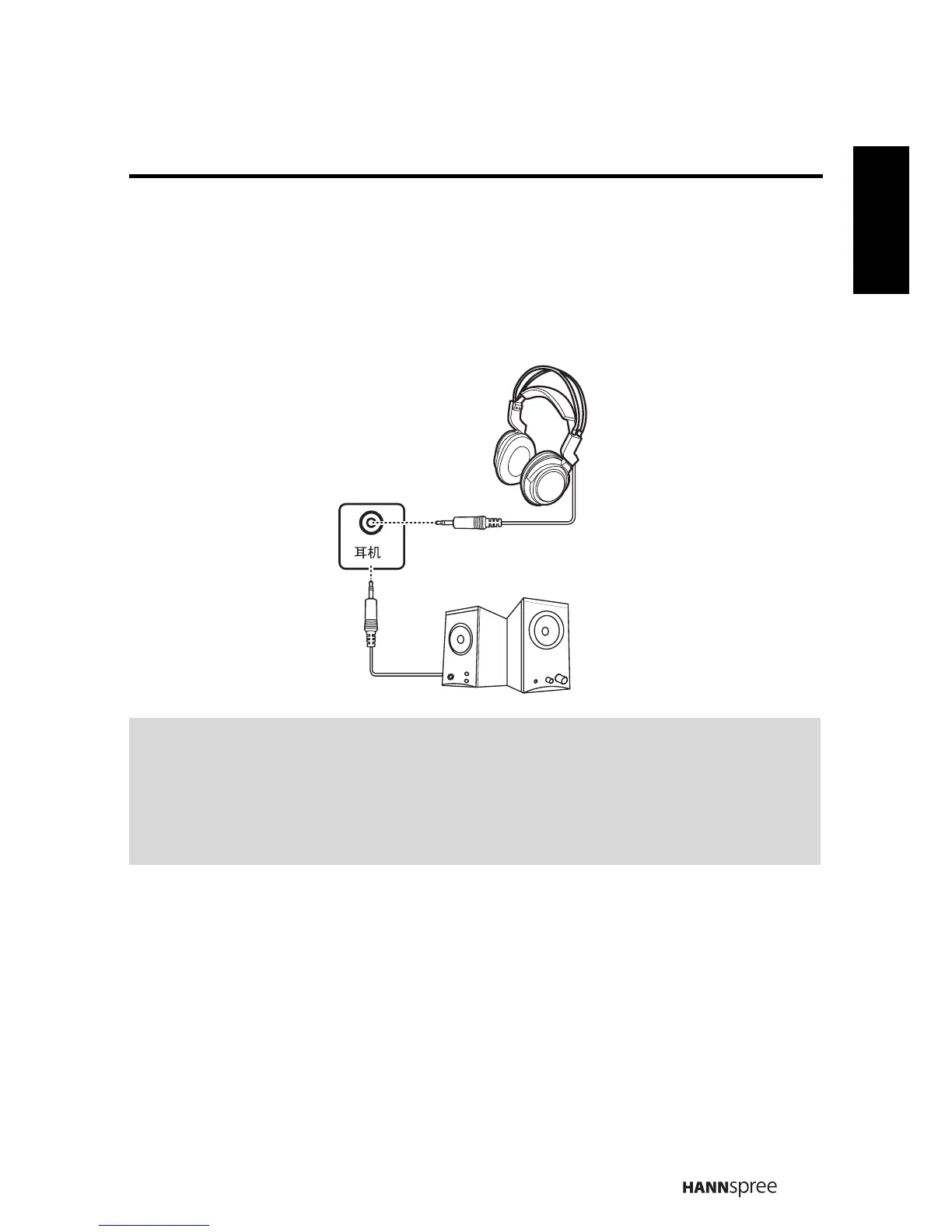
2.2.1 Connecting External Earphones
Notes:
• External speakers or headphones are not included with the TV.
• The internal TV speakers will not output sound when headphones are
plugged in.
• Use external speakers with built-in amplifiers only.
• Only one external device for sound can be connected at a time.
Speakers
Headphones
(Built-in Amplifiers)



 To Next Page