26
English
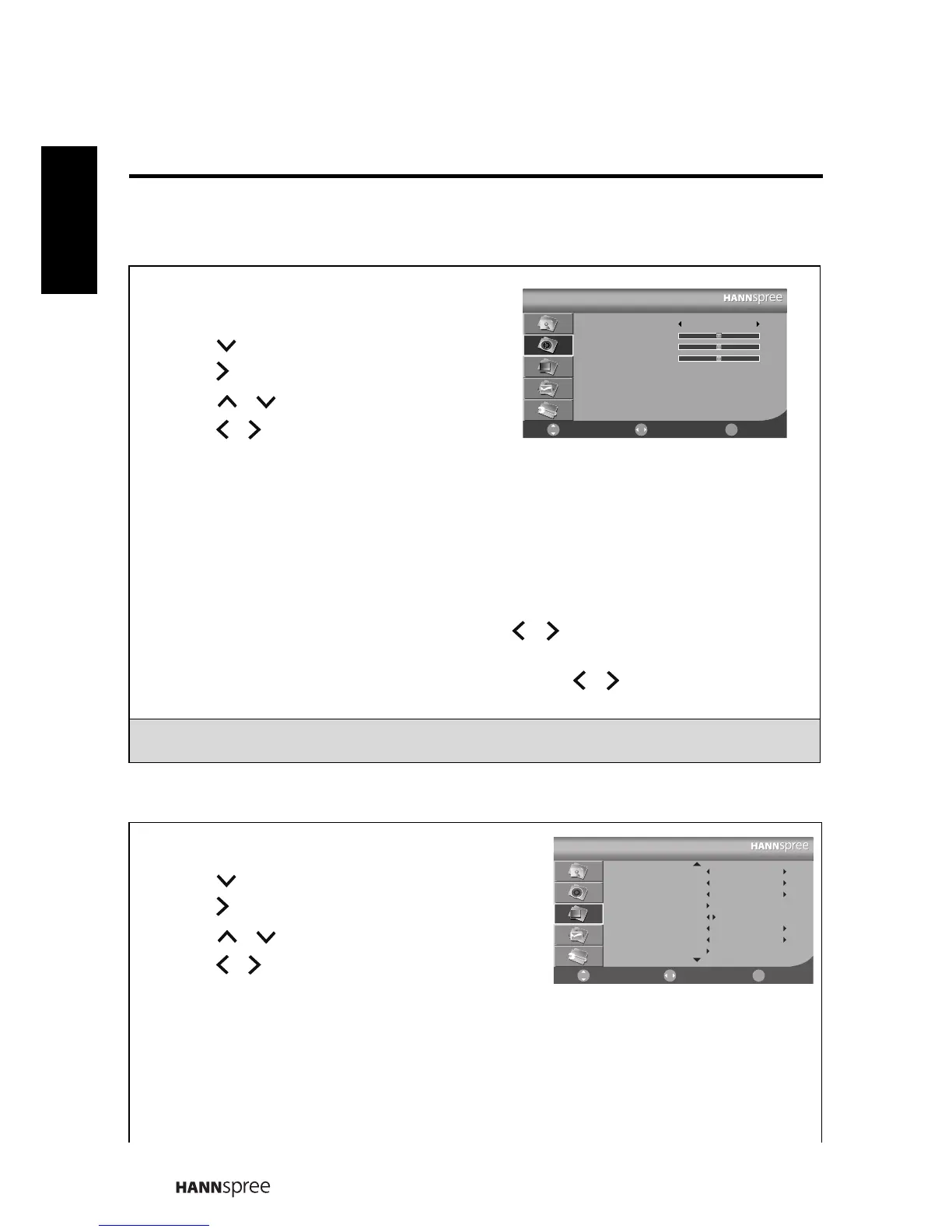
3.3 Adjusting Sound Settings
3.4 Adjusting Channel Settings
1 Press to enter the OSD Main Menu
screen.
2 Press to select the Sound menu.
3 Press to enter the Sound menu.
4 Press
/
to select an item.
5 Press
/
adjust the scales or options
settings.
6 Press to return to the Sound menu.
7 Press to exit the OSD menu.
- The Sound menu can be used to adjust the Sound Mode, Balance, Treble, and Bass
settings.
• The Sound Mode can be set to Standard, Music, Movie, Speech, or User.
•The Balance can be adjusted by pressing
/
to move the scales from -50 to
+50.
•The Treble and Bass can be adjusted by pressing
/
to move the scales from
0-100.
Note: The options available on the OSD may vary depending on the input signal
source.
1 Press to enter the OSD Main Menu screen.
2 Press to select the Channel menu.
3 Press to enter the Channel menu.
4 Press
/
to select an item.
5 Press
/
adjust the scales or options
settings.
6 Press to return to the Channel menu.
7 Press to exit the OSD menu.
- The Channel menu can be used to adjust the Channel, Colour System, Sound
System, Auto Search, Manual Search, AFC Lock, Fine Tune, Channel Edit and
Parental Lock settings.
㦰
Sound
Sound Mode
Balance
Treble
Bass
Standard
0
50
50
Select Return
ᚚת
Move
㦰
㦰
Channel
Channel
Colour System
Sound System
Auto Search
Manual Search
AFC Lock
Fine Tune
Channel Edit
15
AUTO
AUTO
Off
241.25 MHz
Select Return
ᚚת
Move
㦰
㦰
㦰









 To Next Page