21
English
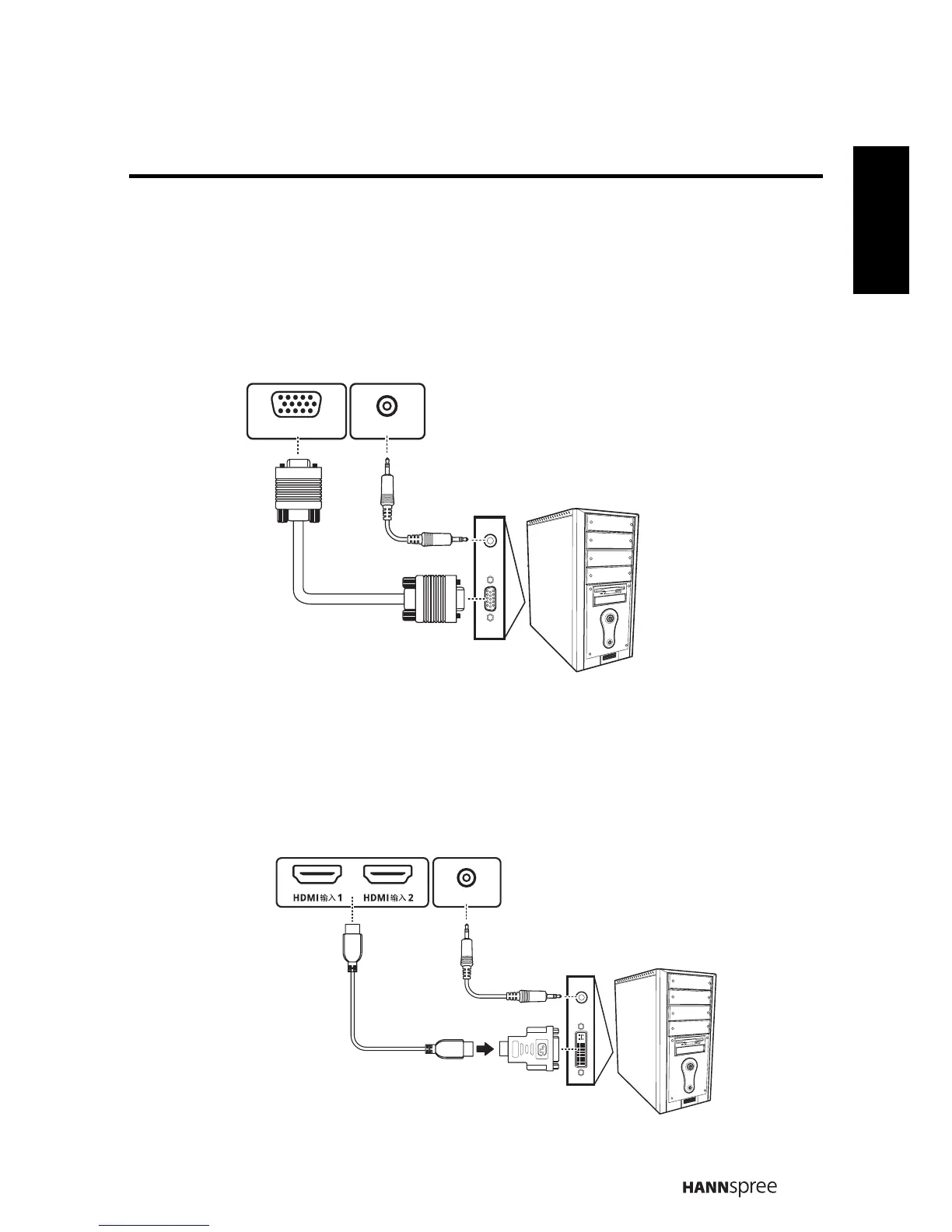
2.2.3 Connecting a PC using VGA
Connect the TV to your PC to use it as the monitor using the VGA port as shown.
1
Connect the VGA port of the TV to the VGA output of the PC.
2 Connect the line out port of the PC to the PC LINE IN port of your TV to
listen to audio from the PC.
2.2.4 Connecting a PC using DVI
Connect the TV to your PC to use it as the monitor using the DVI port as shown.
1
Connect the HDMI port of the TV to the DVI output of the PC.
2 Connect the line out port of the PC to the PC LINE IN port of your TV to
listen to audio from the PC.
PC LINE IN
VGA
VGA Cable
Audio Cable
PC
(Optional)
(Optional)
PC LINE IN
HDMI
PC
Audio Cable
HDMI to DVI Cable
(Optional)
(Optional)



 To Next Page