19
English
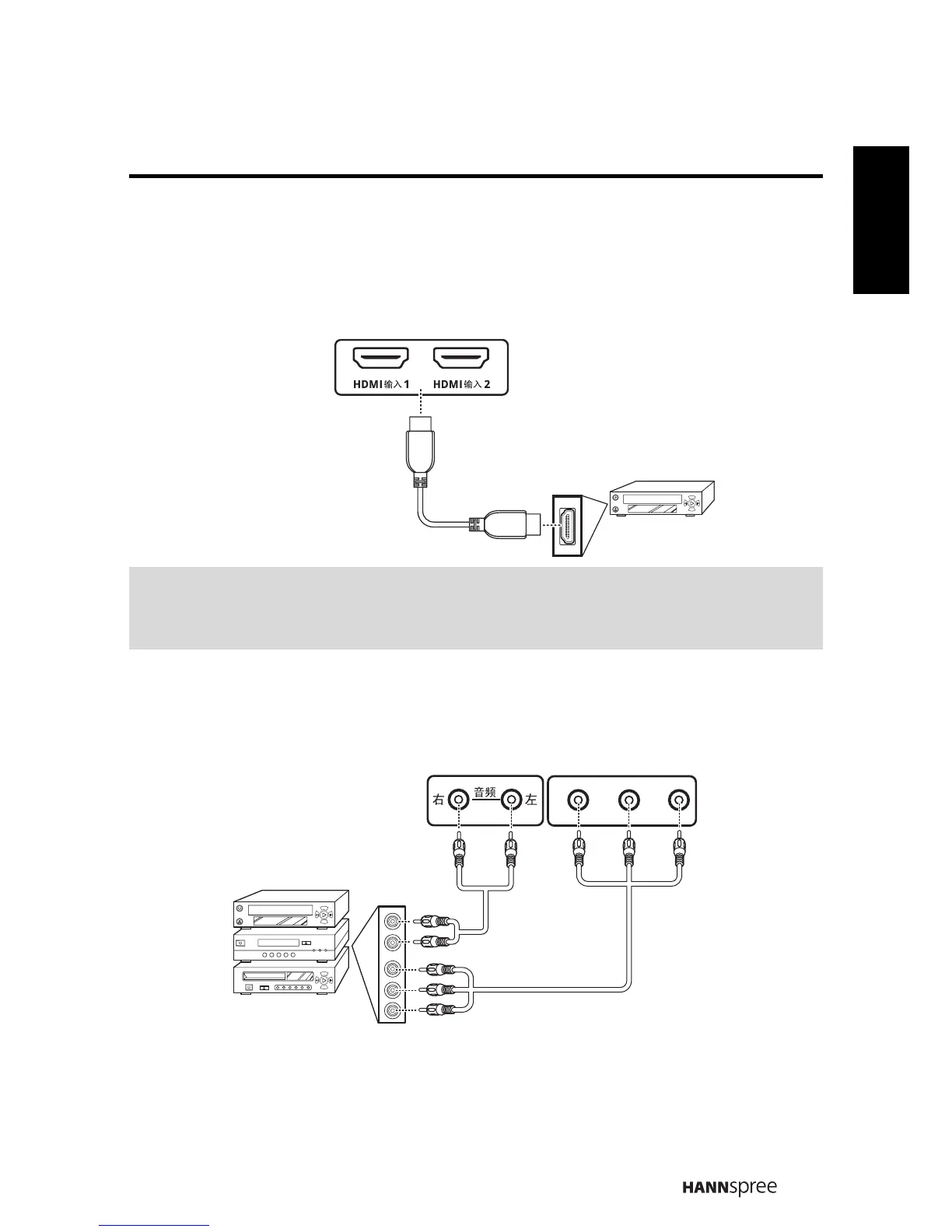
(A) Connecting HDMI
HDMI (High Definition Multimedia Interface) assures that the best video signal is
always sent from source to the TV. Refer to the following illustration to connect an
HDMI device to the TV.
(B) Connecting a VCR / STB / DVD Player Using Component Video
Connect the TV to a VCR / STB / DVD player using the component video inputs.
Note:
When the HDMI cable is connected, connecting the audio cable is not necessary.
However, it is necessary to do so if a HDMI to DVI cable is connected.
HDMI Cable
DVD Player
(Optional)
VCR
STB
DVD
Y
P
B
P
R
Audio Cable
(Optional)
Video Cable
(Optional)



 To Next Page