5
ASSEMBLY INSTRUCTIONS
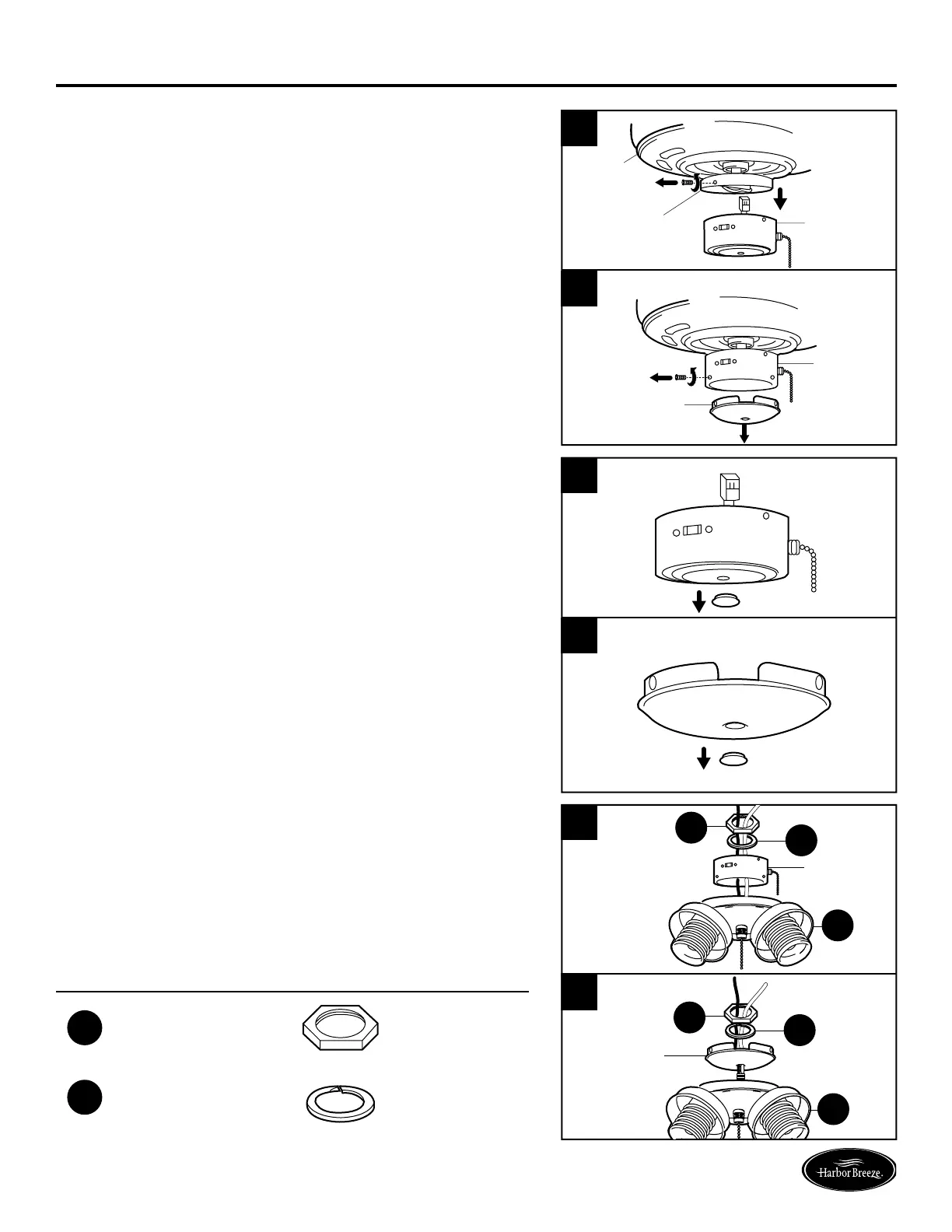
2. Remove three switch housing screws and lower
the switch housing from the existing fan housing. If
applicable, disconnect the male plug from the motor
housing and the female plug from the switch housing.
Remove the switch housing from the switch housing
plate. (Fig. 2a)
Note: If your existing fan has a switch housing cap,
remove only the switch housing cap by removing
the switch housing screws at the bottom of the
switch housing. (Fig. 2b)
2a
2
Switch
Housing
Switch
Housing
Cap
Switch
Housing
Motor
Housing
Motor
Housing
Plate
Switch
Housing
3. Useascrewdrivertopushoutthecentercapfrom
either the switch housing (Fig. 3a) or the switch
housing cap (Fig. 3b).
3a
3
Switch
Housing
Switch
Housing
Center Cap
Center Cap
Cap
4. Gentlyfeedthewiresfromthelightkittter(A)
through the hole in the center of the switch housing
(Fig. 4a) or switch housing cap (Fig. 4b). Thread the
rodfromthelightkittter(A)intotheswitchhousing
cap. Then thread the lock washer (BB) and hex nut
(AA) through the wires and tighten the hex nut (AA)
over the lock washer (BB) to secure the rod.
Hardware Used
AA
Hex Nut
x 1
BB
Lock Washer
x 1
BB
BB
Switch
Housing
Cap
Switch
Housing



 To Next Page