Applications
Manage applications and installation of new programs.
Storage
To its factory default settings, or format the SD card.
Date & time
Set the date, time, time zone, and date or time format.
Locale & text
Set the operating system language and region. You can also set onscreen keyboard options.
About phone
View the device status such as the battery power level. You can also view the software version of your device.
Adjusting the Volume
Adjusting the Media volume changes the volume level of sound notifications and music or video playback.
To adjust the media volume When playing music or watching video, press the VOLUME Up or VOLUME Down buttons on the upper side of the device to
adjust the media volume. The Music/video volume window appears on the screen to display the volume level. You can also adjust the media volume on the Settings
screen. Press HOME, then press MENU, and then touch Settings. Touch Sound & display > Media volume..When the Media volume window appears, move
the slider to the left (to lower the volume) or to the right (to increase the volume). Touch OK to close the window.
USB driver
Using the storage card as a USB drive
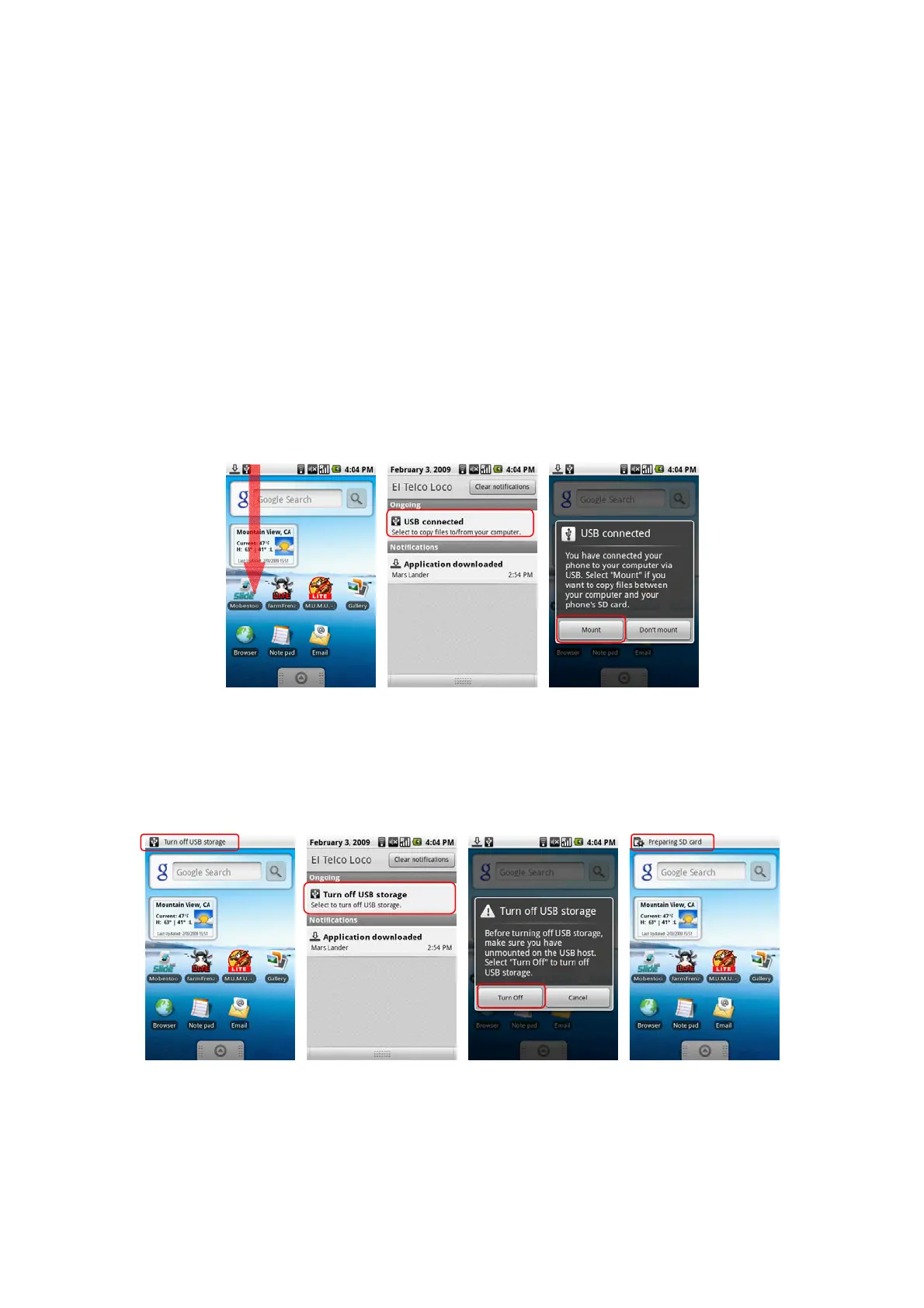
To transfer music, pictures, and other files from your computer to your device’s storage card, you need to set the devices’s storage card as a USB drive.
To set the devices’s storage card as a USB drive
Connect the device to the computer using the USB cable. A notification icon appears in the status bar. Open the Notifications Panel. In the Notifications Panel,
touch USB connected and then touch Mount.
When you select Mount, the device will not recognize the storage card when it is connected to a computer. You will not be able to use some of the applications. You
need to turn off USB storage for the device to recognize the storage card when the device is connected to a computer. Refer to the next procedure to learn how to
turn off USB storage.
To turn off USB storage
Open the Notifications Panel. In the Notifications Panel, touch Turn off USB storage and then touch Turn Off.



 To Next Page