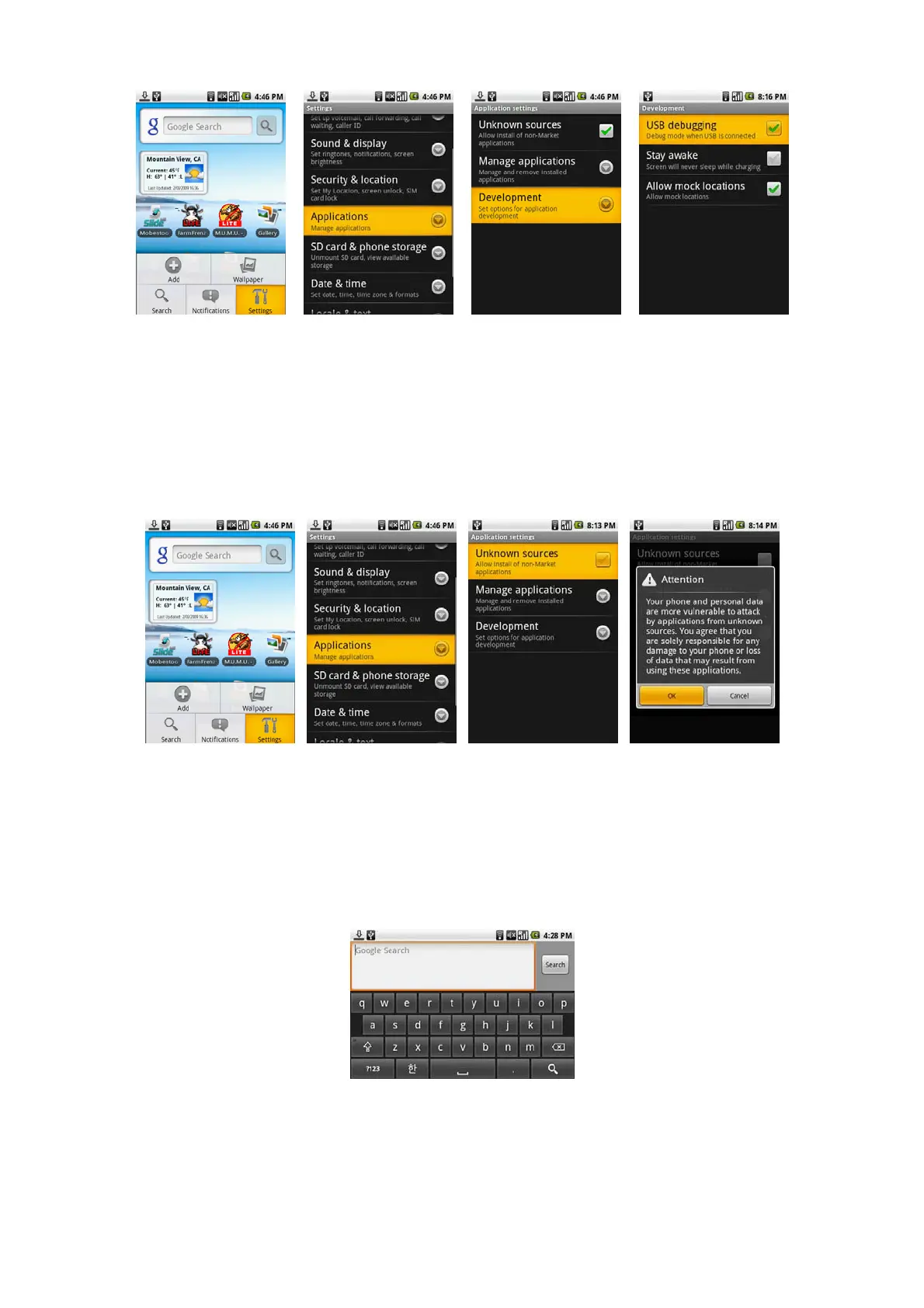
Note : USB debugging must be checked to use USB connection. Home Screen>Menu>Setting>Applications>Development>USB debugging
To install the Android USB driver on Windows XP for the first time:
Download and save the USB driver from dev.odroid.com
Connect the device to your computer's USB port. Windows will detect the device and launch the Hardware Update Wizard.
Select "Install from a list or specific location" and click "Next."
Select "Search for the best driver in these locations"; un-check "Search removable media"; and check "Include this location in the search."
Click "Browse..." and locate the folder where you copied the installation package.
Click "Next" to install the driver.
To allow download of applications
Before you can download applications, you must first enable downloading option from the settings. Press HOME > MENU, and then touch Settings >
Applications. Select the Unknown sources check box. When the Attention dialog box opens, touch OK.
Note
All downloaded applications are saved to the storage card. Before you download an application from the web, make sure that you have installed a storage card on
your device.
Warning
Applications downloaded from the web can be from unknown sources.
Entering text
When you start a program or select a field that requires text or numbers, the onscreen keyboard becomes available. Press Menu bugtton long at Home screen to
display onscreen keyboard.
To set onscreen keyboard options
Press HOME, then press MENU, and then touch Settings > Locale & text > Android keyboard. Set the options you want to use for the onscreen keyboard.
Tip
If you select the Quick fixes, Show suggestions, and Auto-complete options, the device offers you smart word suggestions as you type, so you can enter text more
quickly and accurately on the onscreen keyboard.



 To Next Page