To zoom in or out on a web page
Slide your finger to one direction on the screen to activate the zoon controls.
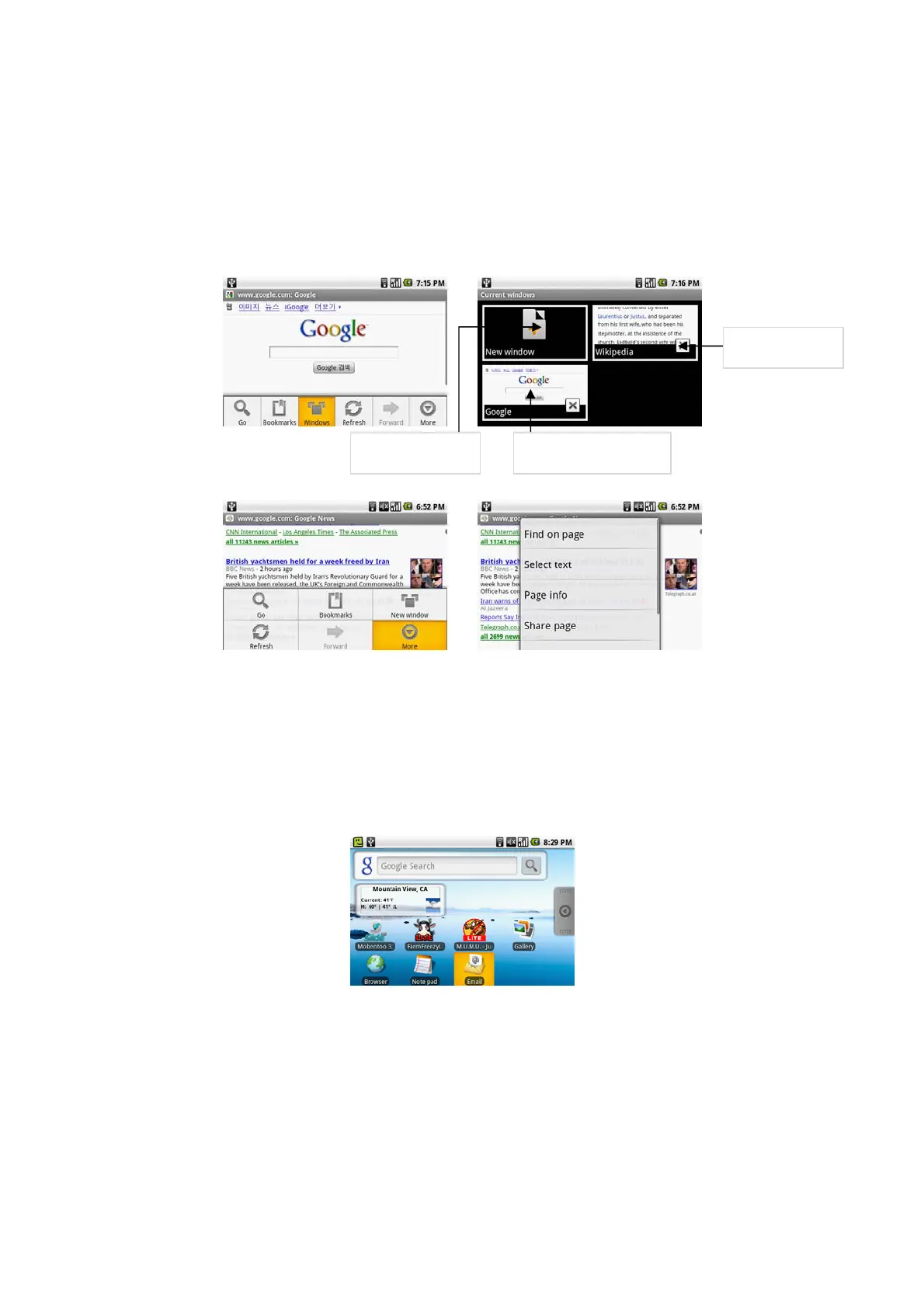
To open a new browser window
Open multiple browser windows to make it easier for you to switch from one web site to another. You can open up to 8 browser windows. To open a new window,
press MENU and then touch New window while browsing a web page. A new browser window opens and goes to the home page that is set.
Note
If you have two or more browser windows opened, press MENU and then touch Windows to let you add more browser windows.
To switch between browser windows
On a browser window, press MENU and then touch Windows.
More features on browser
While viewing a web page, press MENU and then touch More. More menus are Find on page/select text/Page info/Share page/Downloads/Settings
Email
Using Email
The Email application comes with an email wizard that lets you add external POP3 or IMAP email accounts from popular web-based email service providers on
your device.
To open Email
Press HOME, then touch the Applications tab, and then touch Email.
Add an email account
Press HOME, then touch the Applications tab, and then touch Email. In the Your accounts screen, touch Next. Enter the email address and password of the email
account you want to set up and then touch Next.
Notes
If the email account you want to set up is not in the device’s email database, you will be prompted to manually enter the email account settings, such as the email
server, protocol and more after touching Next. Touch Manual setup instead of Next to directly enter the incoming and outgoing settings for the email account you
are setting up. Enter the name for the account and the name you want displayed in outgoing emails and then touch Done. After creating one email account, you need
to press MENU, then touch Add account to create another email account.
Touch to open a new
web page
Touch to display the web
page in full screen.
Touch to close the
web page



 To Next Page