OVERVIEW
Before you get started
Please insert the battery into the device to turn on.
You can check valuable information from http://www.odroid.com
and http://dev.odroid.com
Android OS is mainly for phone use. So that device is called as phone on Android OS.
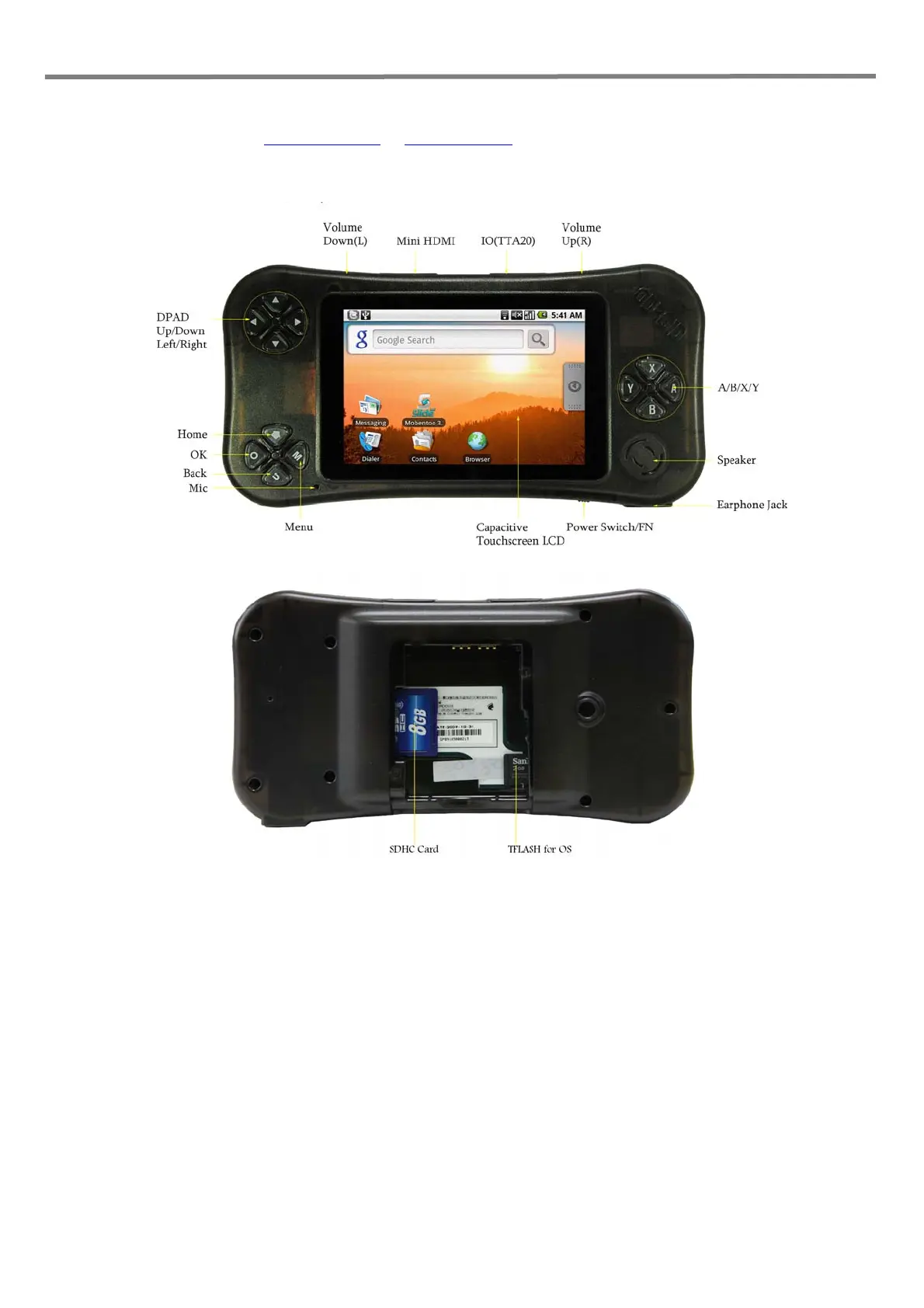
ODROID Description
Tips
1. Volume buttons are capacitive touch type.
2. Press Volume Up(R) long to lock the volume key.



 To Next Page