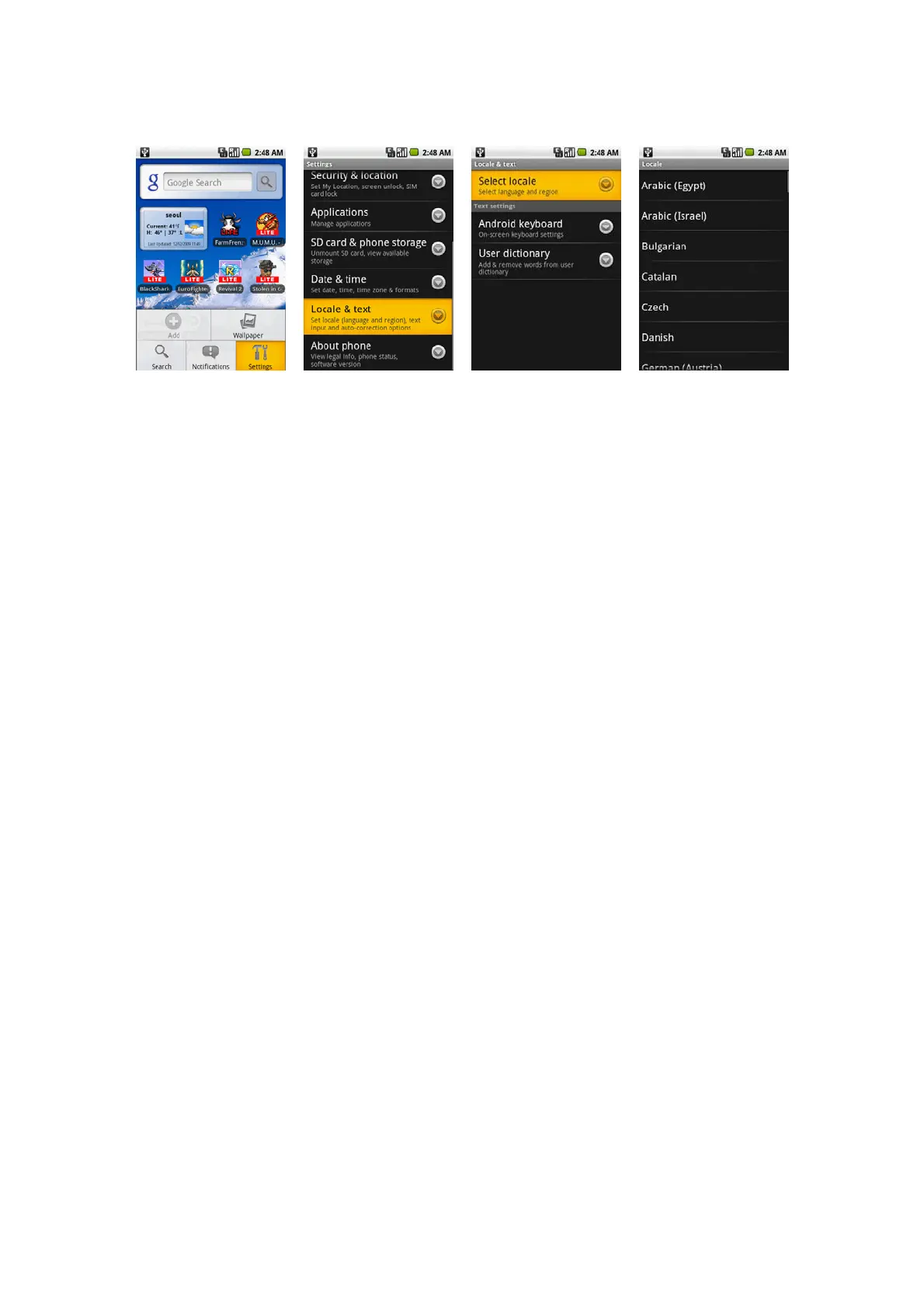
Language settings
You can change the operating system language of the device.
To change the language of the operating system
Press HOME > MENU, and then touch Settings. Touch Locale & text > Select locale and then select the language you want to use.
Managing Memory
To see how much memory is available for use
Press HOME > MENU, and then touch Settings.
Scroll down the screen, then touch SD card & phone storage. The available memory is displayed.
To see the available storage card space
Press HOME > MENU, and then touch Settings.
Scroll down the screen, then touch SD card & phone storage. The total and available storage card space display in the SD card section.
To clear application cache and data
Press HOME > MENU, and then touch Settings > Applications > Manage applications.
In the Manage applications list, touch the application whose cache and/or data you want to delete.
Tip
Press MENU to bring up sort and filter options. In the Application info screen, touch Clear data and/or Clear cache.



 To Next Page