EasyManua.ls Logo

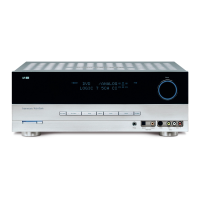
Harman Kardon AVR 161 - User Manual

Harman Kardon AVR 161
52 pages
Print Icon
To Next Page IconTo Next Page
Loading...
®
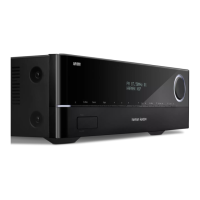
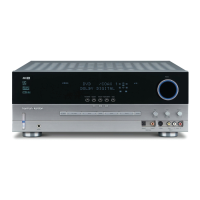
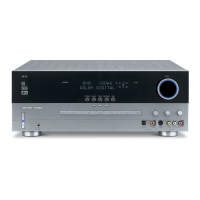
Audio/video receiver
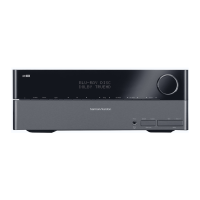
AVR 1710, AVR 171, AVR 171/230C
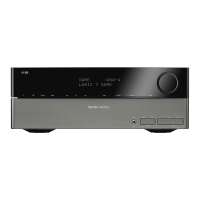
AVR 1610, AVR 161, AVR 161/230C
Owner’s Manual

Table of Contents

Other manuals for Harman Kardon AVR 161

Questions and Answers

  • S
    santiagomichaelAug 12, 2025
    What to do if Harman Kardon Receiver has front-panel display lights, but there’s no sound or picture?
    • A
      Alexandra SaundersAug 13, 2025
      If the front-panel display lights up on your Harman Kardon Receiver but you're not getting any sound or picture, here are a few things to check: * Make sure all input and speaker connections are secure. * Ensure that the mute button is not activated by pressing it. * Verify that the volume control isn't turned down; increase the volume.
  • H
    Haley NunezAug 16, 2025
    How to troubleshoot a Harman Kardon AVR 161 Receiver that does not function?
    • K
      kathleenmayoAug 16, 2025
      If your Harman Kardon Receiver isn't functioning, start by ensuring that the power cord is properly plugged into a working AC power outlet. Also, check if the AC outlet is switch-controlled.
  • J
    Jodi McintyreAug 20, 2025
    Why Harman Kardon Receiver does not respond to remote control commands?
    • C
      Christopher GarciaAug 20, 2025
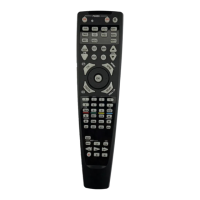
      If your Harman Kardon Receiver isn't responding to the remote control, try these steps: 1. Replace the batteries in the remote. 2. Make sure there's a clear line of sight between the remote and the receiver's front-panel remote sensor.
  • C
    Christopher BentonAug 25, 2025
    What to do if there is no sound from any speaker connected to Harman Kardon AVR 161?
    • J
      jacksonericAug 25, 2025
      If you're not getting any sound from any speaker connected to your Harman Kardon Receiver, it could be in protection mode. This might be due to a short circuit. Check all speaker wires at both the speaker and AVR connections for any crossed wires. If that doesn't solve the issue, the amplifier may have internal problems, and you should contact your local Harman Kardon service center.
  • P
    Patrick PowellAug 27, 2025
    Why is there no sound from center or surround speakers on my Harman Kardon Receiver?
    • R
      Richard WeaverAug 27, 2025
      If you're not hearing sound from the center or surround speakers on your Harman Kardon Receiver, consider the following: * Ensure you've selected a surround mode other than stereo. * Be aware that monophonic programs do not contain surround information. * Verify the speaker configuration in the setup menu. * Understand that stereo program material may not always generate center or surround channel information.
  • T
    Trevor KnightAug 31, 2025
    What to do if remote buttons light, but Harman Kardon AVR does not respond?
    • K
      Kelli BushAug 31, 2025
      If the remote buttons light up but your Harman Kardon AVR isn't responding, the remote might be in Zone 2 mode. Try pressing the Zone 2 button; it won't illuminate when the remote is in Zone 1 control mode.
  • C
    Christopher MartinezSep 4, 2025
    Why is there intermittent buzzing in tuner of my Harman Kardon AVR 161 Receiver?
    • T
      Tara BrownSep 4, 2025
      If you're experiencing intermittent buzzing in the tuner of your Harman Kardon Receiver, it could be due to local interference. Try moving the AVR or antenna away from computers, fluorescent lights, motors, or other electrical appliances.
  • J
    Julie ThompsonSep 8, 2025
    How to fix surround-back speaker settings that cannot be accessed on Harman Kardon AVR 1710/AVR 171?
    • D
      David SmithSep 8, 2025
      If you cannot access surround-back speaker settings and the test tone doesn't play through the surround back speakers on your Harman Kardon AVR 1710/AVR 171, it may be because multi-zone operation has been selected or assigned AMP channels have been assigned to Zone 2. Use the Speaker Setup menu to reassign the Assigned AMP to the surround back left and right channels.

Summary

Audio;Video Receiver Overview

Introduction, Safety, and Placement

Verify Line Voltage Before Use

Ensuring the AVR is connected to the correct voltage to prevent damage.

Do Not Use Extension Cords

Recommendation to use only the supplied power cord for safety.

Do Not Open the Cabinet

Warning against user access to internal components to avoid hazards.

AVR Placement Instructions

Instructions for optimal physical placement of the AVR for ventilation and performance.

Front-Panel Controls

Power Button and Indicator

Controls for turning the AVR on/off and its power status indication.

USB Port Functionality

Connection for USB devices for media playback and firmware updates.

Volume and Input Controls

Buttons for adjusting volume, selecting audio inputs, and navigating menus.

Volume Knob Operation

Primary control for adjusting the AVR's audio volume level.

Rear-Panel Connectors Guide

Remote Control Functions

Mute and Source Selection Buttons

Buttons to mute audio and select input sources for the AVR.

Mode and Menu Navigation Buttons

Buttons for selecting surround modes and accessing the on-screen menu.

Speaker Placement Guide

Front Speaker Placement

Optimal positioning for left, center, and right front speakers for best audio staging.

5.1 Channel Surround Speaker Placement

Guidelines for placing surround left and right speakers in a 5.1 system.

7.1 Channel Speaker Placement Options

Placement for surround back or front height speakers in 7.1 systems.

Subwoofer Placement Recommendations

Recommendations for positioning the subwoofer for optimal bass response.

Connecting Your AV System

Speaker Wiring and Connections

Instructions for connecting speakers to the AVR using binding posts or banana plugs.

Subwoofer and Source Device Connections

Connecting the subwoofer and various source devices to the AVR.

Connectivity and Initial Setup

Connecting Your Speakers Step-by-Step

Step-by-step guide for connecting speakers to the AVR terminals.

Making Audio and Video Connections

Connecting Your Subwoofer

Instructions for connecting the powered subwoofer to the AVR's pre-out.

Connecting Your TV or Video Display

Connecting the AVR to a TV via HDMI or composite video for display.

Connecting Source Devices

Audio and Video Source Device Connections

Guide to connecting various audio/video sources and assigning inputs.

Connecting Specific Devices

Network and Antenna Connections

System Integration Connections

Connecting the AVR to AC Power

Proper procedures for connecting the AVR to a power outlet.

Remote Control Setup

Programming Remote for Source Devices

Code entry process to control TVs and audio/video components.

Setting Up Your AVR

Speaker Configuration Setup

Automated (EzSet/EQ) and manual setup for connected speakers.

Source Setup and Configuration

Source Input Assignment

Assigning physical connections to source buttons and configuring audio/video inputs.

Network and Bluetooth Setup

Setting Up Network Connectivity

Connecting the AVR to a home network for internet radio and streaming.

Operating Your AVR

Listening Modes and Source Selection

Selecting audio sources and choosing surround sound modes.

Audio Playback Options

Playing Media from USB Devices

Connecting and playing MP3 and WMA files from USB storage.

Portable Device and Networked Audio

iPod;iPhone;iPad Operation

Connecting and controlling Apple devices for audio playback.

Internet Radio and Network Streaming

Home Network Media Streaming

Playing audio files stored on DLNA-compatible network devices.

Advanced Functions Overview

Audio Processing and Surround Sound

Understanding audio formats, surround modes, and signal types.

Advanced Audio Configuration

Manual Speaker Setup Guide

Detailed speaker configuration and calibration without EzSet/EQ.

Speaker and Crossover Setup

Output Level and Distance Adjustments

Setting Channel Output Levels Manually

Adjusting individual speaker volume levels for optimal balance.

Speaker Volume and Zone 2 Operation

System Settings Configuration

Troubleshooting Guide

Product Specifications

Appendix: Remote Control Function List

Appendix: Remote Control Function List Continued

Harman Kardon AVR 161 Specifications

Audio Section IconAudio Section
Stereo power85W per channel, two channels driven @ 6/8 ohms, 20Hz – 20kHz, <0.1% THD
Multichannel power85W per channel, two channels driven @ 6/8 ohms, 20Hz – 20kHz, <0.1% THD
Input sensitivity/impedance250mV/27k ohms
Signal-to-noise ratio (IHF-A)100dB
Surround-system adjacent channel separation - Dolby Pro Logic/DPLII40dB
Surround-system adjacent channel separation - Dolby Digital55dB
Surround-system adjacent channel separation - DTS55dB
Frequency response (@ 1W)10Hz – 130kHz (+0dB/–3dB)
High instantaneous current capability (HCC)±29 amps
Slew rate40V/sec
FM Tuner Section IconFM Tuner Section
Frequency range87.5MHz – 108.0MHz
Usable sensitivity IHF1.3µV/13.2dBf
Signal-to-noise ratio (mono/stereo)70dB/68dB
Distortion (mono/stereo)0.2%/0.3%
Selectivity (±400kHz)70dB
Image rejection80dB
IF rejection80dB
AM Tuner Section IconAM Tuner Section
Frequency range522kHz – 1, 620kHz
Signal-to-noise ratio38dB
Usable sensitivity (loop)425µV
Distortion (1kHz, 50% mod)1.0%
Selectivity (±10kHz)30dB
Video Section IconVideo Section
Television formatPAL
Input level/impedance1Vp-p/75 ohms
Output level/impedance1Vp-p/75 ohms
Video frequency response (composite video)10Hz – 8MHz (–3dB)
HDMISupports up to 4K x 2K
General Specifications IconGeneral Specifications
Power requirement220V – 240V AC / 50Hz – 60Hz
Power consumption<0.5W (standby); 450W maximum
Dimensions (H x W x D)121mm x 440mm x 300mm (4-3/4" x 17-5/16" x 11-13/16")
Weight4.6kg (10 lb)

Related product manuals