EasyManua.ls Logo

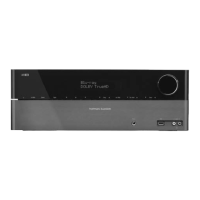
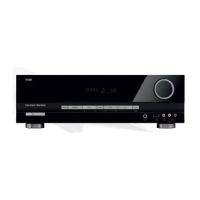
Harman Kardon AVR 134 - User Manual

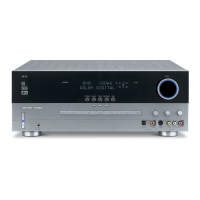
Harman Kardon AVR 134
45 pages
Print Icon
To Next Page IconTo Next Page
Loading...
표지 2008.11.18 2:54 PM 페이지 1

Other manuals for Harman Kardon AVR 134

Questions and Answers

  • J
    John CaldwellAug 16, 2025
    What to do if my Harman Kardon Receiver has no sound?
    • A
      Adam KaiserAug 16, 2025
      If your Harman Kardon Receiver has no sound, first check the speaker connections and ensure they are secure. Then, adjust the master volume to an audible level. Also, verify that the MUTE button on the remote is not activated. Ensure the speakers are switched on and that you've selected the correct input source. Finally, confirm that all components are connected correctly.
  • W
    Wayne GreenAug 19, 2025
    How to troubleshoot a Harman Kardon AVR 134 Receiver that has no power?
    • B
      beckertylerAug 19, 2025
      If your Harman Kardon Receiver has no power, ensure the AC input cord is securely connected. If it is, check the AC wall outlet by testing it with a lamp or another appliance to make sure the outlet is active.
  • R
    Richard GonzalesAug 21, 2025
    Why does the remote control unit not operate my Harman Kardon Receiver?
    • J
      Jesse AndersonAug 21, 2025
      If the remote control isn't working with your Harman Kardon Receiver, first replace the batteries. If that doesn't work, make sure nothing is blocking the remote sensor on the receiver.
  • C
    Cody GonzalesAug 25, 2025
    What to do if there is no sound from the surround speakers on my Harman Kardon Receiver?
    • A
      Amanda EricksonAug 26, 2025
      If you're not getting sound from the surround speakers on your Harman Kardon Receiver, make sure a surround mode is selected instead of stereo mode. Adjust both the master volume and surround level to appropriate settings. Ensure that you are using a stereo or surround source, not a monaural one. Lastly, verify that the surround speaker setting is correctly configured.
  • P
    Patricia RichardsAug 28, 2025
    How to fix poor FM reception on my Harman Kardon AVR 134?
    • A
      Andre SalinasAug 28, 2025
      If you're experiencing poor FM reception with your Harman Kardon Receiver, start by connecting an antenna. If an antenna is already connected, try changing its position to improve the signal.
  • B
    Bradley BrownAug 31, 2025
    Why is there no sound from the center speaker on my Harman Kardon AVR 134?
    • K
      Karen FryeAug 31, 2025
      If you're not getting any sound from the center speaker on your Harman Kardon Receiver, ensure that a surround mode is selected instead of stereo mode. Check that the center speaker setting is correctly configured. Also, adjust the master volume and center level to suitable settings.
  • P
    pparkerSep 3, 2025
    What to do if stations cannot be received on my Harman Kardon Receiver?
    • C
      Catherine GeorgeSep 3, 2025
      If you can't receive stations on your Harman Kardon Receiver, first connect an antenna. Then, tune in the desired station frequency. If you still have issues, try moving the antenna to a different position and retry tuning.
  • S
    Shannon ThompsonSep 5, 2025
    How to stop continuous hissing noise during AM reception on my Harman Kardon AVR 134?
    • R
      Rachel DavisSep 6, 2025
      To address continuous or intermittent hissing noise during AM reception on your Harman Kardon Receiver, especially at night, keep the receiver away from noise sources like motors, fluorescent lamps, or lightning.
  • J
    Jennifer KellySep 9, 2025
    How to resolve continuous hissing noise during FM reception on my Harman Kardon AVR 134?
    • C
      Christopher BurnettSep 9, 2025
      To resolve continuous hissing noise during FM reception on your Harman Kardon Receiver, especially when receiving a stereo broadcast, try changing the position of the antenna.
  • T
    Timothy RichardsonSep 12, 2025
    Why preset stations cannot be received on my Harman Kardon AVR 134?
    • D
      David ShafferSep 12, 2025
      If preset stations cannot be received on your Harman Kardon Receiver, memorize the correct station frequency. If the issue persists, memorize the stations again.

Summary

Remote Control Functions

Remote Control Operation Details

Remote Control Function List

Surround Sound Modes

Playing Music Files via USB

System Setup Introduction

System Setup Menu Navigation

How to access and navigate the main system setup menu.

Setting System Parameters

Setting System Parameters

Configuring speaker settings, subwoofer modes, and tone controls.

Setting Input Sources

Setting Input Sources

Assigning digital and analog inputs to various source components.

Setting Speaker Setup: Configuration

Setting Speaker Configuration

Configuring speaker sizes (Large/Small) for optimal sound.

Setting Speaker Setup: Distance

Setting Speaker Distance

Adjusting speaker distance to set delay times for surround sound.

Setting Speaker Setup: Crossover

Setting Speaker Crossover Frequency

Selecting the crossover frequency for small speakers.

Setting Channel Levels

Setting Channel Levels

Adjusting volume levels for individual speaker channels.

Memorizing Channel Levels

Memorizing and Recalling Channel Levels

Storing and recalling custom channel level settings.

Setting Parameter: Night Mode

Setting Parameter: Night Mode

Adjusting dynamic range compression for low-volume listening.

Setting Parameter: Music Effects

Setting Parameter: Music Effects

Adjusting Dolby PLII Music parameters and Bass Boost.

Troubleshooting and Specifications

Harman Kardon AVR 134 Specifications

General IconGeneral
Audio Channels5.1
Component Video Inputs2
Composite Video Inputs3
Optical Inputs2
Coaxial Inputs1
TypeAV Receiver
Output Impedance / Channel8 ohms
Signal-To-Noise Ratio100 dB
Input Impedance47k ohms
Input Sensitivity200 mV
THD0.07 %
Surround Sound EffectsDolby Digital, DTS
Built-in DecodersDolby Digital, DTS
Tuner BandsAM/FM
Preset Station Qty30
Width440 mm
Height150 mm
Video Inputs3 composite

Related product manuals