DRIVE
WHEELS
DRIVE
WHEELS
DRIVE
WHEELS
FRONT WHEEL
DRIVE
MID WHEEL
DRIVE
REAR WHEEL
DRIVE
DRIVE
WHEELS
DRIVE
WHEELS
DRIVE
WHEELS
FRONT WHEEL
DRIVE
MID WHEEL
DRIVE
REAR WHEEL
DRIVE
Outside Lifts - Installation & Owner’s Manual 2013
33
Section 2 : inStaller
Lift Adjustments
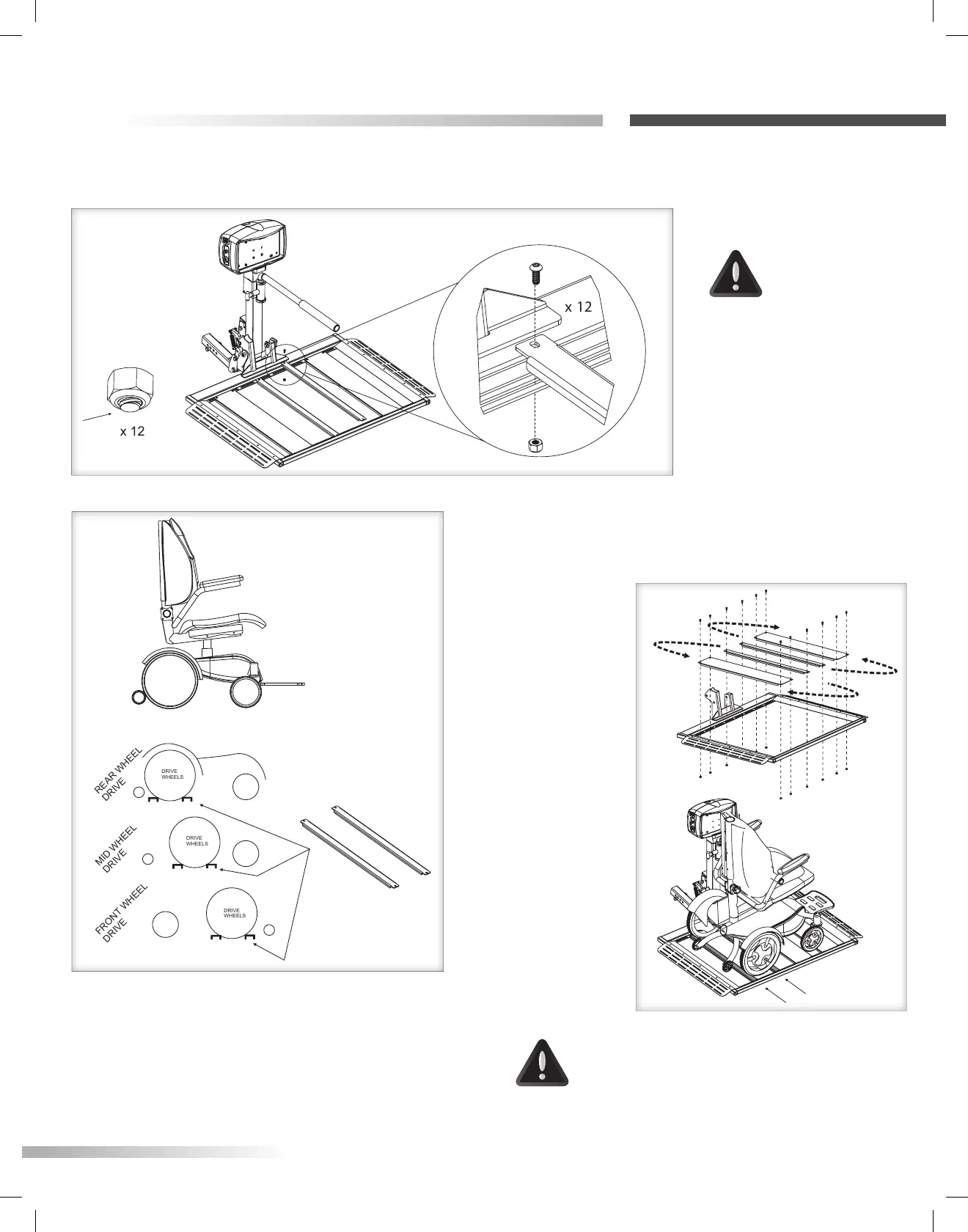
Figure 33-1
Figure 33-2
Figure 33-3
AL560 & AL560XL PLATFORM ADJUSTMENTS
CAUTION!
For adjustment,
ALL AL560
platform
components
are loose. You
MUST tighten
these screws
and nuts
before use.
[Figure 33-1]
1. Estimate the chair’s center position
depending on driver’s side or passenger’s side
entry preference.
Locate the drive
wheel’s position.
[Figure 33-2] Adjust
the two main cradle
positions to match.
Capture smaller
wheels on the two
larger skins.
2. Drive chair onto
platform. Verify
chair is secure and
does not move in
any direction once
positioned between
the skins and
cradles.
Thread must protrude out of
top of nylon portion of all nuts.
CAUTION!
Rearrange platform skins and cradle as
needed to capture the drive wheels.
[Figure 33-3]









 To Next Page