Other Setting
1) When completed above all operations, switch the power on, check if the display device
works normal, if not, check whether the cable on Terminal A & B is loosen, whether the
Terminal is reversed, or whether the dial code is correct or not.
2) Parameters Checking:
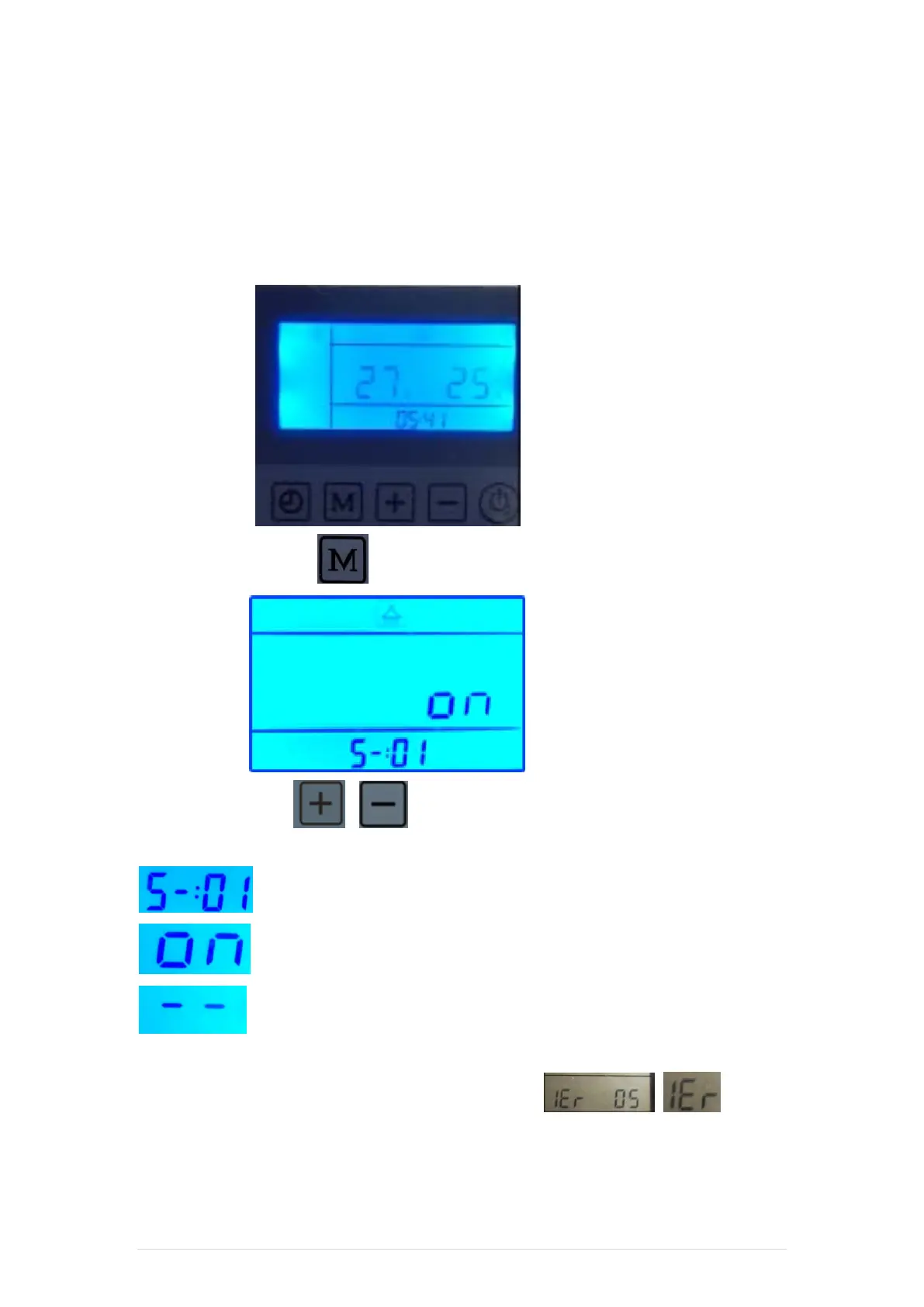
When the power is on, the display device will show like this:
Then press the M button ( ), it will show:
Press “+” or “-”button ( & ) to choose machine. Then press M button to check
current machine's parameters.
Means current machine is No. 1 machine;
Means current machine is on-line;
Means current machine is off-line; when it’s off-line, no parameters will be
shown.
3) If any machine failure during online status, it will shows , means
No. 1 Machine occurs breakdown, and so on.
Thermopod - Installation Manual 22 | Page


 To Next Page