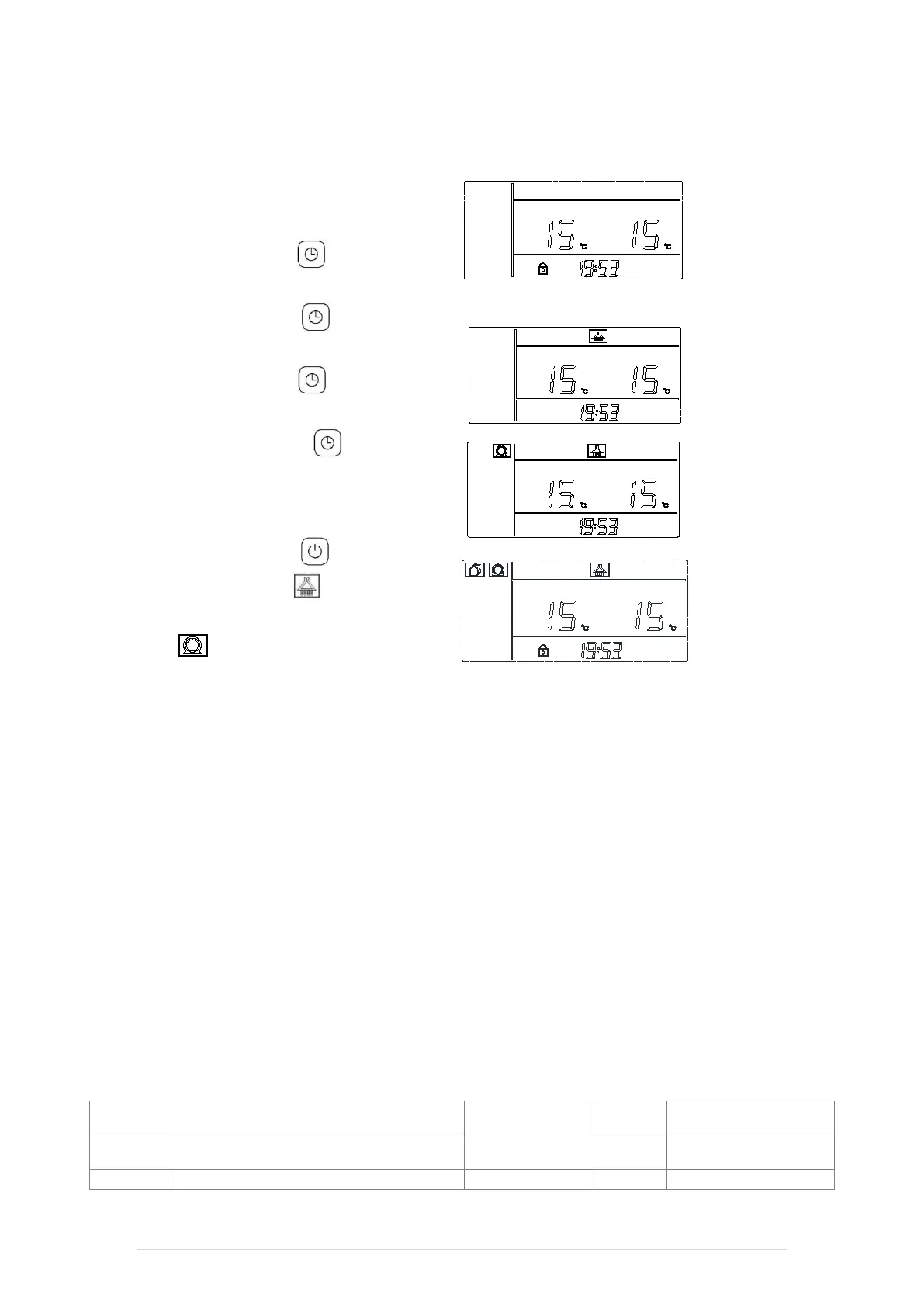
12 Controller Starting and Setting
For the first time when powering up the Thermopod,
the screen shall light up with blue colour.
The installer shall set up the local time by the following
steps,
Step 1: press the button
seconds until the time shown on the screen is flashing.
Step 2: press the button
flashing, and then adjust the time hh.
Step 3: press the button
flashing and then adjust the time mm.
Step 4: press the button
adjustment. After 6
0 seconds, the system shall be
automatically locked.
After time setting, start the system,
Step 1: press the button
second, then heating water signal appears.
Step 2: 1 second after heating water signal, the water
pump signal appears.
compressor shall automatically operate.
From now on, the system starts operation by default.
For further setting, please refer to the “Thermopod
Digital Controller Manual”.
After time setting:
13 System Commissioning
Turn the Thermopod on at the fused spur. After 30 seconds the digital controller on Thermopod shall light up and
show the current temperature of the cylinder and water outlet. The pump shall start to run. After 90 seconds of time
delay the compressor shall start operating.
Leave the system to operate for a minimum of 30 minutes and check the following,
1. Check if the default temperature for water heating in the controller is 53℃.
2. Check if the system is increasing the water temperature after 30 minutes.
(Standard: under 7 ℃ of ambient temperature in sunny day, it takes 40 minutes to increase water temperature from
30℃ to 35℃ in good quality 200 Litres of water cylinder.)
14 Tables of parameter and status
Unit parameter table
L2
Compressor activating return temperature
difference
2
~18
5
Cylinder Target temperature
Default 53℃, not over 60℃
Thermopod - Installation Manual 23 | Page


 To Next Page