51
51
Remove insert
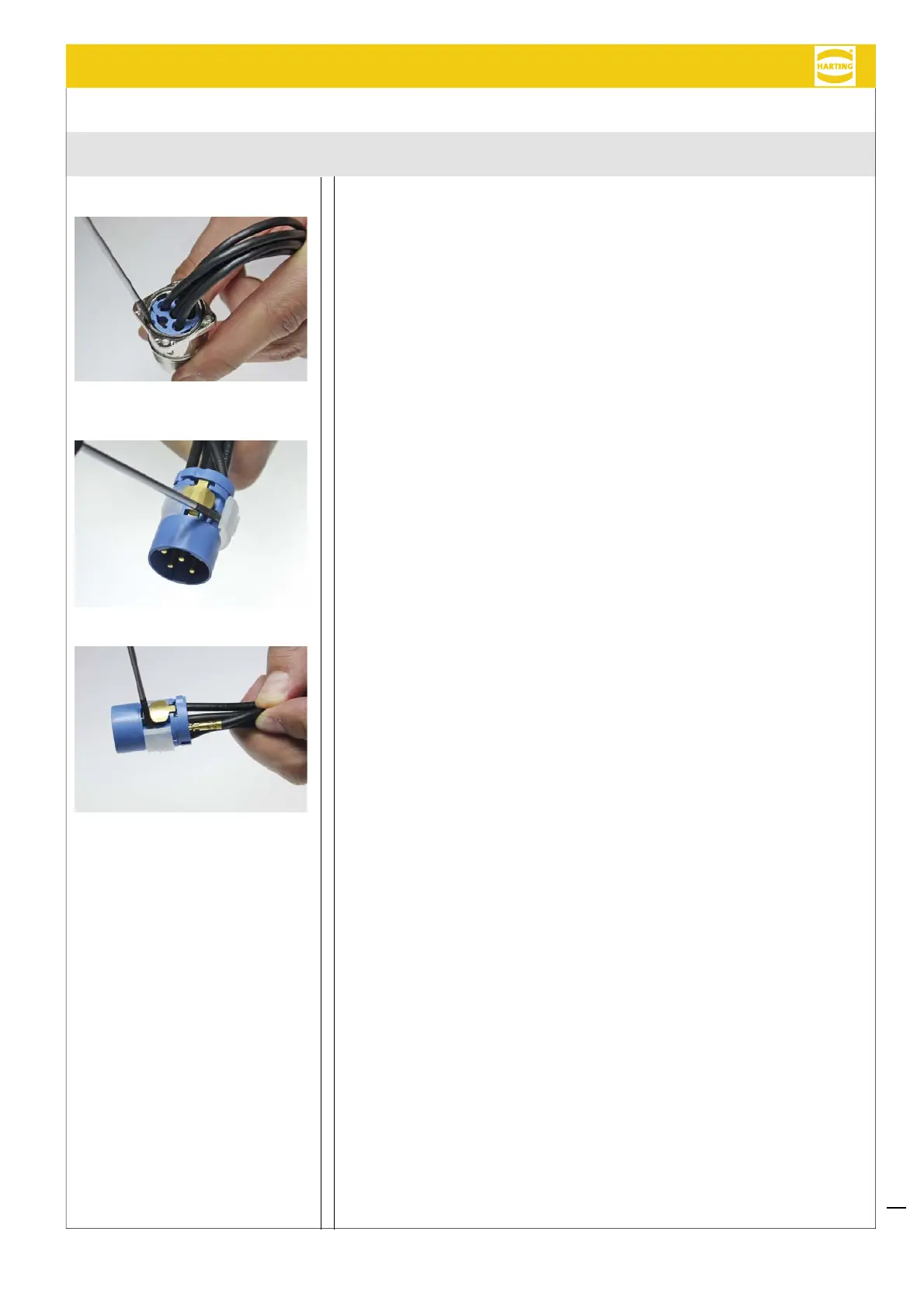
Remove the contact insert from the Han
®
M23 Power housing using a screwdriver:
1. Position a smallscrew driver above the locking tongue, located next to the PE
contact (refer to picture ①).
2. Push the locking tongue down, while pushing the insert out – by counterpress-
ing the insert from the mating side.
Remove crimped contacts
1. Using a screwdriver, remove the white clip from the insulation body (refer to
picture ②).
2. Now, remove the contacts out of the insert by withdrawing the conductors in the
direction of the termination side (refer to picture ③).
3. Before re-terminating the crimped contacts, insert the white ring into the insula-
tion body.
Removal
①
②
③
Han
®
M23 Power / Hybrid Assembly instructions


 To Next Page