EXPOSURE COMPENSATION / QUICK ADJUST
The exposure compensation function, for both manual and
automatic modes can be set from -5 to +5 EV, in 1/3, 1/2 or 1
EV increments and is visible above the scale in the viewnder
and as a ± symbol on the Touch Display Control Screen.
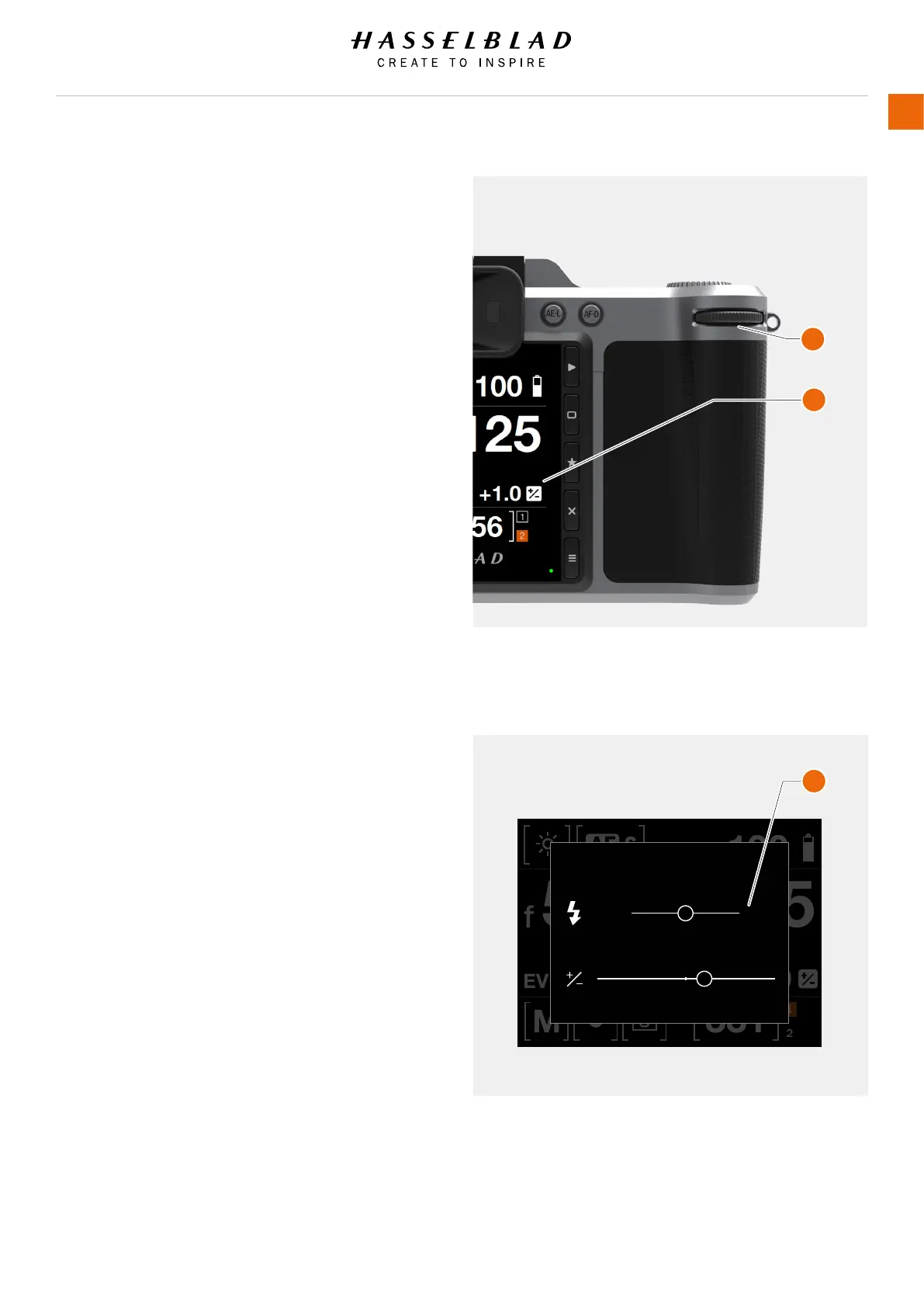
The quickest way to make an adjustment in auto exposure mode
is to use the Rear Scroll Wheel (A).
Temporary compensation setting in an auto-exposure mode
using the Quick Adjust function:
1 Turn the rear scroll wheel (A) to select the chosen amount of
compensation.
The amount is displayed as both an EV gure complete with
a ‘minus’ or ‘plus’ prex and as a marker above a ‘minus’ to
‘plus’ scale.
Default settings provide 1/3 EV compensation and an
immediate clearing of the setting after capture.
Adjust the Exposure on the Control Screen
1 Swipe Down on the Touch Display to access the Control
Screen.
2 Select Exposure Adjust (B).
3 Adjust sliders to the left or right to change values (C).
4 Close the Exposure Adjust pop up by clicking outside of it.
5 Swipe Up to exit Control Screen and return to Main Menu.
Control Screen View
Exposure Adjust.
ISO
f
100
331
EV
12.0
5.6 125
1
2
0.0
+1.0 EV
0.0 EV
EXPOSURE ADJUST
X1D www.hasselblad.com
USER GUIDE
41
Functions
Table of Content
A
B
C



 To Next Page
 Loading...









