- 11 -
3 Firsttimeoperation
3.1 Startup
Turnonthepowerswitch,thepowerswitchpositionisinthelowerrightcornerofthedeviceinsideview
(Figure1.4).
Makesuretoremovethelatexplugfromtheairfiltermounting
hole at the back of the device andinstall the air filter from the
accessoriesincluded.
3.2 AfterStartup
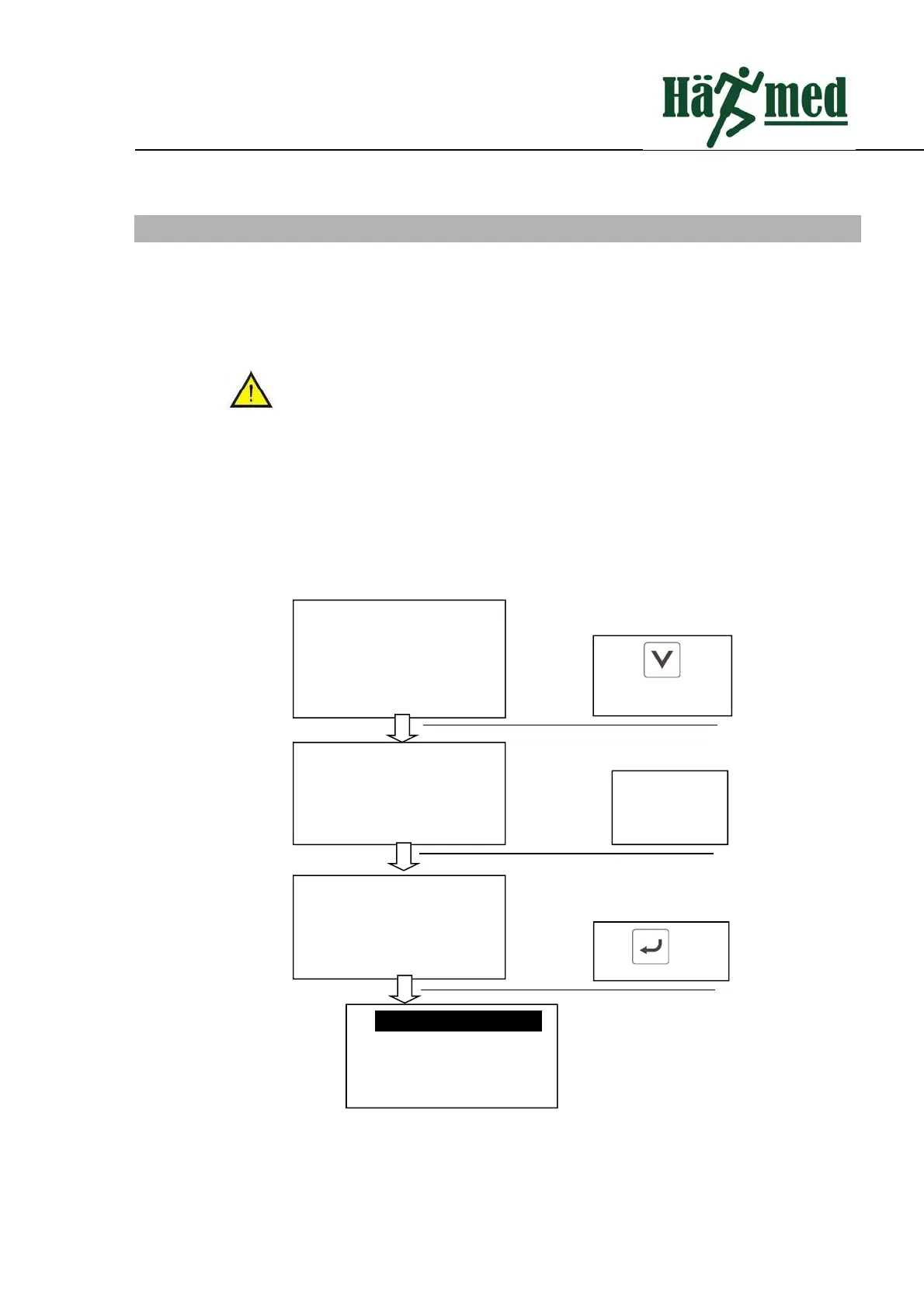
Afterstartupatthefirsttime,pleasesetuplanguageandcarryoutpressuretest.Afterthepressureverification
issuccessful,theinitialsettingiscompleted.Thedateandtimecanalsobesetasrequired.SeeChapter6system
settingsinthismanual.
Stepsofpressureverificationisasfollows:
3.3 Open/closethedoor
Pressureverification
Verificationischecking…
P:0.00Bar
Pressureverification
Pressureverification
successful
Door open to complete
pressureverification
press button
andopenupthedoor
Wait for
calibration and
make sure the
doorisopen.
press toselect
1–Sterilizationprogram
2–Testprogram2‐
3–Sytemsetting
4–Filerecord


 To Next Page