- 23 -
Fig6.2LanguageSetting
6.4 Warm‐upsettings
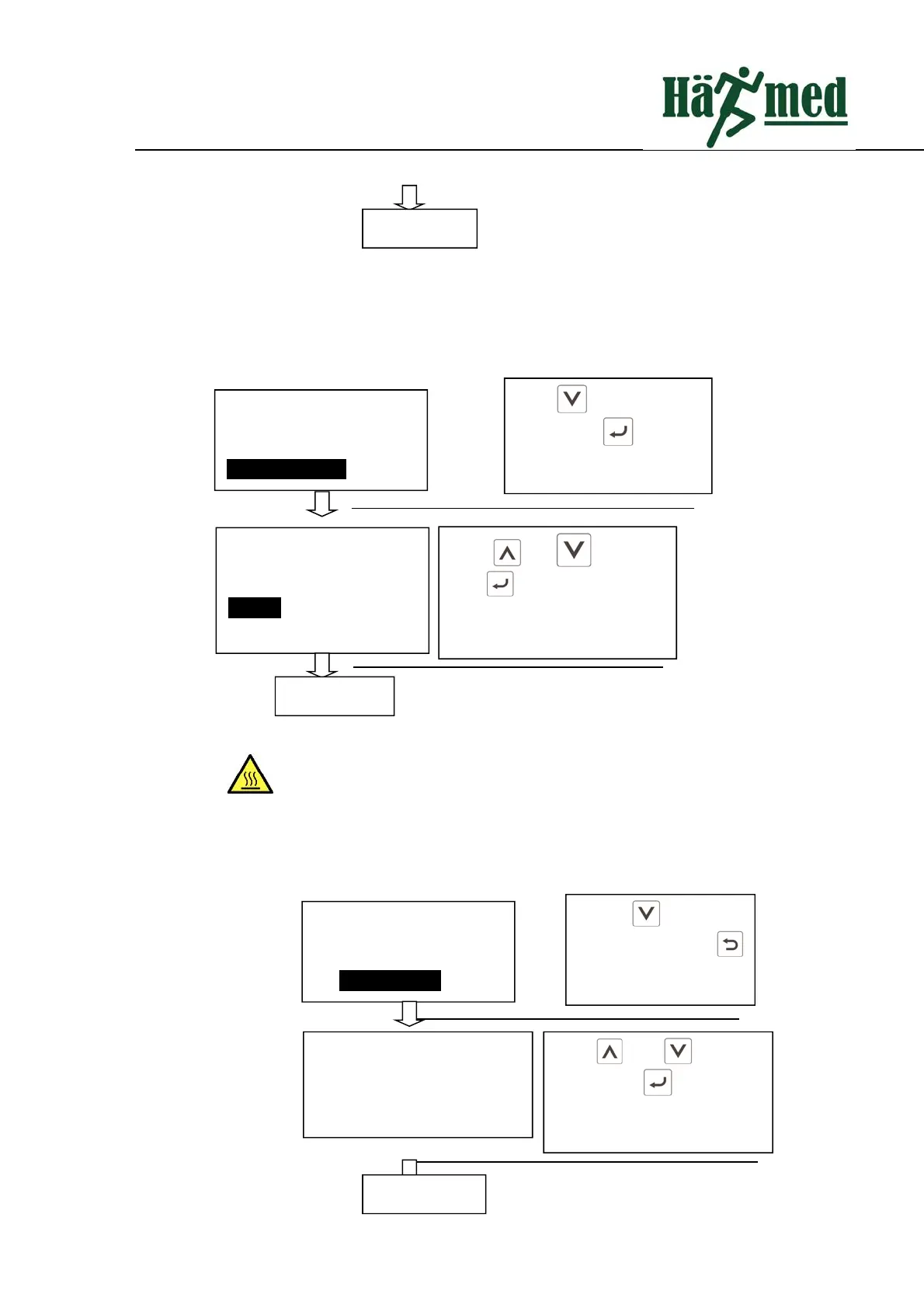
Warmupsettingoperationisasfollows:
Fig6.5Warm‐upSetting
The chamber will automatically heat up to 110 °C when the automatic
preheatsettingisturnedon.Pleasebecarefulaboutburns!
6.5 Automaticprintingsettings
Automaticprintingsettingoperationisasfollows:
Press to select
printer setting. Press
to enter printer setting
system.
Datesetting
Languagesetting
Warm‐upsetting
Printersetting
Press and to setup
printer.Press toexitprinter
settingaftercompletion.
Printersetting
Automaticprinting:close
Completion
Completion
Press toselectwarm‐up
setting.Press to enter
intowarm‐upsetting.
Timesetting
Datesetting
Languagesetting
Warm‐upsetting
Press and to adjust.
Press toexitwarm‐upsetting
aftercompletion.
Warm‐upsetting
Automaticwarm‐up:
Close
BackConfirm
Completion


 To Next Page