EasyManua.ls Logo

Heath Zenith 7868 - User Manual

Heath Zenith 7868
4 pages
Print Icon
To Next Page IconTo Next Page
Loading...
This chime requires 2 “C” alkaline batteries (not included). In typical use,
alkaline batteries will last up to one year.
Wireless Chime
© 2016 HeathCo LLC
Figure 2
Figure 1
WARNING: To prevent possible
SERIOUS INJURY or DEATH:
NEVER allow small children near
batteries.
If battery is swallowed, immediately
notify doctor.
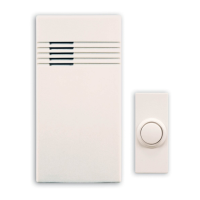
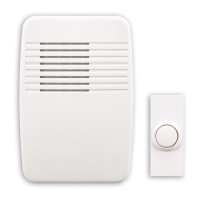
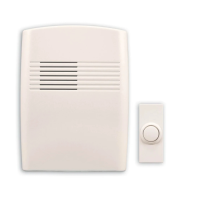
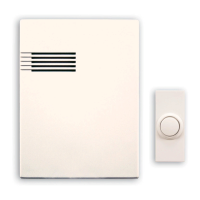
This package includes (Style of door sensor and chime may vary from illustration):
1. Remove orange battery tab from push
button. Remove back of case by pushing in
tab on bottom with a small screwdriver (see
Figure 1). Remove orange battery tab.
2. Remove chime cover. Firmly pull on cover
to remove it from chime base (see Figure 2).
Chime
base
Chime cover Wireless push
button
Hardware
pack
Model
TYPE 'C'
LR14
TYPE 'C'
LR14
MODEL: WL-102D
UP
SYNC – HOLD 3 SECONDS
RESET – HOLD 10 SECONDS
7868
7870
7871
TR-0095-RX
TYPE
C
Question and Answer IconNeed help?

Do you have a question about the Heath Zenith 7868 and is the answer not in the manual?

Summary

Wireless Chime Installation and Setup

Important Safety Precautions

Critical warnings regarding battery handling and child safety to prevent injury or death.

Initial Setup Procedures

Steps to prepare the push button and chime cover before mounting and installation.

Battery Installation and Range Test

Instructions for installing batteries and verifying chime and push button functionality.

Mounting Instructions

Guidance on securely mounting the push button and chime base to walls or door jambs.

Tune Settings and Customization

Selecting Chime Tunes

Information on how to change the chime tune between Ding and Ding-Dong using jumpers.

Troubleshooting Common Issues

Chime Does Not Sound

Solutions for when the chime fails to sound, covering battery issues and sync problems.

Chime or Push Button Malfunction

Addressing issues like poor range due to mounting surfaces or interference.

False Triggers and Interference

Resolving problems where the chime activates unintentionally due to wireless interference.

Summary

Wireless Chime Installation and Setup

Important Safety Precautions

Critical warnings regarding battery handling and child safety to prevent injury or death.

Initial Setup Procedures

Steps to prepare the push button and chime cover before mounting and installation.

Battery Installation and Range Test

Instructions for installing batteries and verifying chime and push button functionality.

Mounting Instructions

Guidance on securely mounting the push button and chime base to walls or door jambs.

Tune Settings and Customization

Selecting Chime Tunes

Information on how to change the chime tune between Ding and Ding-Dong using jumpers.

Troubleshooting Common Issues

Chime Does Not Sound

Solutions for when the chime fails to sound, covering battery issues and sync problems.

Chime or Push Button Malfunction

Addressing issues like poor range due to mounting surfaces or interference.

False Triggers and Interference

Resolving problems where the chime activates unintentionally due to wireless interference.

Overview

This document describes the Heath Zenith Wireless Chime, a device designed to provide a wireless doorbell solution. The package typically includes a chime base, a chime cover, a wireless push button, and a hardware pack.

Function Description:

The Heath Zenith Wireless Chime functions as a wireless doorbell system. When the push button is pressed, it sends a wireless signal to the chime base, which then sounds a tune. The system is designed for ease of installation and use, offering both screw mounting and tape mounting options for the push button, and screw mounting for the chime base. The chime can be customized with different tunes and is capable of working with multiple push buttons.

Important Technical Specifications:

  • Power Source: The chime requires two "C" alkaline batteries (not included).
  • Battery Life: Alkaline batteries are expected to last approximately one year in typical use.
  • Push Button Batteries: The push button also requires batteries, which should be installed correctly according to the diagram inside the push button.
  • Tune Settings: The chime offers two selectable tunes: "Ding" (a one-note tune) and "Ding-Dong" (a two-note tune). The factory setting is "Ding-Dong." The tune can be changed using a jumper switch inside the push button: "Jumper - ON" for "Ding" and "Jumper - OFF" for "Ding-Dong."
  • Multi-Button Support: All chime models are designed to work with up to five push buttons (sold separately). However, the chime is designed to play only two different tunes regardless of how many push buttons are used.
  • Mounting Hardware: The package includes a hardware pack, which typically contains screws and wall anchors for mounting.
  • Pilot Hole Size: For wall anchors, 7/32" diameter pilot holes are recommended.
  • Wireless Range: The wireless range can vary depending on location, temperature, and battery condition. Metal surfaces (like metal studs or concrete) can reduce transmission range.

Usage Features:

  • Installation:
    • Push Button:
      1. Remove the orange battery tab from the push button.
      2. Remove the back of the case by pushing in the tab on the bottom with a small screwdriver (refer to Figure 1).
      3. Install batteries (ensure correct orientation).
      4. Mount the back of the case to the door jamb or wall using screws (after removing material in screw holes if needed, refer to Figure 5) or double-sided tape (ensure the surface is clean).
      5. Snap the front of the push button onto the mounted back case.
    • Chime Base:
      1. Remove the chime cover by firmly pulling it from the chime base (refer to Figure 2).
      2. Install two "C" alkaline batteries. Press in the catch on the bottom of the battery cover and lift to remove it (refer to Figure 3). Ensure batteries are oriented properly (refer to Figure 4).
      3. Determine the mounting location, ensuring the chime is level and oriented correctly.
      4. Use all four chime mounting holes as a template (refer to Figure 6).
      5. Drill 7/32" diameter pilot holes for wall anchors (provided) if not mounting directly into a stud, and insert anchors.
      6. Securely tighten screws, verifying the chime remains level.
      7. Press the chime cover onto the chime base.
  • Testing Range: Before final mounting, temporarily position the chime and push button where intended. Press the push button to verify proper operation. If the chime does not sound, refer to the troubleshooting section.
  • Tune Selection: The tune can be changed by adjusting a jumper switch inside the push button. "Jumper - ON" selects "Ding," and "Jumper - OFF" selects "Ding-Dong."
  • Syncing Push Button and Chime: The push button and chime come pre-synced from the factory. If re-syncing is needed (e.g., due to false triggers or no sound):
    1. Press and hold the button on the chime until it sounds a "Beep-Beep."
    2. Press the push button within 30 seconds. The chime will sound a "Beep-Beep" tone to confirm syncing.
    3. Press the push button again to ensure operation.

Maintenance Features:

  • Battery Replacement: Regularly check the charge of both push button and chime batteries and replace them as necessary. Dead batteries are a common cause of the chime not sounding.
  • Troubleshooting: The manual provides a comprehensive troubleshooting guide for common issues:
    • Chime does not sound:
      • Possible Causes: Incorrect battery installation, dead batteries, or unsynced push button and chime.
      • Corrective Actions: Verify battery installation and charge, and re-sync the devices if needed.
    • Chime does not work after installation (batteries seem okay):
      • Possible Causes: Mounting on or near metal surfaces (reduces range), mounting near concrete (reduces range), or excessive distance between chime and push button.
      • Corrective Actions: Use wood shims to move the chime/push button away from metal, move the chime away from concrete, or relocate the chime closer to the push button.
    • Chime sounds when not intended (false triggers):
      • Possible Cause: Interference from another wireless device.
      • Corrective Action: Reset the chime and push button by removing push button batteries for 30 seconds, then re-syncing the devices as described above. Ensure to press and hold the push button for 10-15 seconds within 60 seconds after installing its battery, then press and hold the chime button until it sounds "Beep-Beep-Beep-Beep" before re-syncing.

Safety Information:

  • Battery Safety: A warning is provided to prevent serious injury or death:
    • Never allow small children near batteries.
    • If a battery is swallowed, immediately notify a doctor.

Heath Zenith 7868 Specifications

General IconGeneral
BrandHeath Zenith
Model7868
CategoryAccessories
LanguageEnglish

Related product manuals