EasyManua.ls Logo

Heath Zenith SL-6166 - User Manual

Heath Zenith SL-6166
16 pages
Print Icon
To Next Page IconTo Next Page
Loading...
© 2007 HeathCo LLC 595-5494-11
Wireless
Plug-In
Doorbell
Models SL-6166 & 6167
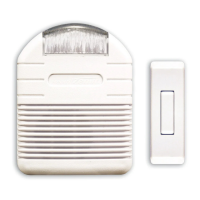
Your doorbell includes:
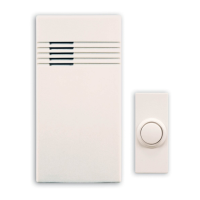
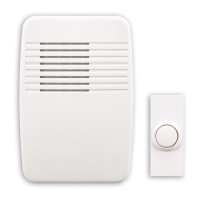
Plug-in doorbell chime
Doorbell button/transmitter with battery
(model 6167 includes 2)
Hardware pack
To reduce the risk of electrical shock, this
equipment has a polarized plug (one blade
is wider than the other). This plug will fit in
a polarized outlet only one way. If the plug
does not fit fully in the outlet, reverse the
plug. If it still does not fit, contact a quali-
fied electrician to install the proper outlet.
Do not change the plug in any way.
2. Plug-in the doorbell chime.
Chime
Volume
Control
1. Set the chime volume on the back of
the plug-in chime, if desired.
3. Before mounting, test the doorbell range.
Plug-in the chime where you want to mount it
and temporarily place the doorbell button on the
doorjamb. Press the doorbell button.
Access Door
Question and Answer IconNeed help?

Do you have a question about the Heath Zenith SL-6166 and is the answer not in the manual?

Summary

Operation

Mount the doorbell button

Instructions for physically attaching the doorbell button to a door jamb or wall using screws or tape.

Code and Tune Settings

Code Settings

Guidance on changing the wireless communication code using jumpers for interference prevention.

Tune Settings

Instructions for selecting one of three available doorbell chime tunes (Ding, Ding-Dong, Westminster).

Doorbell Button Battery Replacement

Procedure for replacing the battery in the wireless doorbell button unit.

Troubleshooting

Chime does not sound

Steps to resolve issues where the doorbell chime fails to activate.

Chime does not work when installed

Troubleshooting steps for when the chime unit is unresponsive despite functional batteries.

Technical Service

Contacting Technical Service

Information on how to contact HeathCo LLC for product support and assistance.

Regulatory Information

Five Year Limited Warranty

Summary

Operation

Mount the doorbell button

Instructions for physically attaching the doorbell button to a door jamb or wall using screws or tape.

Code and Tune Settings

Code Settings

Guidance on changing the wireless communication code using jumpers for interference prevention.

Tune Settings

Instructions for selecting one of three available doorbell chime tunes (Ding, Ding-Dong, Westminster).

Doorbell Button Battery Replacement

Procedure for replacing the battery in the wireless doorbell button unit.

Troubleshooting

Chime does not sound

Steps to resolve issues where the doorbell chime fails to activate.

Chime does not work when installed

Troubleshooting steps for when the chime unit is unresponsive despite functional batteries.

Technical Service

Contacting Technical Service

Information on how to contact HeathCo LLC for product support and assistance.

Regulatory Information

Five Year Limited Warranty

Heath Zenith SL-6166 Specifications

General IconGeneral
BrandHeath Zenith
ModelSL-6166
CategoryAccessories
LanguageEnglish

Related product manuals