Start-Up
19
Safety settings
Use the “Safety settings” menu to individually adjust all settings required by the nature
of your sample to ensure personal safety.
Setting the acceleration
Switching rotation on may result in
splashing at high acceleration.
The default setting is medium
acceleration.
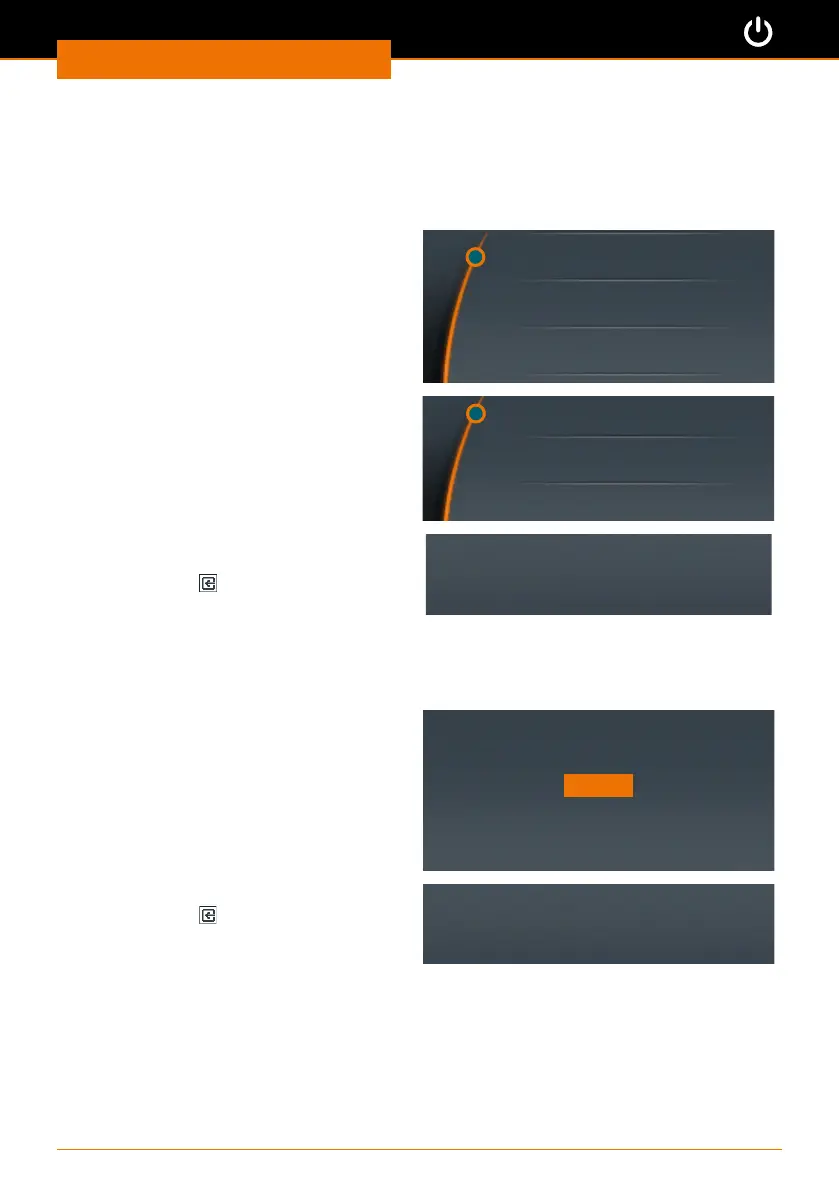
➜ Select the “Acceleration” menu item.
Acceleration
Speed limit
Torque limit
✓ The current setting is marked with an
asterisk.
➜ Select the required setting.
➜ Push the control knob to conrm.
Fast
Medium *
Slow
✓ The selected setting is displayed briey
for conrmation.
➜ Press “Back”
to exit the
“Acceleration” menu.
Acceleration: medium
Setting a speed limit
Some samples may only be exposed to low rotation speed. In this menu you can restrict
the speed to avoid accidental changes.
The default setting is the maximum
possible speed.
➜ Select the “Speed limit” menu item.
➜ Set the required maximum speed in
rpm.
➜ Push the control knob to conrm.
Speed limit [rpm]
2000
OK
✓ A conrmation is displayed briey.
➜ Press “Back”
to exit the menu.
✓ The speed cannot be set to higher than
this speed limit, regardless of the gear
stage selected.
Limit saved!



 To Next Page