Operation
32
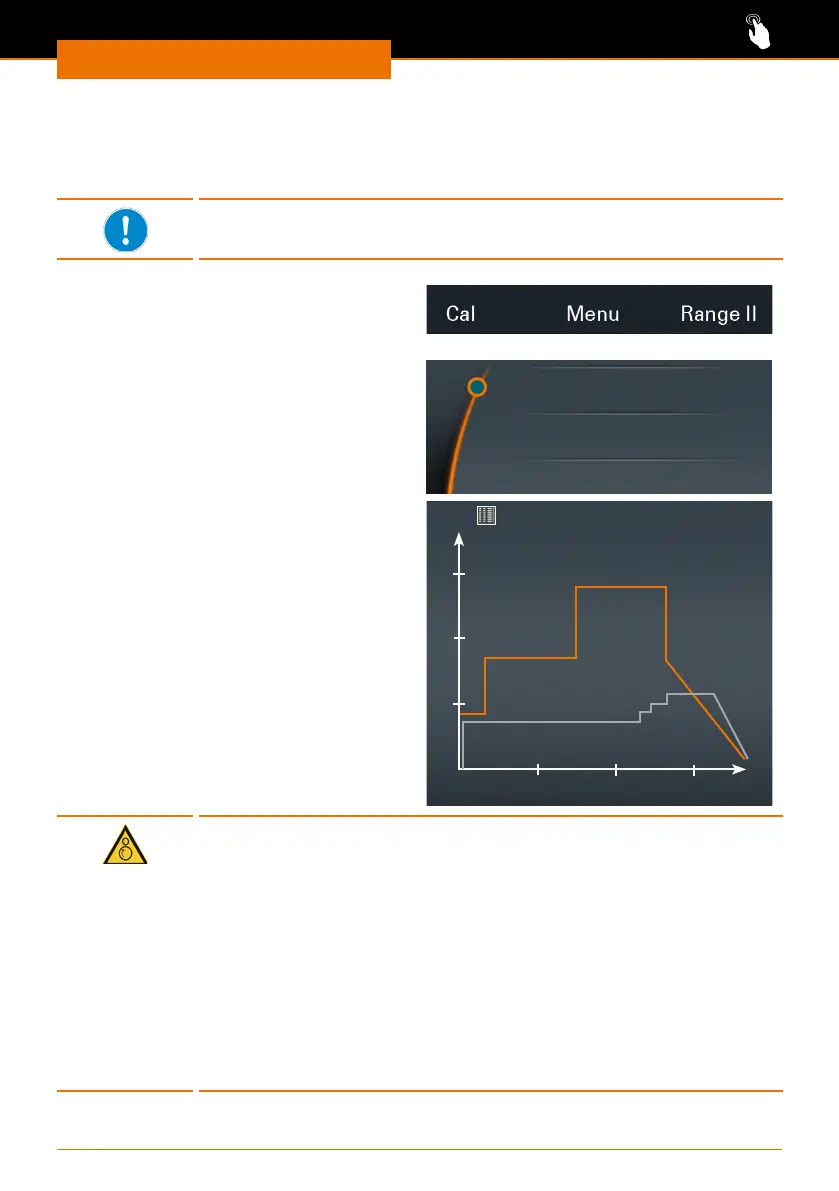
Displaying the progression graph
If you wish to check the programmed ramps, especially for high viscosity samples and
saved proles, you can do so by displaying them as a graph while running a prole.
The graph is only displayed when rotation is active.
Hei-TORQUE Precision 100/200
➜ You have started stirring.
➜ Select the menu “Graph”.
Hei-TORQUE Precision 400
➜ You have started stirring.
➜ Open the submenu.
➜ Select the menu item “Graph”.
Graph
Favorites
Edit Prole
✓ A diagram of the current prole is
displayed.
✓ The graph shows the last 3.5 minutes
of the prole.
rpm Ncm.
12:31
Warning:
Risk of injury! Risk of entanglement!
Rotating items can injure your hands or other parts of the body by
drawing in long hair, loose clothing or jewelry.
▪ Never touch any rotating parts.
▪ Do not wear loose clothing, belts or ties, which may get drawn in by
rotating parts.
▪ Do not wear long necklaces or bracelets.
▪ Cover or tie back long hair when operating the stirrer.
Warning:
Risk of poisoning!
It may be necessary to operate the stirrer behind a closed and
ventilated fume hood.



 To Next Page