10
Video Playback
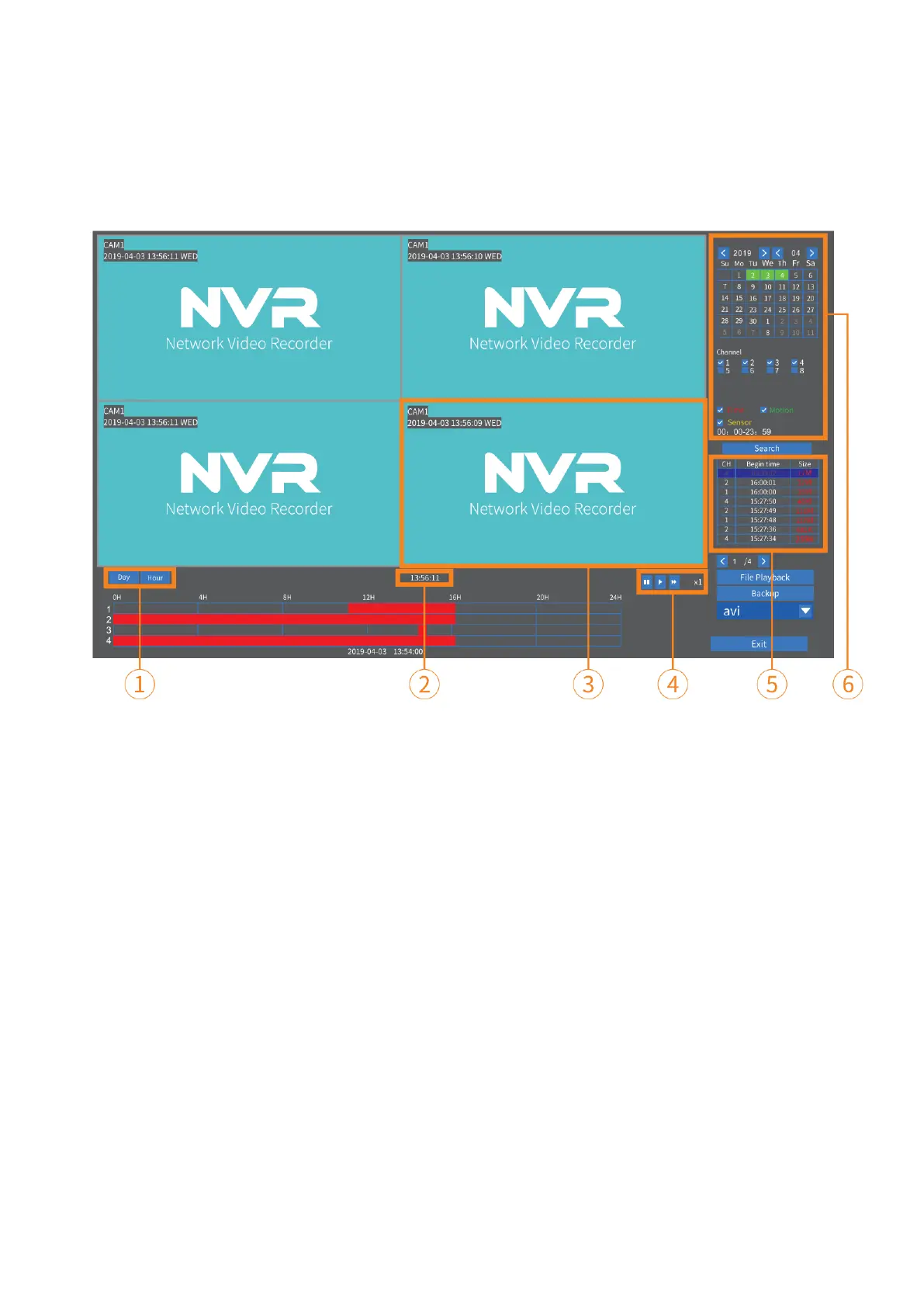
Right click the mouse on the main interface, then select Video Playback to play the
recorded videos. Select the date with green color, Channel and Record Mode (⑥), then
click Search to list all the filtered videos.
1. Display the timeline by Day/Hour 4. Pause/Play/Fast Forward
2. Video Recording Time 5. Filtered Videos List
3. Area for Video Playing 6. Filters
Option 1: Select one video file from the Filtered Videos List (⑤), then click Play or File
Playback to play the selected video.
Option 2: Left click the mouse on the Red/Green (Red for Scheduled Record and Green
for Motion Record) part of the timeline. The videos recorded from 4 channels can be
played at the same time.
Video Backup
Option 1:
Insert a USB drive (up to 64GB and FAT32 format only), then select Video Playback to
enter the interface below.
Option 2:
Right click the mouse on the main interface then select Video Playback to enter the
interface below.



 To Next Page