11
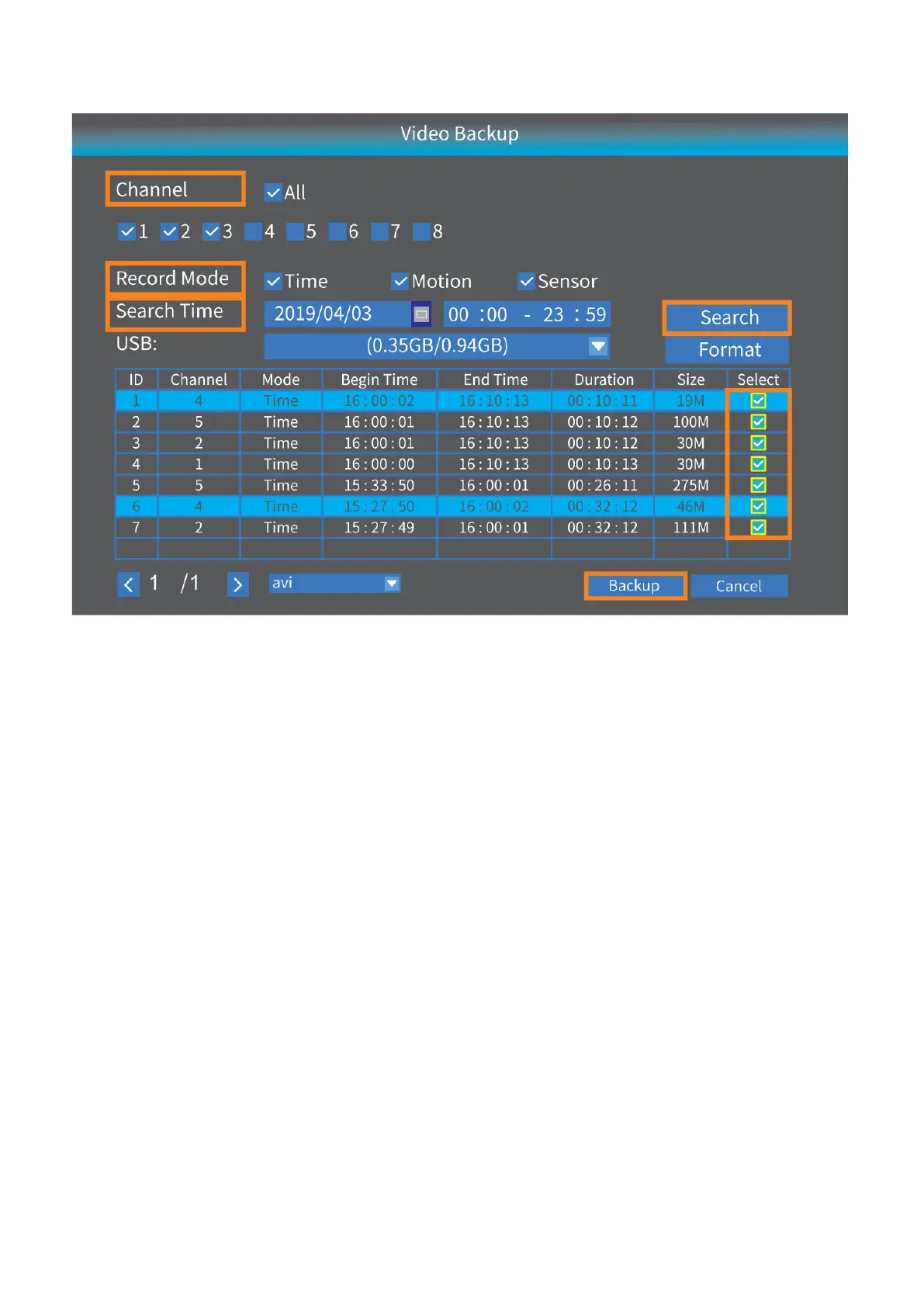
Step 1:
Select Channel, Record mode and Search Time, then click Search to display the filtered
videos list.
Step 2:
Select the videos and click Backup, the videos will be downloaded to your USB drive.
Network Setup
Connecting the NVR to a router with the ethernet cable is a must if you want to remotely
view the videos from a mobile device or a PC. You can check Cloud ID, IP address and
Web port here.
• Click Show QR Code, you can see the QR code and Cloud ID here.
• Make sure the Network status is Healthy Network;
• Web port may vary on different NVR systems.



 To Next Page