17
dPoFF
SET
STEP 4CS
STEP 5CS
1
BACKWASH
SET
STEP 6CS
2 dn
BRINE
SET
STEP 3 CS Option – Seperate Source – Use or buttons to select SEPS. Selection
requires that connection is made from 3-way MAV to two-pin connector on board labeled Al
-
ternator Drive. "C" port is connected to valve inlet. "A" port is connected to separate source
supply. "B" port is connected to feed water supply. MAV will be driven closed before rst
regen cycle & driven open after last regeneration cycle. If error occurs during regeneration,
MAV remains in current state until error is corrected and reset.
STEP 3 CS Option – SYS – For use with SystemMate Demand Recall Panel.
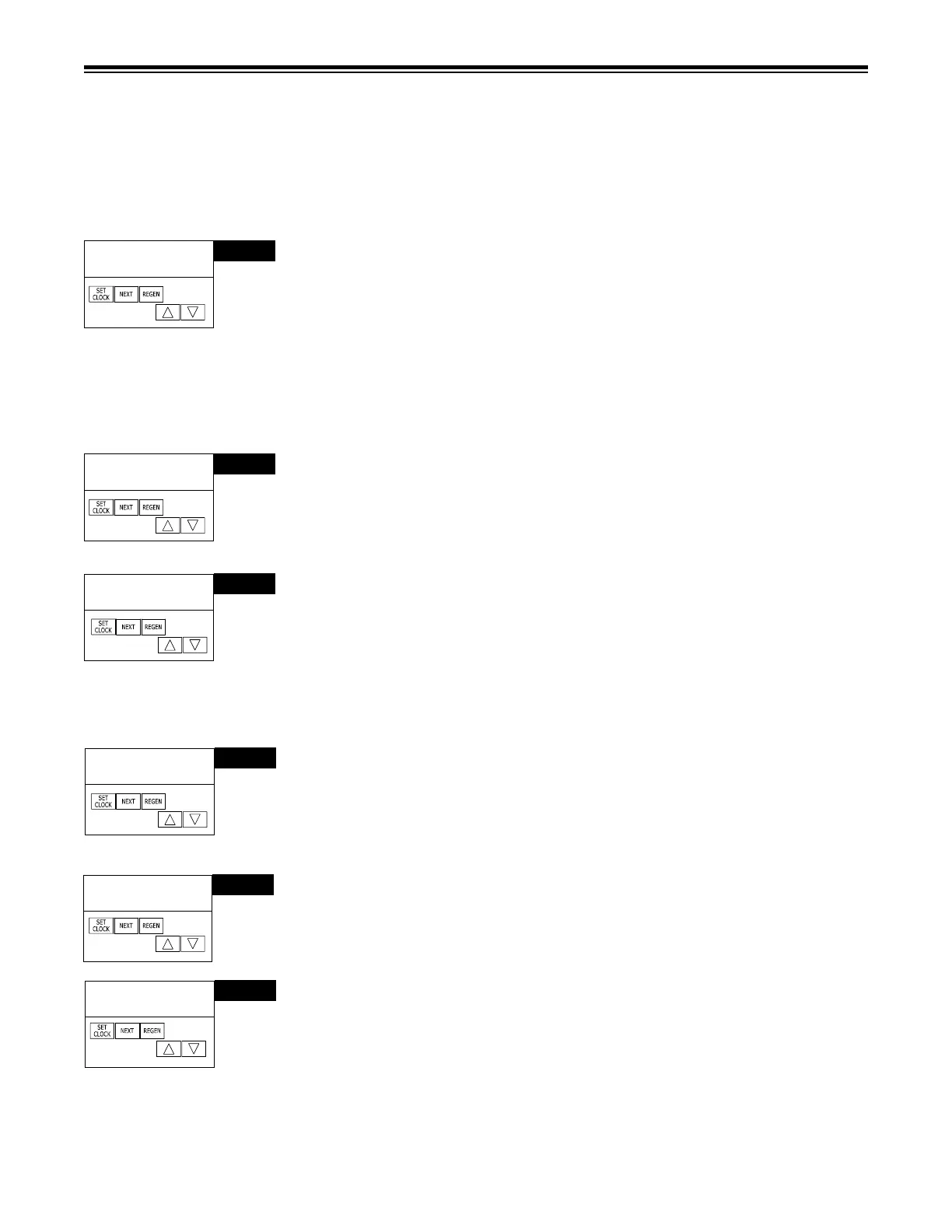
STEP 4CS – Select an auxiliary input to trigger REGEN. Selection only matters if a con-
nection is made to the two pin connector labeled DP SWITCH located on the printed circuit
board. Use or arrows to select. Factory setting is dPoff. Following is an example of
the options:
dPon0 - If the dP switch is closed for an accumulative time of 2 minutes, a regeneration
will occur immediately. Factory Setting is dPon0.
dPdEL - If the dP switch is closed for an accumulative time of 2 minutes, a regeneration
will occur at the scheduled regeneration time.
HoLd - If the dP switch is closed, a regeneration will be prevented from occurring. Press
NEXT to go to Step 9CS. Press REGEN to return to previous step.
STEP 5CS – First Regeneration Cycle. Press or buttons to select, in this example
it is backwash. Press NEXT to go to Step 6CS. Press REGEN to return to previous step.
STEP 6CS – Second Regeneration Cycle. Press or buttons to select, in this
example it is dn Brine. Press NEXT to go to Step 7CS. Press REGEN to return to
previous step.
STEP 8CS
4 Fill
SET
RETURN TO NORMAL MODE
STEP 9CS
5 End
SET
STEP 7CS – Third Regeneration Cycle. Press or buttons to select, in this example it is
Rinse. Press NEXT to go to Step 8CS. Press REGEN to return to previous step.
STEP 8CS – Fourth Regeneration Cycle. Press or buttons to select, in this example it
is Fill. Press NEXT to go to Step 9CS. Press REGEN to return to previous step.
STEP 9CS – Programmer can select up to 9 regeneration cycles. After all cycles have been
programmed, an END cycle must be added. Press or buttons until END appears. Press
NEXT to exit Cycle Sequence. Press REGEN to return to previous step.
STEP 7CS
3
RINSE
SET
➞➞
➞ ➞
➞
➞



 To Next Page