11
Deutsch
|
Français
|
Nederlands
|
English
Temperature LED color
T ≤ 18°C blue
18°C < T ≤ 20°C azure
20°C < T ≤ 22°C green
22°C < T ≤ 24°C orange
T ≥ 24°C red
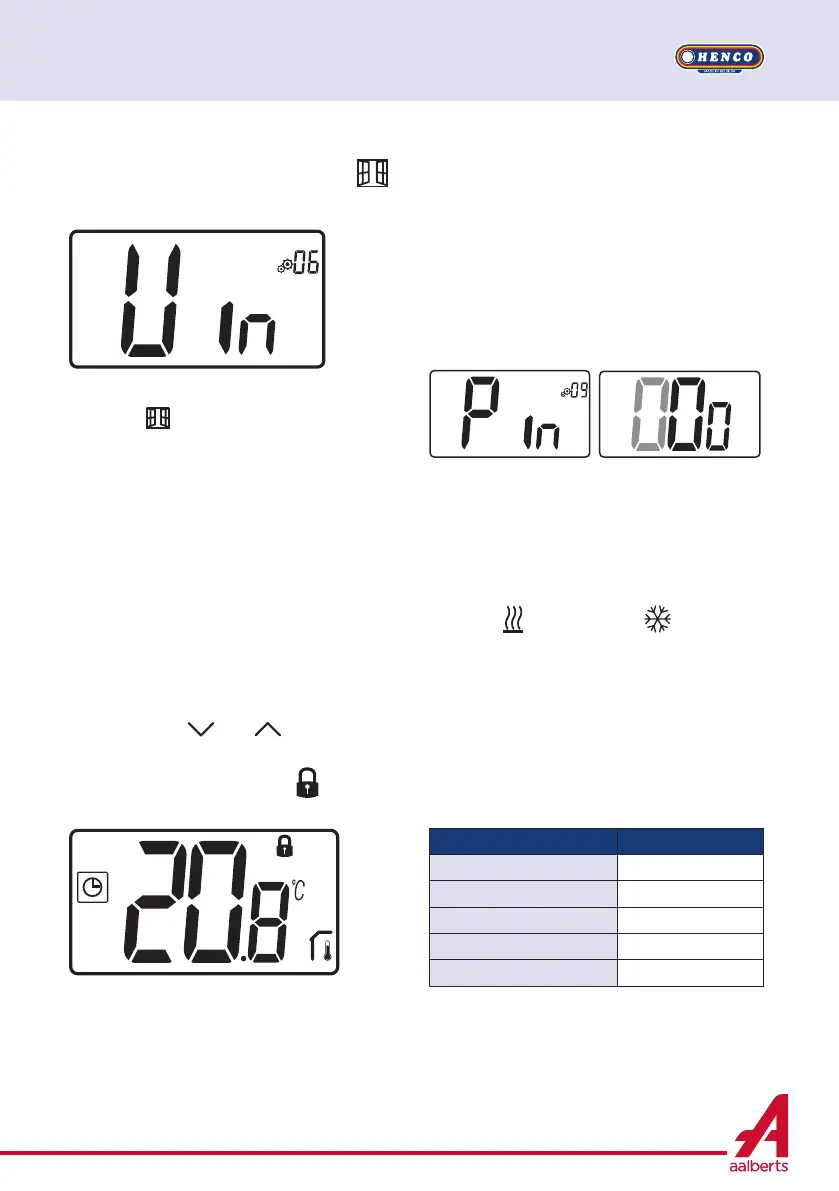
6.2 Opened windows detection
Enter user parameter 06.
When activated and a detection is running,
the icon
will appear and blink on the
screen!; This function is done by measuring
and recording the temperature evolution.
When an opened window is detected, the
thermostat applies to heating system anti-
freeze temperature set point. User can restart
heating system, and stops window detection
by pressing on a key.
6.3 Keyboard locking
Wake-up the thermostat (lighted back- light),
Press and hold
and keys simultane-
ously.
Once locking is activated, logo
appears on
the LCD screen:
6.4 PIN code
To activate this function enter user parameter
9.
The PIN code protect the thermostat from any
change of the setting as temperature or mode.
When user pushes a key, “PIN” will be dis-
played. If user press another time a touch, he
has to enter PIN number.
6.5 Heating and cooling
indications
Logos used to indicate than system
requires:
heating is
; cooling is .
6.6 LED indication
When user modify set point temperature in
functioning mode, behavior information is dis-
played with a LED RGB located on the middle
of validation key.


 To Next Page