5
Deutsch
|
Français
|
Nederlands
|
English
3. FIRST INSTALLATION
Please refer to the Quick Installation Guide.
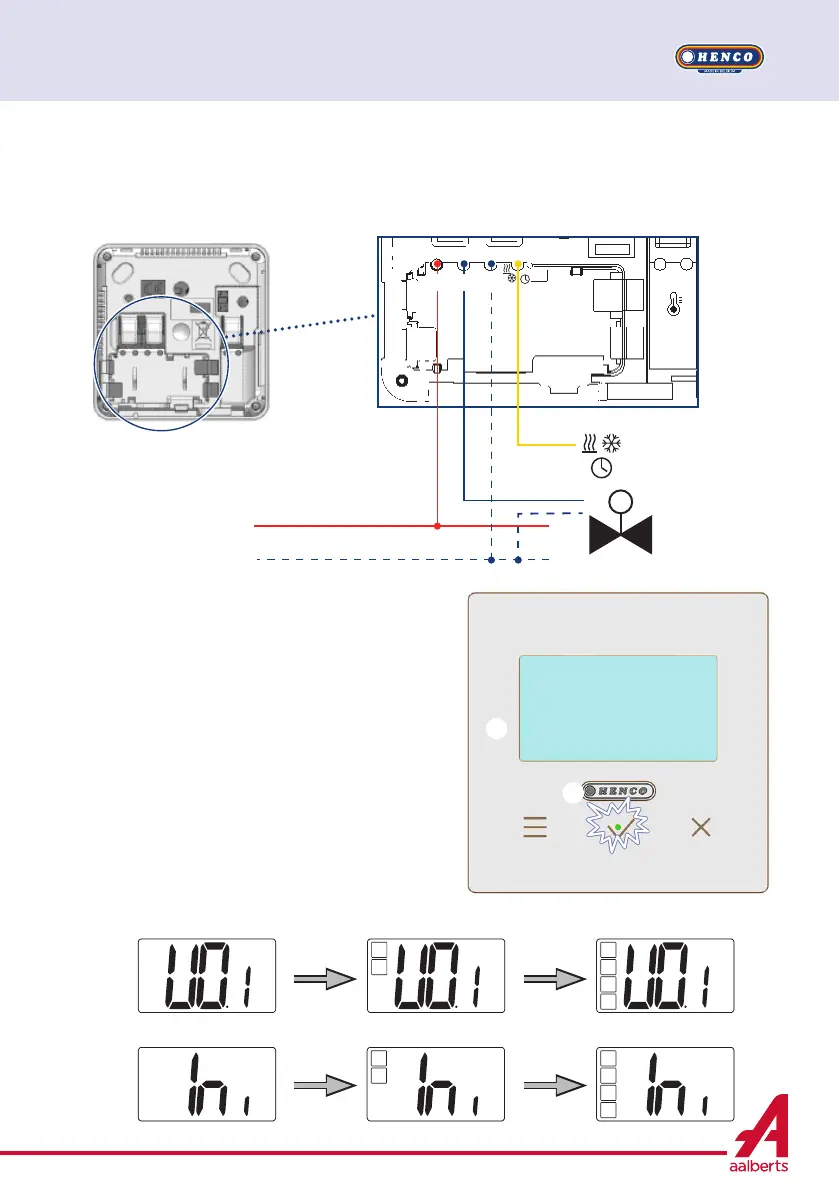
When thermostat is started, it launch is initialization
procedure:
All segment of the LCD screen are displayed
The led is blinking white
LCD screen display the software version
Thermostat initialize its internal configuration
according to H&C signal
A A
D
D
B
B
C
C
N
N
L
out
L
L
Henco Controller WFC only
Heat or cool signal
Clock signal


 To Next Page