17
Deutsch
|
Français
|
Nederlands
|
English
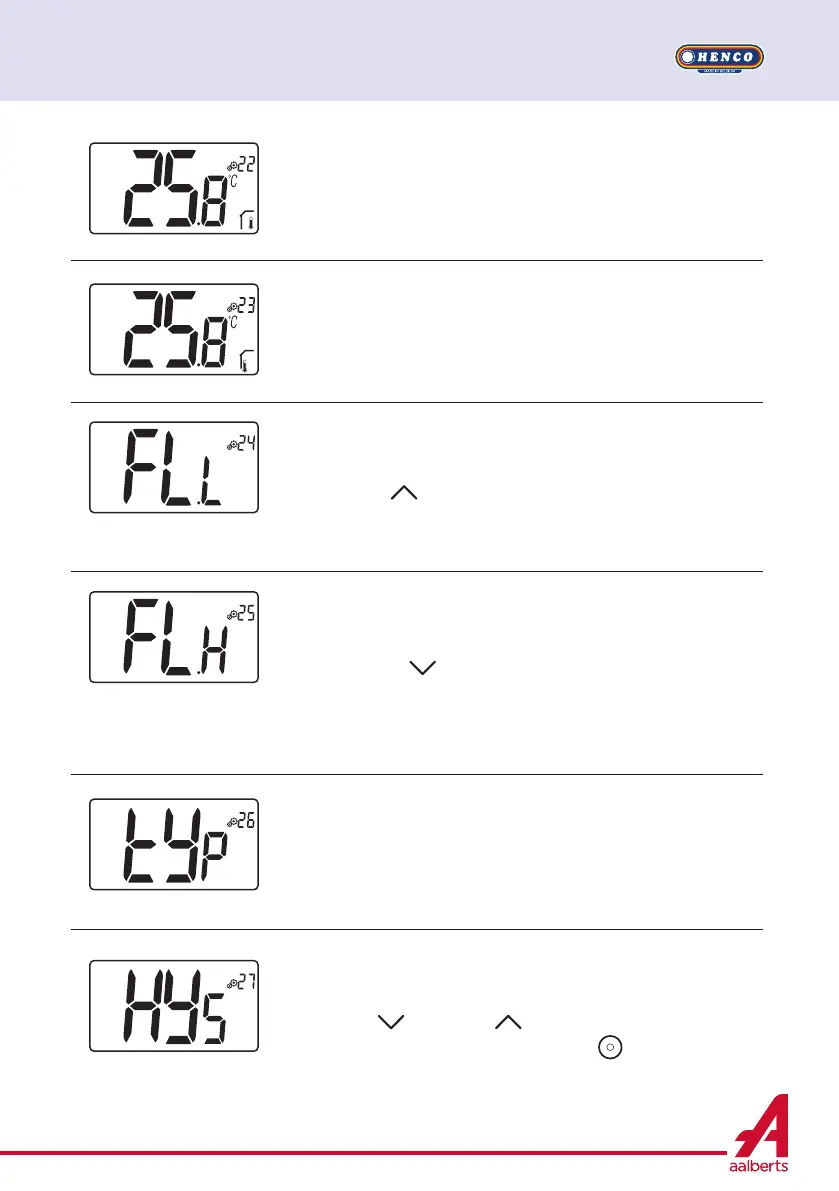
Regulation type
- HYs: regulation of hysteresis
- bP: regulation of proportional type
Default value: bP Other value: HYs
Hysteresis value
This menu is displayed only if parameter “Typ” (#26) is equal to
“HYs”.
Use minus
and plus keys to set hysteresis value.
The setting is validated with validation key .
Default value: 0.3°C Value range: 0.2°C to 3°C
Lower limit of floor temperature (FL.L)
This value is displayed and set only if parameter 21 is FLL.
This value of “low limit” will be used in heating and cooling config-
urations. Press to increase the value
Default value: “no”:
not activated
Other values: 5°C to “FL.H” (or 40°C)
High limitation of floor temperature (FL.H)
This value is displayed and set when parameter 21 is set on FL.L.
This value of “high limit” will be used in heating and cooling con-
figurations. Press
to decrease the value.
Default value: “no”:
not activated
Other values: “FL.Lo” (or 5°C) to 40°C
Displaying of measured temperature by internal sensor
If “Err” is displayed, internal sensor is damaged.
Displaying of measured temperature by external sensor:
FLOOR temperature / AMBIENT temperature
If “Err” is displayed, external/ambient sensor isn’t connected or
damaged.


 To Next Page