EasyManua.ls Logo

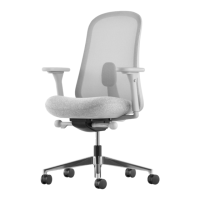
HermanMiller Lino - User Manual

HermanMiller Lino
14 pages
Print Icon
To Next Page IconTo Next Page
Loading...
HermanMiller
Lino
TM
Chair Disassembly Instructions
How to dissemble your chair.
Step 1
. Loosen the hex flange bolt to remove the back frame assembly using an mm
hex socket bit.
Step 2 Step 3
. Remove the sacral screws from the back frame assembly using a
T- screw driver.
Note: For No Lumbar Cap, follow step .
. Takeout the back frame assembly from the chair.
Tools Required
Hex
Socket
Bit
T-
Torx Bit
T-
Torx Bit
Power
Driver
#2 Mallet
Flat Head
Screw Driver
Li-o Tool T-
Screw Driver
1HermanMiller for Lino
TM
Chair Dissembly Instructions1BJN55 rev A

Other manuals for HermanMiller Lino

Question and Answer IconNeed help?

Do you have a question about the HermanMiller Lino and is the answer not in the manual?

Summary

Lino Chair Disassembly Instructions

Step 1: Loosen Hex Flange Bolt

Loosen the hex flange bolt to remove the back frame assembly using an 8mm hex socket bit.

Step 2: Takeout Back Frame Assembly

Remove the back frame assembly from the chair.

Step 3: Remove Sacral Screws

Remove the sacral screws from the back frame assembly using a T-25 screw driver.

Step 4: Remove Sacral

Remove the sacral from the back frame assembly.

Step 5: Push No-Lumbar Cap Out

Insert a screw driver to push the no-lumbar cap out from the bottom of the back.

Step 6: Unscrew 3 Bolts

Unscrew the three bolts using a T-45 torx bit.

Step 7: Remove J-bar

Remove the J-bar from the tilt assembly.

Step 8: Remove Arms

Loosen the hex flange bolt to remove the arms using an 8mm hex socket bit.

HermanMiller Lino Specifications

General IconGeneral
Chair TypeOffice Chair
Weight Capacity300 lbs
ManufacturerHerman Miller
ArmrestsAdjustable
Seat Height Range16.5" - 20.5"
Warranty12-year warranty
Base5-star base
Seat Height16.5" - 20.5"
MaterialPolyester

Related product manuals