10
Starting the Dispenser
Connect the AC power cords of the dispenser and the PC to a wall socket (refer to
“General conditions” and “Safety instructions” sections) then turn on the PC.
By following the instructions in the software handbook, install the software on the PC.
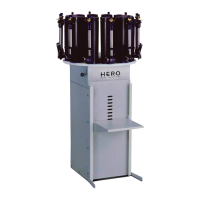
Load the colourants into the canisters but be careful not to overfill.
Complete the following procedure to load the colourants:
• Disconnect the power plug to the agitation motor on the lid of the canister that you
intend to fill.
• Remove the lid.
• Fill the canister, but be very careful not to spill any colourant on the central part of
the agitation paddles.
• Replace the lid once the canister has been filled. Make sure the lid is closed
properly.
• Reconnect the power plug to the lid.
After having loaded all the canisters, the calibration procedure must be completed before
being able to use the machine.
A precision scale is necessary to accomplish the calibration procedure.
Please refer to the software handbook for instructions regarding calibration.


 To Next Page