USING THE DIALLER AS A GSM PHONE
(ONLY IN
PSTN
+
GSM
HANDS FREE VERSION
)
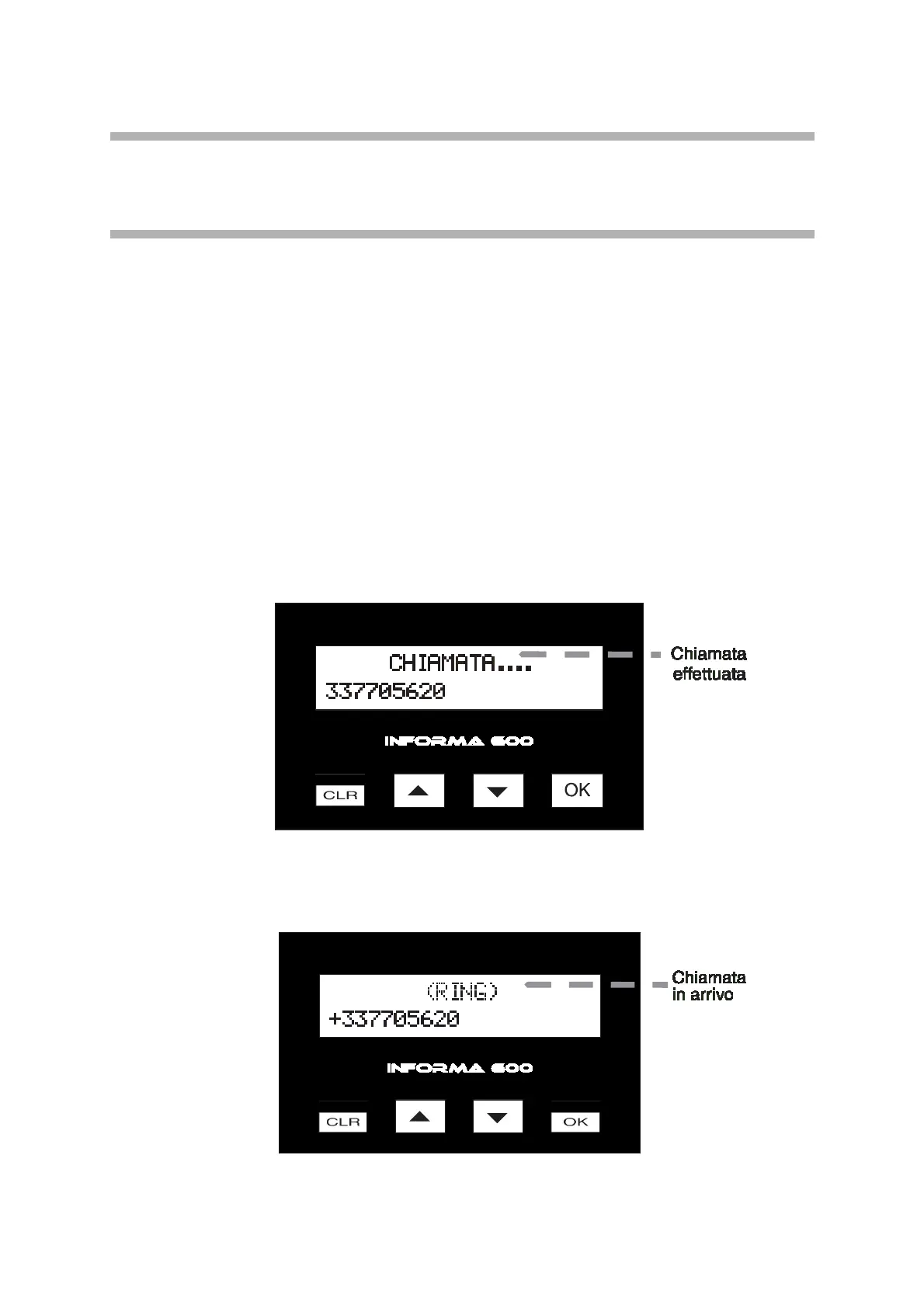
INFORMA 600 phone dialler can also be used as a GSM phone. To make a call, dial
the phone number directly on the key pad. The digits will contemporarily be displayed,
then press [OK]. During the conversation, it is possible to press the arrows buttons [
▲
]
and [
▼
] to adjust the received voice volume. Press [CLR] to end the call.
Press [
▲
] to redial the last number; the “LAST NUMBER” message appears on the display,
so press [OK] to view the last number called; consequently press [OK] once more to
recall. Making calls can be enabled from the programming. The dialler can also receive
calls just like any other normal GSM phone set. In case a call is received from a number
that is not enabled for remote access, the equipment starts to ring and view the calling
number on the display. Press [OK] to answer the call. Press [
▲
] and [
▼
] to adjust the
audio, and press [CLR] to end the call. The call receiving function is enabled by
programming it in the “GSM OPTIONS” menu, otherwise the dialler will refuse any calls
from numbers not enabled for remote access.
INFORMA 600 display views calls which are made and received.
INFORMA
600
-
Multifunction phone dialler with voice synthesis
7



 To Next Page