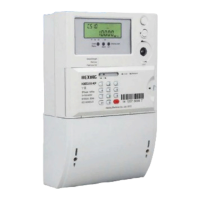
User manual for poly-phase meter
34
17 Overall dimensions and installation
17.1 Meter Connection
Please follow the instruction to arrange the wire connection:
a) Use copper cable as the lead-in wire to terminal block.
b) Screw out the wire-fasten screw so that the connection wires can be inserted into.
c) Remove the plastic cover of the connection wire long enough so that the wire-fasten
screws can contact each connected wire.
d) Screw the wire-fasten screws to fix the connection wires.
e) Pull the connected wires to check whether they are connected tightly.
The screws in the terminal block should be screwed down tightly to avoid
burnt because of bad contact or thin lead-in wire.



 To Next Page