CLX (4/18) Page 18
REV 6.0
7.5 Enabling the Security Access
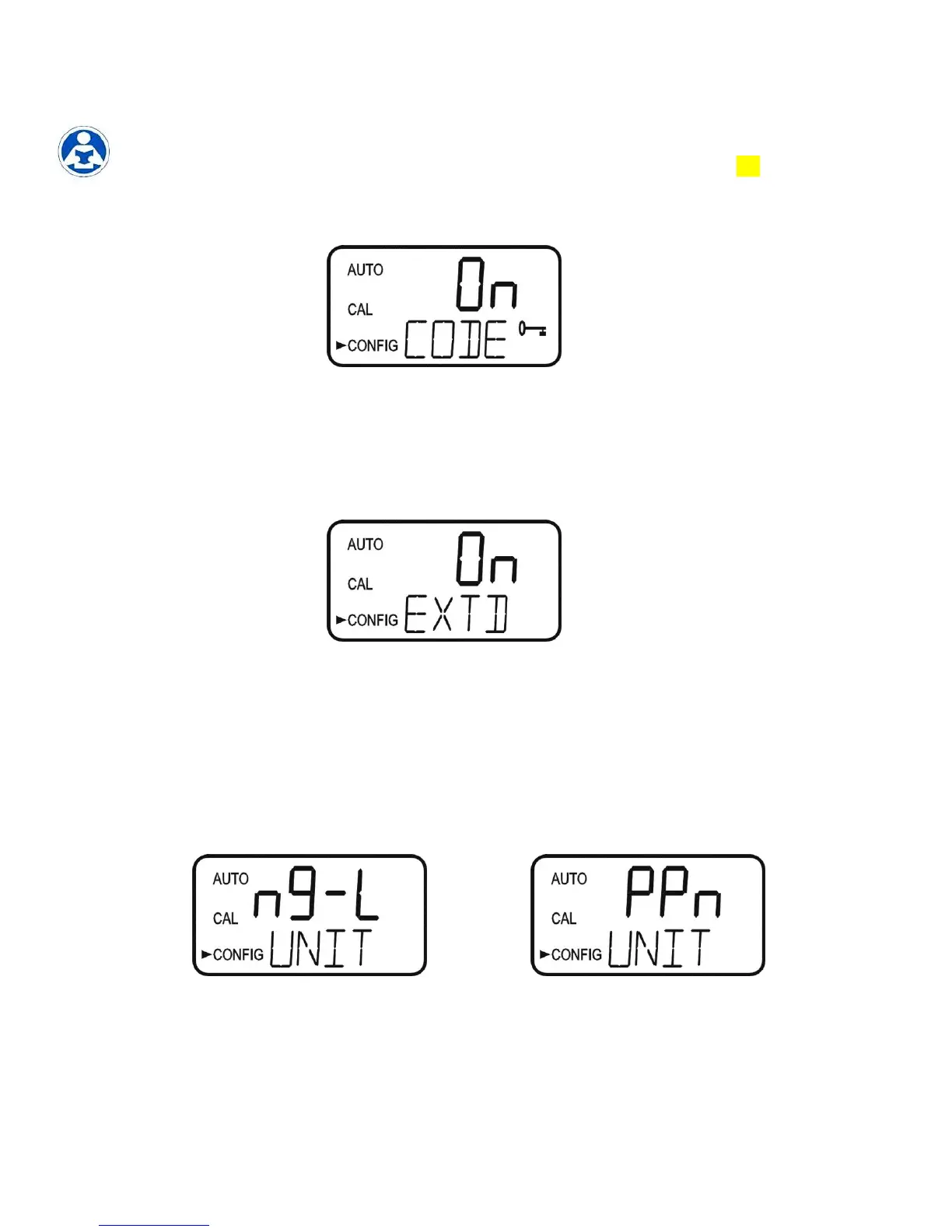
The instrument is equipped with a security access. If this option is turned on, the user is
required to input the access code into the instrument to get to any mode other than AUTO.
The only code is 333. This code may not be changed. See section 5.2 for more
information on this security feature. The security key icon will be visible and flashing on
the display whenever the access option is selected using the or buttons. (On or
OFF).
7.6 Extended Settings
The last settings are grouped together to prevent them from being adjusted by accident. To
gain access to the extended settings, select On using the or buttons and press the
button.
If extended settings are set to OFF, pressing the button will save all settings and the
CLX will automatically return to the normal AUTO mode of the instrument.
7.7 Units of Measurement
The unit of measure can be set to either mg/L (milligrams per liter) or PPM (parts per
million). The factory setting is mg/L. Select the desired UNIT using the and buttons
and press the button to accept it.
mg/L screen PPM screen


 To Next Page