8. Bluetooth
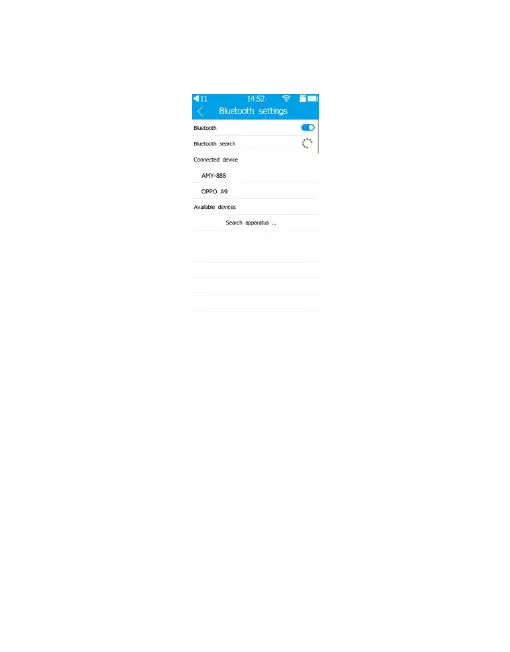
1) Turn on Bluetooth switch, it will automatically
scan available bluetooth.
2) All available devices will be listed. Choose wanted
device, tap the bluetooth name and it will start to
connect automatically.
3) After connected successfully, connected bluetooth
device name will be displayed in the Connected
device.
4) Bluetooth could be turned off.


 To Next Page