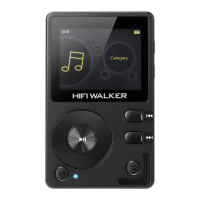
Need help?
Do you have a question about the HIFI WALKER H2 Touch Pro and is the answer not in the manual?
Lists detailed specifications of the player, including screen, material, audio processor, and Bluetooth capabilities.
Details the items included with the player, such as USB cable, card ejection pin, velvet bag, and quick guide.
Explains how to turn the player on and off by pressing the power button for a specified duration.
Details how to activate screen-lock mode by a short press of the power button and how to unlock it.
Provides instructions on how to reset the player if it crashes by holding the power button for 8 seconds.
Describes how to enter the music playback interface and use basic controls like playback settings, favorites, and equalizer.
Details how to access and configure playback settings like Play Mode, Memory Play, Maximum volume, and Equalizer options.
Details how to adjust the screen brightness level from 0-10 and exit the setting.
Explains how to set backlight time, automatic power off, sleep timer, and screen lock clock.
Describes automatic updates via Wi-Fi and covers the player's multi-language support.
Explains support for system wallpapers and DIY wallpapers for the main interface.
Details how to perform system firmware upgrades and where to find product information.
Explains how to reset the player to factory settings and format storage devices.
Instructs on connecting the player to a computer via USB cable for file transfer and entering U disk mode.
Explains how files are displayed in Windows system and how to manage file transfers.
Provides step-by-step instructions on safely disconnecting the player from a computer to avoid data corruption.
Explains how to check battery status, charge the device using an adapter or computer, and low-power reminders.
Addresses common issues like black screen, no sound, file transfer problems, and system crashes.
 General
| Storage Capacity | 32GB |
|---|---|
| Battery Life | Up to 15 hours |
| Bluetooth | Bluetooth 4.2 |
| Internal Storage | 32GB |
| Audio Formats Supported | MP3, WMA, WAV, APE, FLAC, AAC, OGG |
| Output Ports | 3.5mm headphone jack |
| Expandable Storage | MicroSD up to 256GB |
| Battery | 1200mAh |
| Connectivity | USB-C |
| Additional Features | Touchscreen |

 To Next Page